
MQL5 Indicator for Calculating the Average Price of a Hedge Account
Introduction
Hey there, fellow traders! Today, I want to share a nifty tool with you – an MQL5 indicator designed to calculate the average price of your hedge account effortlessly. I’ve tweaked the original code a bit and even posted a walkthrough video on YouTube for you to check out:
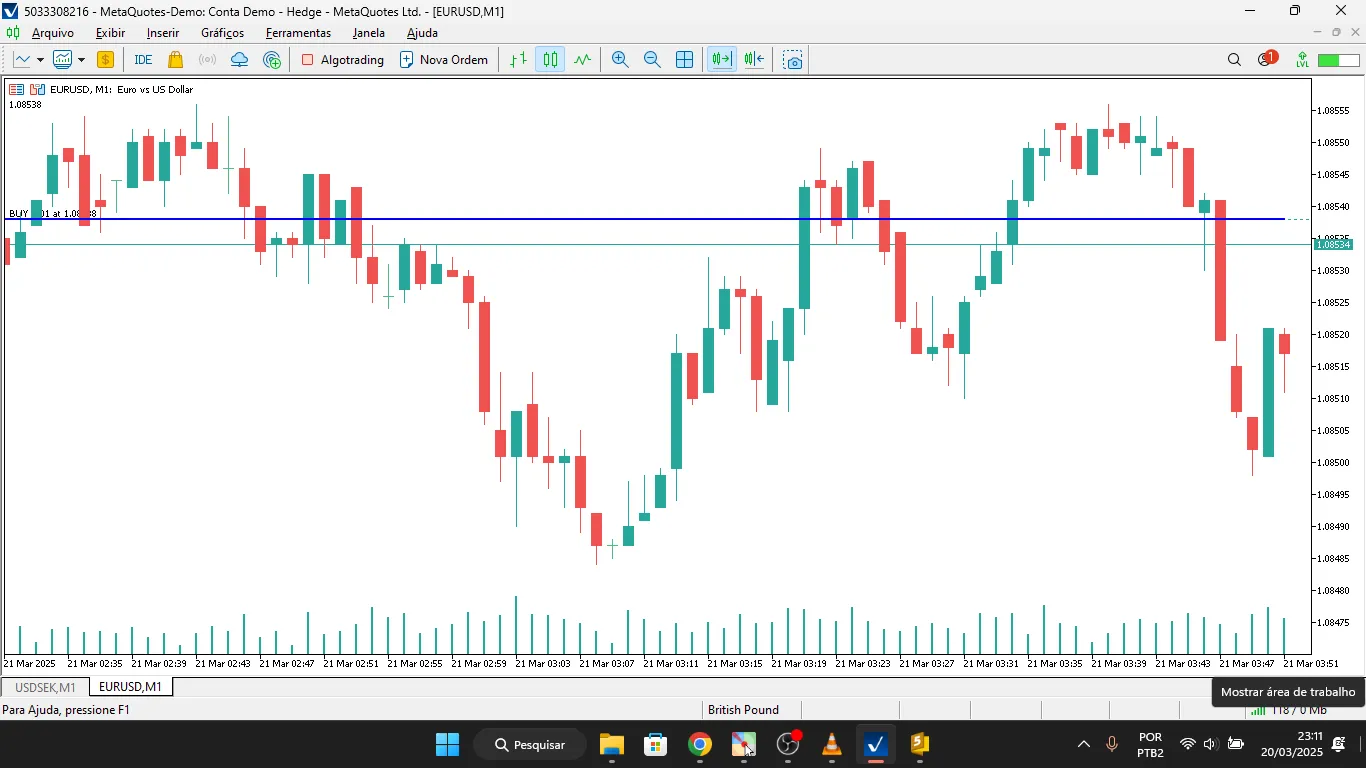
As many of you know, trading with a hedge account lets you hold both long and short positions on the same asset simultaneously. A common challenge in this setup is figuring out the average price of your open positions. Well, this article walks you through an MQL5 indicator that automatically calculates that average price for any given symbol and Magic Number, and displays it right on your chart.
How Does the Indicator Work?
The indicator operates in a few straightforward steps:
- Filters all open positions in MetaTrader 5, checking against the symbol and Magic Number you set.
- Separates buy and sell trades to calculate the volume and total cost for each.
- Calculates the weighted average price, factoring in total volume bought and sold.
- Displays a line on the chart that indicates the average price of your net position.
Code Breakdown
1. Calculating the Average Price
The CalculateHedgeAveragePrice() function loops through all your open positions and:
- Sorts out buys from sells.
- Calculates the weighted average price for each direction.
- Identifies whether your net position is long or short.
- Returns the calculated average price.
2. Initializing the Indicator
In the OnInit() function, we set up the buffer that will hold the average price to be displayed on your chart.
3. Filling the Buffer
The OnCalculate() function updates the indicator buffer using ArrayFill(), which improves the efficiency of the code.
How to Use in MetaTrader 5
- Copy and paste the code into a new .mq5 file in the Indicators folder.
- Compile the code in MetaEditor.
- Add the indicator to your chart in MetaTrader 5.
- Set the Magic Number for the trades you want to keep an eye on.
Conclusion
This MQL5 indicator is a game changer for those of you working with hedge accounts. It makes keeping track of the average price of your open positions a breeze and can be tailored for various assets and strategies. Happy trading!




Comments 0