
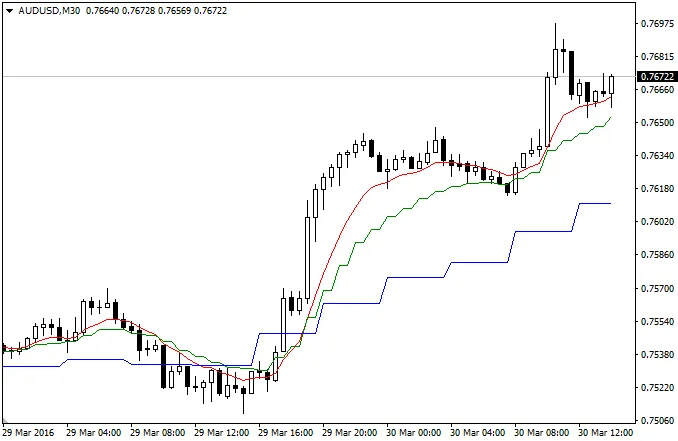
If you’re looking to enhance your trading strategy, the Multi Timeframe Moving Averages indicator for MetaTrader 4 could be just what you need. This handy tool allows you to display multiple Moving Averages from different timeframes on a single chart, giving you a clearer view of market trends.
Input Parameters:
- InpMinTimeFrame: Set your minimum timeframe.
- InpMiddleTimeFrame: Choose your middle timeframe.
- InpMaxTimeFrame: Define your maximum timeframe.
- InpMAPeriod: Specify the averaging period for calculations.
- InpMAShift: Adjust the horizontal shift of your Moving Averages.
- InpMAMethod: Select your preferred smoothing method.
- InpAppliedPrice: Decide which price type or handle to apply.
- InpShowMin: Enable or disable the minimum timeframe display.
- InpShowMiddle: Choose to show or hide the middle timeframe.
- InpShowMax: Control the visibility of the maximum timeframe.
Latest Update (April 1, 2016)
For a recent fix, check out the discussion on the Refreshed All Time Forum.




Comments 0