
Overview of the 4 Sessions Indicator
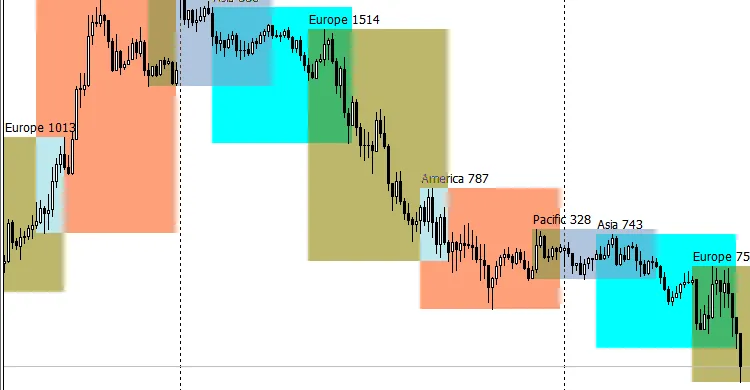
4Sessions v2.3 is a handy tool for traders using MetaTrader 4. It clearly displays the four major trading sessions: Pacific, Asian, European, and American, helping you catch those critical market movements.
Customizing Your Settings
To get the most out of this indicator, you’ll need to tweak a few settings based on your broker's timezone:
- Winter: Set to 2 for UTC+2 (Eastern European Time)
- Summer: Set to 3 for UTC+3 (Eastern European Time)
Remember, the default for MetaTrader servers is EET, which adjusts between UTC+2 in winter and UTC+3 in summer. Make sure you're aligned with your broker's timezone. For instance, if your broker uses Central European Time (CET), adjust your settings like this:
- Winter: Set to 1 for UTC+1 (CET)
- Summer: Set to 2 for UTC+2 (CET)
Note: The indicator automatically adjusts for Daylight Saving Time (DST), so you won't have to worry about that!
Session Details
Here’s a quick breakdown of the sessions:
- Session Name: Asia
- Color: Aqua
- Open Time: 00:00 (UTC)
- Close Time: 09:00 (UTC)
These details help you track when the market is most active, allowing you to make informed trading decisions.




Comments 0