
If you're looking to enhance your trading strategies, the Subway indicator for MetaTrader 4 is worth exploring. This nifty tool displays a channel based on moving averages, helping you visualize market trends effectively.
Here's a closer look at the indicator settings:
- Level_Model — This setting determines how the channel lines are arranged in relation to the central line, measured in points. You can choose from various models:
- Model №1: +89, +144, +233, -89, -144, -233
- Model №2: +144, +233, +377, -144, -233, -377
- Model №3: +233, +377, +610, -233, -377, -610
- Model №4: +377, +610, +987, -377, -610, -987
- MA_1 — This is the fast Moving Average period used to calculate the indicator.
- MA_2 — This represents the slow Moving Average period for the indicator calculation.
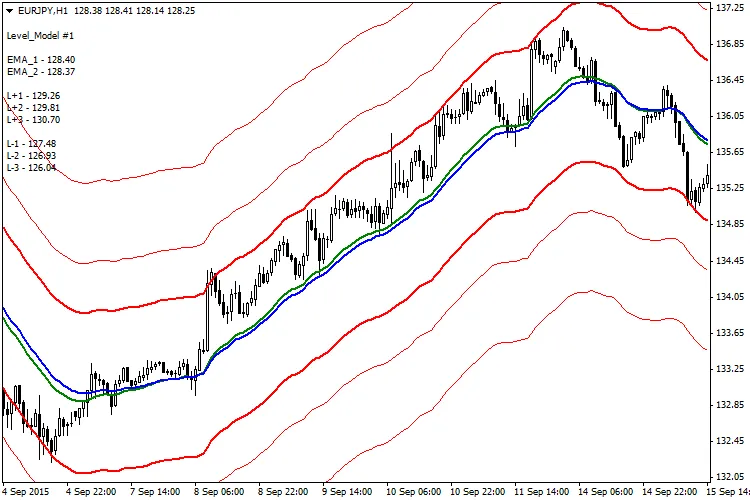
By using the Subway indicator effectively, you can gain insights into market movements and better position your trades. Whether you're a seasoned trader or just starting, integrating this tool into your strategy can provide a fresh perspective on your trading approach.




Comments 0