
Get to Know the Trend Equilibrium Indicator (TrendEQ)
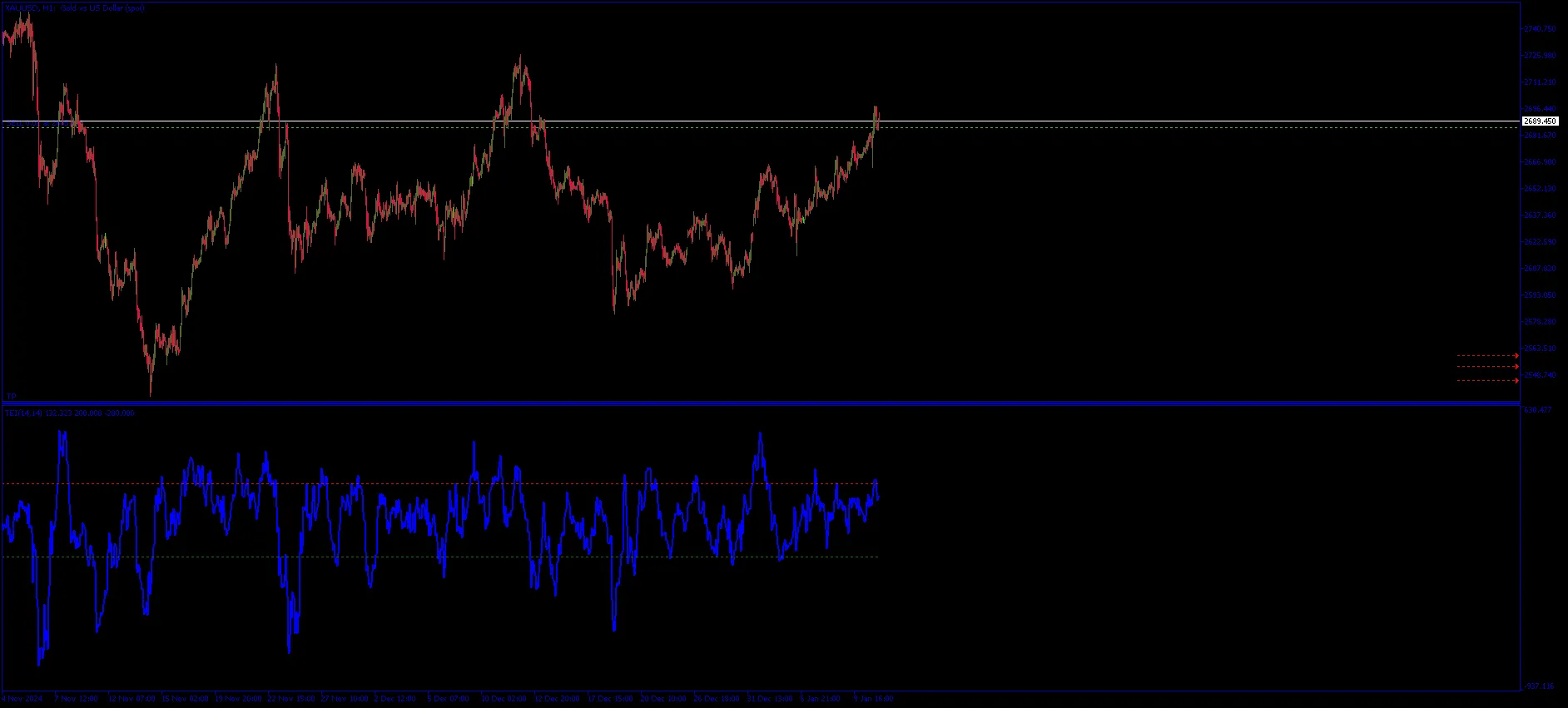
If you’re looking to elevate your trading game, the Trend Equilibrium Indicator (TrendEQ) for MetaTrader 5 is worth a look. This nifty tool can help you pinpoint market momentum and volatility, giving you a clearer edge in your trading decisions.
Settings and Parameters
To make the most of TrendEQ, let’s dive into its key settings:
- Momentum Period: This setting determines the number of candles used to calculate momentum. A recommended value is 14. Just a heads-up, higher values can smooth out the curve but may introduce some lag.
- Volatility Period: Similar to momentum, this parameter uses candles to assess volatility. Again, 14 is suggested for optimal performance.
- Scaling Factor: This adjusts the pointer calculation to produce a more readable curve. The default is set at 100,000.
- Thresholds:
- Overbought Level: The market is considered overbought above 100.0, signaling a potential price correction.
- Oversold Level: If prices drop below -100.0, the market could be poised for a recovery.
Understanding Its Functionality
The TrendEQ offers a couple of critical functionalities:
- Trend Determination: A positive value indicates upward momentum (bullish trend), while a negative value signals downward momentum (bearish trend).
- Volatility Adjustment: This feature helps fine-tune momentum calculations based on current market volatility, which means you’ll get more accurate and timely signals.
- Overbought/Oversold Signals: Keep an eye out for overbought conditions that suggest a price correction may be on the horizon, and oversold conditions that hint at a potential price bounce.
By integrating the Trend Equilibrium Indicator into your trading strategy, you can enhance your ability to read market conditions and make informed trading decisions. Happy trading!




Comments 0