
What is Volume Profile?
The Volume Profile tool, often referred to as horizontal volume, is a powerful indicator that displays trading volume at various price levels over a chosen time frame. It does this using a horizontal histogram, where longer bars signify higher trading activity at that price, while shorter bars indicate less activity. The beauty of this indicator lies in its straightforward calculations, allowing for quick and efficient execution.
How to Use Volume Profile
To set up the Volume Profile for a specific time period, simply place two vertical lines after running the indicator at the start and end of your desired interval. Adjusting these lines will dynamically update the Volume Profile based on your selected timeframe.
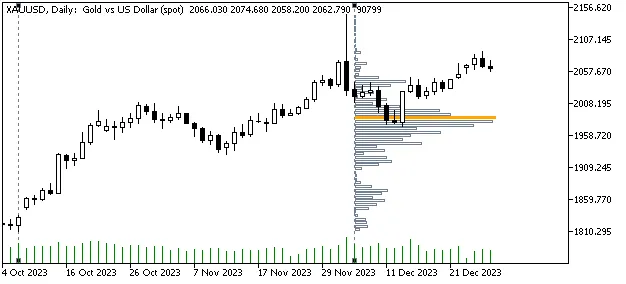
Sample Screenshot
Input Settings
- Calculation Timeframe: This setting assumes that volume is evenly distributed throughout the candle's range (from low to high). While this can lead to less precise results, especially with short timeframes, tweaking this option to lower timeframes (like 1 minute) can yield results that are almost as accurate as using tick data.
- Number of VP Bars: Adjusting the number of histogram bars will affect the representation of the price range where most transactions occurred. Fewer bars will give you a broader view, while more will pinpoint exact price levels with higher transaction volume. Changing this input may shift the Point of Control (POC), but this isn't a mistake—just a different perspective.
- Applied Volume: By default, the indicator uses real volume. However, if you select 'tick_volume' in the settings or if real volume data isn't available, the indicator will use tick volume instead.
- Maximum VP Bar Length to Chart Width Ratio: You can adjust how long the VP bars appear in relation to the width of your chart, giving you flexibility in your visual presentation.
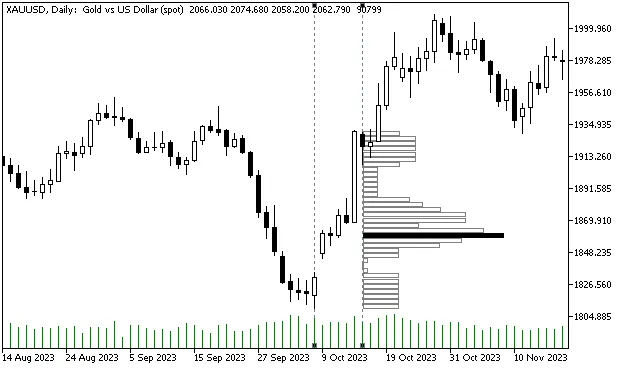
Figure 1: Calculation Based on Current Timeframe
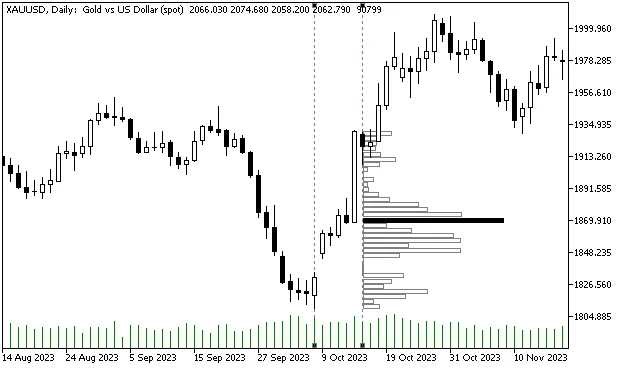
Figure 2: Calculation Based on 1-Minute Timeframe
Caution
When using lower timeframes for calculations, ensure that your price data for that timeframe has been downloaded. This may take a few moments, so be patient and adjust the vertical lines until the data is fully loaded!
I hope this guide enhances your trading experience! Feel free to drop a comment if you spot any mistakes or have questions about the code!




Comments 0