
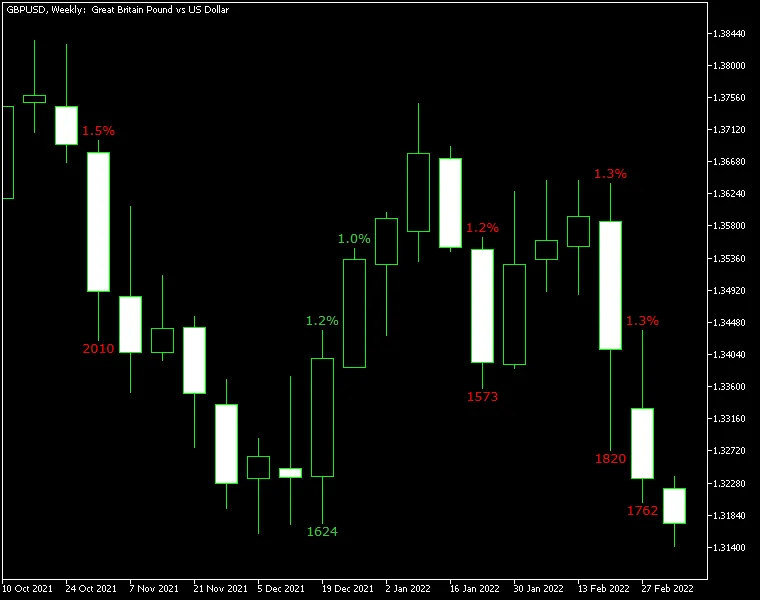
Gain/Loss Info Indicator for MetaTrader — This handy tool helps you keep tabs on your trading performance by displaying the gains and losses across all candles once a specified threshold is exceeded. You’ll see values calculated in both points and percentage, making it easy to understand your trading results at a glance.
The indicator operates in two modes: it can calculate gains and losses based on the difference between the current candle's Close and Open, or by comparing the current Close to the previous Close. You also have the flexibility to set minimum change limits in both pips and percentage, adjust the display modes, and customize the font color for the output numbers. Plus, it's compatible with both MT4 and MT5 platforms!
Input Parameters
- PercentageLimit (default = 1.0) — This sets the minimum threshold for the change to be displayed, measured in percentage points.
- PointsLimit (default = 1000) — This establishes the minimum threshold for the change to be displayed, measured in points.
- CloseToClose (default = true) — If set to true, the indicator will compare the current Close to the previous Close. If false, it will compare the current Close to the current Open.
- DisplayLossColor (default = clrRed) — This defines the color for displaying negative price changes.
- DisplayGainColor (default = clrGreen) — This sets the color for showing positive price changes.
- MaxBars (default = 100) — This parameter limits the maximum number of bars the indicator will calculate on. Keep in mind, a higher number can make the indicator lag.
- FontFace (default = "Verdana") — This specifies the font style used for the display.
- FontSize (default = 10) — This sets the font size for the displayed information.
- ObjectPrefix (default = "GLI-") — This prefix is used for chart objects to ensure compatibility with other indicators.




Comments 0