
When it comes to trading on MetaTrader 4, one of the most powerful tools at your disposal is the ability to integrate custom indicators into your Expert Advisors (EAs). Today, we're diving into how to use the iCustom function to pull signals from your indicators and make your trading strategy even smarter.
Let’s start with the default indicator we’ll be working with: super_signals_v2_alert. If you're looking to personalize your trading experience, you might want to change the name of this indicator. Here’s a quick tip: make sure it's located in your Indicators folder and remember to write the name without the .mql4 extension.
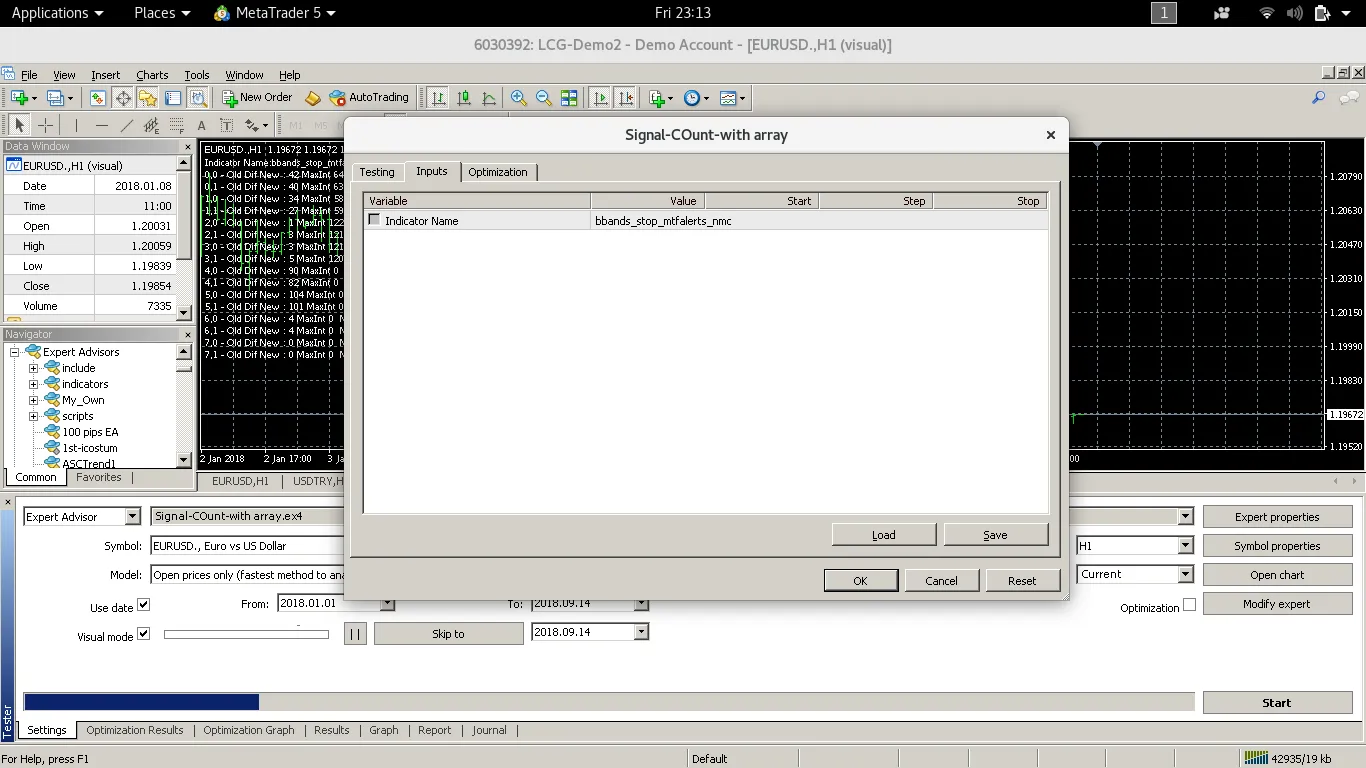
By using iCustom, you can easily call up the signals from this indicator within your EA. This allows you to automate your trading decisions based on the signals generated by your customized indicator. Here’s how it works:
- Step 1: Ensure your indicator is correctly installed in the right folder.
- Step 2: Use the iCustom function in your EA to reference the indicator.
- Step 3: Set up your trading logic to react to the signals returned by the indicator.
Integrating your indicators into your trading strategy can lead to more informed decisions and potentially better results. So, give it a shot and see how it can enhance your trading game!




Comments 0