
Welcome back, traders! Today, let’s dive into a powerful tool that can give your trading strategy a serious boost: the Multi Arbitration 1.000 Expert Advisor (EA) for MetaTrader 5.
At its core, this EA is designed to help you buy low and sell high. Here’s how it works:
The current version, 1.000, focuses on trading a single symbol, which you can define using the "Symbol" parameter in the input settings.
How to Open Positions
Here’s the basic principle for opening positions:
- If the total profit from all BUY positions is less than that of all SELL positions, we can infer that the market is trending downward, prompting us to open a SELL.
- Conversely, if the total profit from SELL positions is less than that from BUY positions, it indicates an upward trend, so we should open a BUY.
      if(profit_buys<profit_sells) // trend down
         m_trade.Buy(m_symbol.LotsMin(),m_symbol.Name());      elseif(profit_sells<profit_buys) // trend up
      m_trade.Sell(m_symbol.LotsMin(),m_symbol.Name());
      elseif(profit_buys==0.0 && profit_sells==0.0)
         m_trade.Buy(m_symbol.LotsMin(),m_symbol.Name());
Testing Results on EURUSD, H4
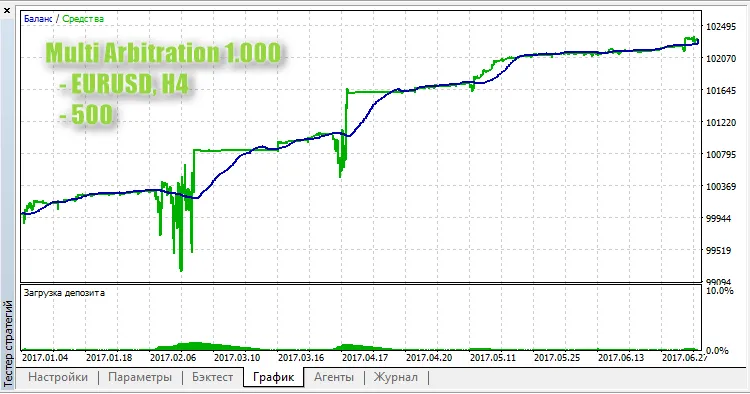
It’s worth noting that during prolonged market trends, the load on your account balance can increase significantly. This is something to keep an eye on, as it hasn’t been fully addressed yet.
So, there you have it! The Multi Arbitration 1.000 EA can be a game-changer in your trading arsenal. Make sure to test it out and see how it performs for you!




Comments 0