
If you're looking to level up your trading game, the Patterns EA for MetaTrader 5 is a powerful tool you won't want to miss. This Expert Advisor employs a comprehensive indicator that identifies thirty popular candlestick patterns, making it easier for you to spot trading opportunities.
With the Patterns EA, you can utilize various trading strategies when opening positions. You have the flexibility to enable or disable position openings for each pattern separately or for groups of patterns, including one-bar, two-bar, and three-bar candlestick formations.
Don’t worry about needing the separate indicator; everything is built into the EA itself. The calculations and pattern searches are handled within a dedicated class linked to the EA, ensuring a seamless experience.
You can set your stop loss and take profit levels in points, which will apply uniformly across all your positions. If you input invalid values, the EA will automatically adjust them to the minimum StopLevel allowed for your trading symbol.
The EA is smart enough to adjust the lot size if you specify an incorrect value. If the lot size is too large, it will be recalibrated to ensure that a position can be opened. And if your account balance doesn’t cover even the minimum lot, the signal will simply be skipped.
The Patterns EA comes packed with 75 configurable parameters. Here are the highlights of the top 15 specifications:
- Enable One-bar patterns - activate one-bar candlestick patterns;
- Enable Two-bar patterns - activate two-bar candlestick patterns;
- Enable Three-bar patterns - activate three-bar candlestick patterns;
- Maximum pips distance between equal prices - set the max distance for price comparison;
- Draw Pattern and Descriptions - display patterns and their descriptions on the chart;
- Font size - customize the font size for pattern descriptions;
- Texts color - choose the text color for descriptions;
- Font name - select the font for pattern descriptions;
- Experts magic number - assign a unique identifier for the EA’s positions;
- Mode of opening positions - choose your preferred position opening mode;
- Lots - specify the volume for positions to be opened;
- Stop loss in points - set the stop loss in points (not applicable if 0);
- Take profit in points - set the take profit in points (not applicable if 0);
- Slippage of price - define the maximum slippage when opening a position;
- Multiplier spread for stops - apply a spread multiplier when calculating stop distances.
The remaining 60 parameters allow you to toggle various patterns and position types based on your trading strategy.
- Any position
- Always one position (swing)
- Only one Buy position
- Many Buy positions
- Only one Sell position
- Many Sell positions
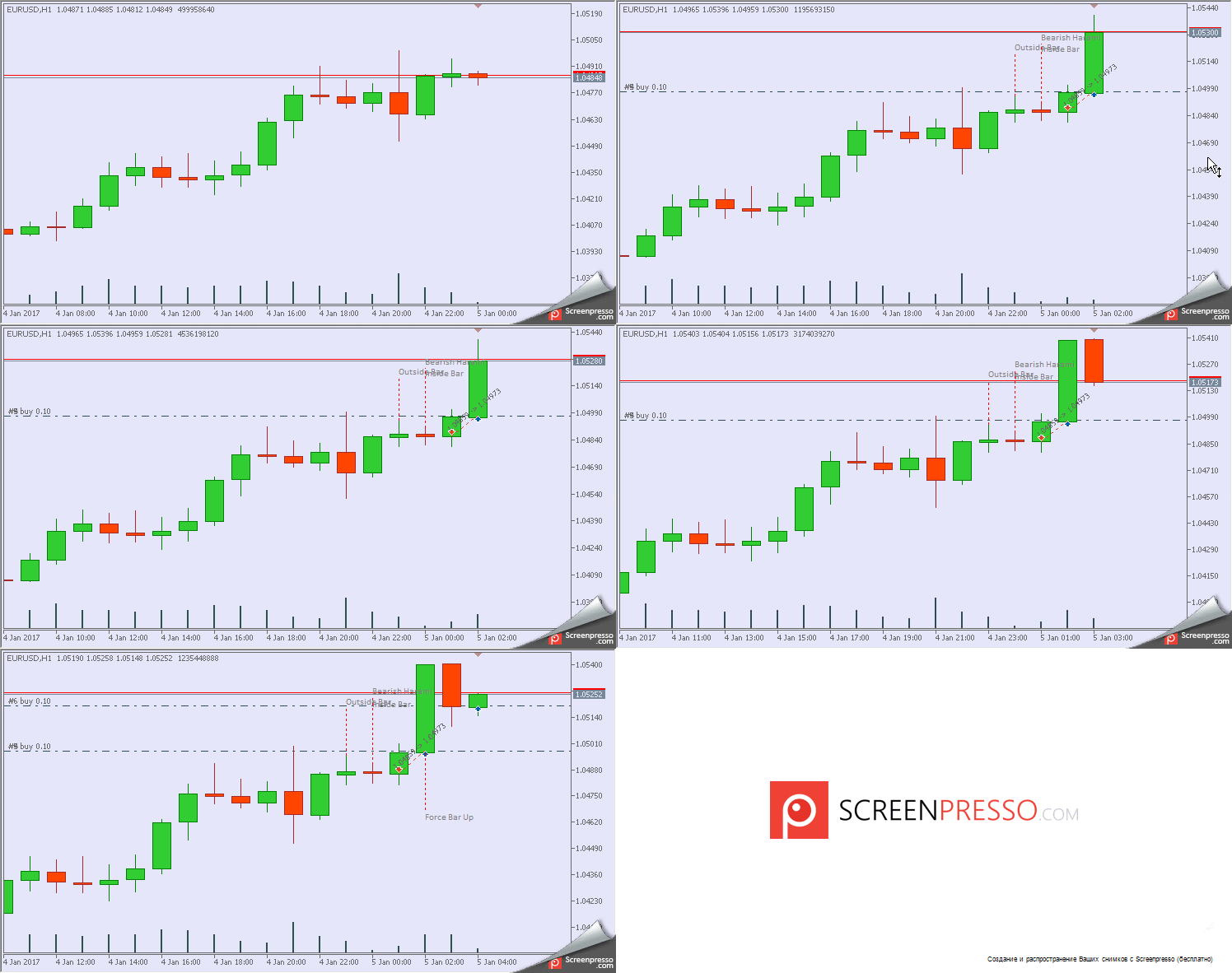
Example: Mode of opening positions set to 'Always one position.' The 'Outside' pattern triggers a Sell. Default values are applied to all other settings.




Comments 0