
As traders, we often need to present our information clearly, whether it's in a table format or just a series of tabulated lines. If you want to display multiple lines directly in the main window, you can easily do so using the Comment function. Just combine your lines like this: Comment(line_1,"\n",line_2,"\n"...). Check out the example of Comment2 for more clarity.
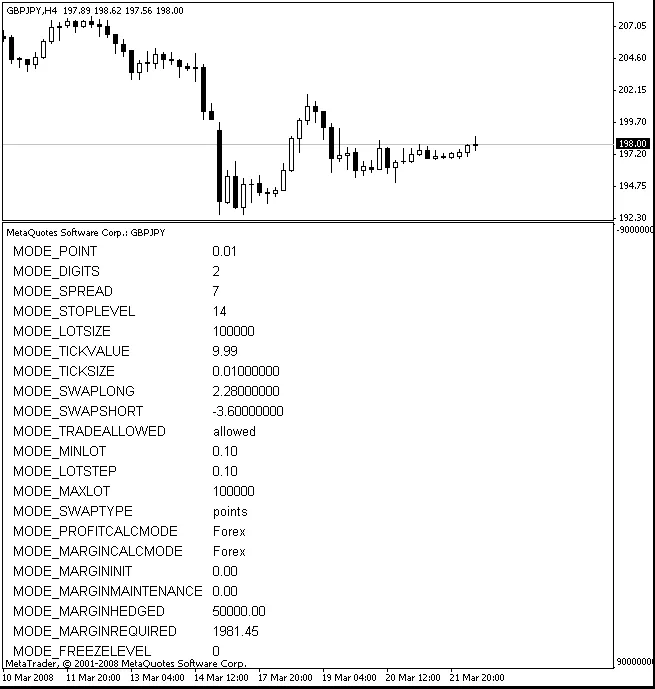
Now, while the Comment() function is great for showing info in the main chart window, there are times when you might want to showcase data in an indicator subwindow. That’s where the following example comes in handy.
This indicator will display the contract specifications for a specific trading symbol. The PrepareInfo function:
void PrepareInfo(string & array[][])
fills a two-dimensional string array using the MarketInfo() function. After that, you can display this array using the:
void Show(string valueArray[][])
This Show function is quite versatile, allowing you to display any type of two-dimensional arrays. You’ll also want to use the function:
void RefreshAccountInfo()to update your information when you switch between symbols, timeframes, or accounts.
Here’s an example of how to implement this:




Comments 0