
Hey traders! If you’re diving into the world of MetaTrader 5, you might have come across the FVG (Fair Value Gap) Momentum Detection indicator. Let’s break it down together so you can take full advantage of its features.
What Does the Indicator Show?
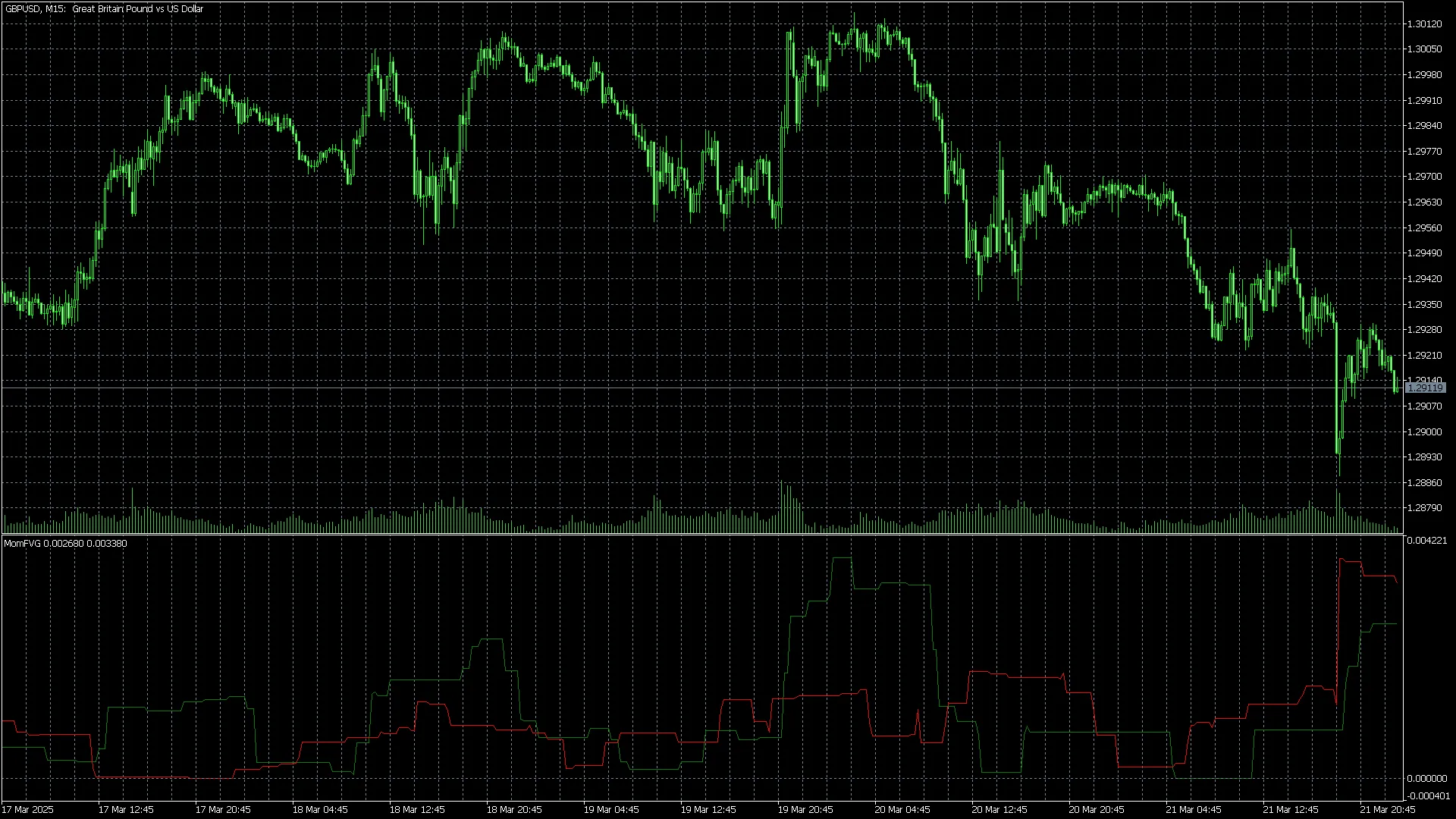
- The Green Line: This represents the total number of FVGs in an uptrend (whether they’re filled or unfilled) within your specified window_size.
- The Red Line: This indicates the total number of FVGs in a downtrend (again, filled or unfilled) for the same window_size.
- Green Above Red: This scenario suggests that there’s upside momentum in the market.
- Red Above Green: Conversely, if the red line is above the green, you’re looking at downside momentum.
This indicator isn't just for spotting trends; it can also serve as a handy exit signal when you're ready to close your trades.




Comments 0