
If you're trading with MetaTrader 4, you might want to get the most out of your analysis tools. One essential tool is the High/Low indicator, which can help you identify price movements over a specific period. Let's dive into the details and see how you can configure it to fit your trading style.
Configuring the Middle Line
The High/Low indicator comes with a parameter called Middle line type. Here’s how you can set it up:
MID_TYPE_NONE=0,    // None
MID_TYPE_MEDIAN=1,  // Median, (high + low)/2
MID_TYPE_TYPICAL=2, // Typical, (high + low + close)/3
MID_TYPE_WEIGHTED=3// Average, (high + low + close + close)/4
Visual Representation
Check out this image below that illustrates daily price movements on a 5-minute chart. It’s a practical example of how the High/Low indicator can help you keep track of market trends:
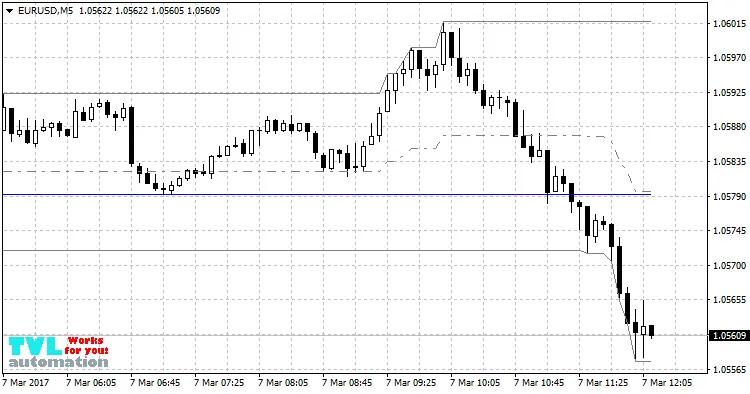
By using the High/Low indicator effectively, you can enhance your trading strategy and make more informed decisions. Happy trading!




Comments 0