
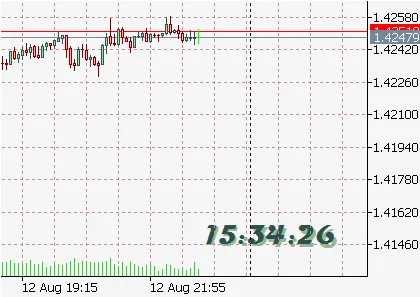
Introducing FineClock, your go-to tool for keeping track of time while trading on MetaTrader 5. This handy clock can be displayed on all your charts, ensuring you never miss a beat!
To customize your FineClock experience, you’ll need to set up some files. First, grab the eIntNumbers.mqh and eFloatNumbers.mqh files—make sure to copy them into your terminal_data_folder\MQL5\Include\Enums\.
Next, download the fineclock.mq5 file and place it in your terminal_data_folder\MQL5\Experts. Don’t forget to unzip the provided presets (Presets.zip) into terminal_data_folder\MQL5\Presets\.
Setting Up FineClock:
input eTimeType TimeType=TLocal; // Choose your time zone: Local, Server, or GMTinput eClockFormats Fmt= Seconds; // Select display format: HH:MM:SS or HH:MM (saves resources)input еMyCorners Corner = CRL; // Position on the chartinput ePInt X= 170; // Horizontal adjustmentinput ePInt Y = 38; // Vertical adjustmentinputstring FontName="Magneto"; // Set your preferred fontinput ePInt FontSize=16 // Adjust font sizeinputcolor FontColor = clrDarkSlateGray ; // Font colorinputcolor ShadowColor = clrDarkSeaGreen; // Shadow colorinput ePInt SS=1 // Shadow offsetinput eFloat01 eSA=-12 // Shadow angle




Comments 0