
If you're looking to enhance your trading strategies, the ColorCoppock oscillator might just be your new best friend. This Expert Advisor (EA) signals potential trading opportunities based on changes in the oscillator's direction. Essentially, a signal is generated when a bar closes, indicating a shift in the indicator's trajectory.
To get started, simply place the ColorCoppock.ex5 file in your terminal's data folder at MQL5/Indicators. It's a straightforward process that can lead to significant insights in your trading approach.
During our tests, we utilized the default input parameters for the Expert Advisor, and it's worth noting that we didn't implement Stop Loss or Take Profit during these trials.
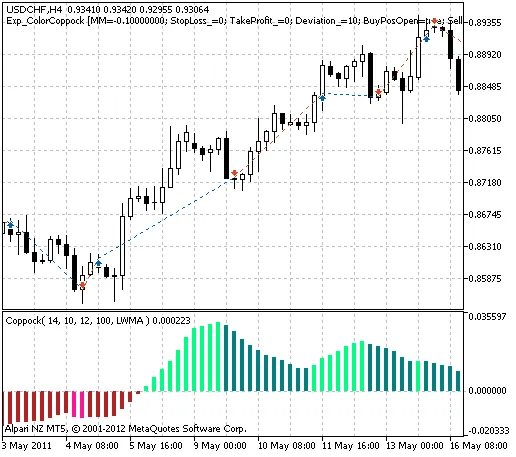
Fig. 1. The instances of history of deals in the chart.
Now, let’s take a look at the testing results for the year 2011 with the USDCHF on a 4-hour chart:
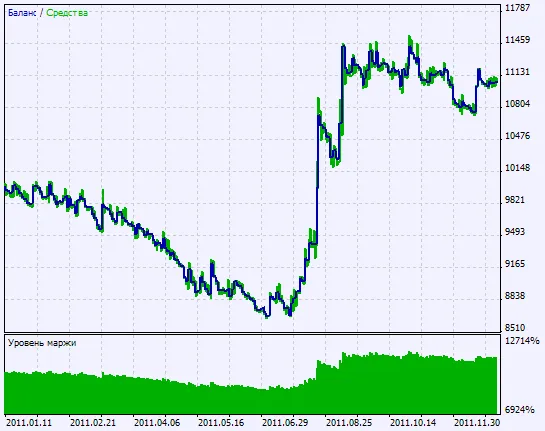
Fig. 2. Chart of testing results.




Comments 0