
If you're looking for a fresh take on the MACD indicator, you're in for a treat! The Area MACD Expert Advisor (EA) offers a unique twist by calculating the area above and below the zero line, giving you a whole new perspective on trading signals.
With the 'Reverse Signal' parameter, you can decide whether to open a BUY or SELL position, adapting the strategy to your trading style.
Key Inputs:
- Stop Loss (in pips): Set your stop loss value.
- Take Profit (in pips): Specify your take profit target.
- Trailing Stop (in pips): Use a trailing stop to lock in profits.
- Trailing Step (in pips): Define the step for the trailing stop.
- Lots: Manually set the lot size or let it be calculated dynamically.
- Risk: Choose between a fixed lot size or a dynamic one based on your risk profile.
- Number of Bars: Determine how many bars to analyze for the indicator's area.
- Reverse Signal: Toggle this feature to flip your trading signals.
//--- MACD Parameters
- Fast Average Period: Set the period for the fast average calculation.
- Slow Average Period: Specify the slow average period.
- Difference Averaging Period: Define the period for averaging the differences.
- Type of Price: Choose which price type to use.
How you calculate your lot size can significantly impact your trading strategy, so be mindful of whether you want a constant or dynamic approach.
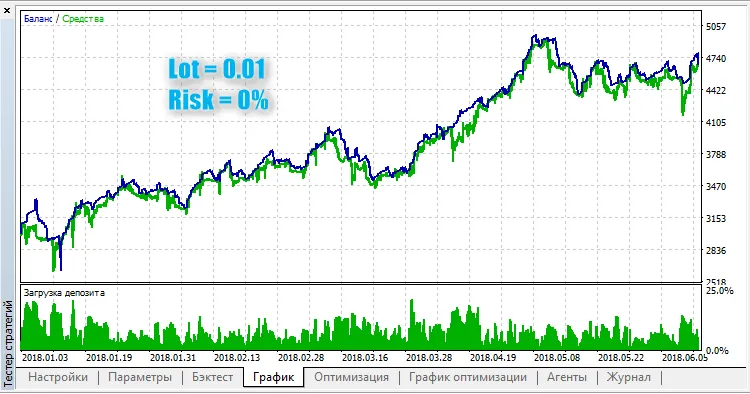
Fig. 1. Constant Lot Size
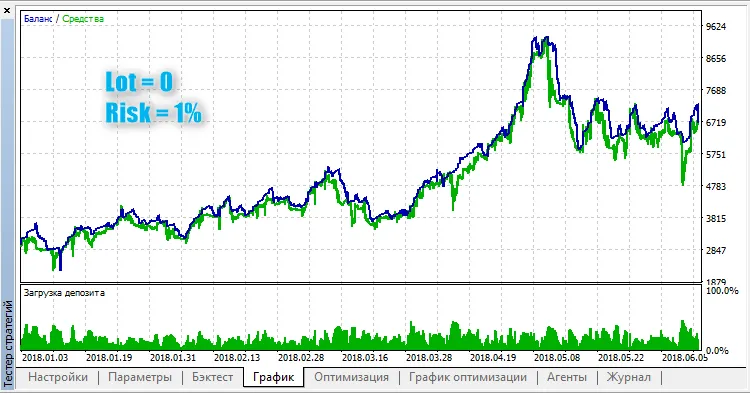
Fig. 2. Dynamic Lot Size




Comments 0