
If you’re diving into the world of trading on MetaTrader 5, you’ve probably heard about the Universal Moving Average. This handy tool lets you choose from a variety of moving average types right within your trading terminal. Here’s a quick rundown of what you can expect:
- Simple
- Exponential
- Smoothed
- Linear Weighted
- AMA (Adaptive Moving Average)
- DEMA (Double Exponential Moving Average)
- FRAMA (Fractal Adaptive Moving Average)
- TEMA (Triple Exponential Moving Average)
- VIDYA (Variable Index Dynamic Average)
- MAMethod - Choose your MA type
- MAPeriod - Set your period
- MAPrice - Select the applied price
- AMAFast - Fast EMA period for AMA
- AMASlow - Slow EMA period for AMA
- CMOPeriod - CMO period for VIDYA (note that the order of VIDYA parameters differs from other indicators in the client terminal)
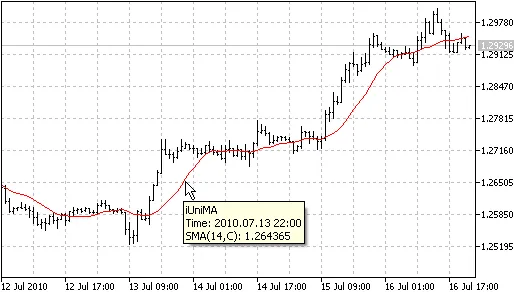
Whenever you adjust the MA settings, you’ll see the name of the MA, its period, applied price, and other parameters in a helpful pop-up window. It’s pretty user-friendly once you get the hang of it!




Comments 0