
If you're looking to up your trading game, the Thrust Bar indicator for MetaTrader 5 is a tool you'll want in your toolkit. This nifty indicator highlights long 'persistent' bars right on your price chart, making it easier to spot potential trading opportunities.
Configuring the Thrust Bar Indicator
The Thrust Bar comes with eight adjustable parameters, allowing you to tailor it to your trading style:
- Indicator mode: Choose how the indicator calculates signals.
- ATR: Uses Average True Range for calculations.
- Points: Based on the size of the bar in points.
- ATR period: Set the period for ATR calculations (only applicable in ATR mode).
- ATR multiplier/Size candle in points: Adjust the multiplier for ATR or the minimum candle body size in points (depends on your chosen mode).
- Use long side: Enable to display bullish bars.
- Use short side: Enable to show bearish bars.
- Use alerts: Turn on alerts to be notified of potential signals.
- Send mail: Activate to receive email notifications.
- Send push-notifications: Get push notifications on your mobile device for real-time updates.
Understanding the Calculations
- For ATR mode:
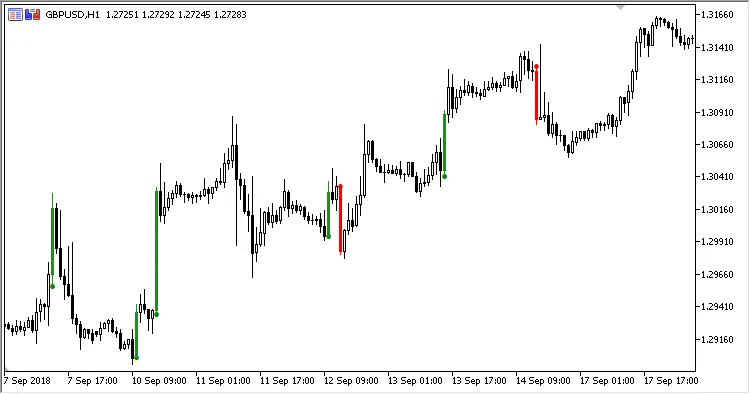
If the candle body size exceeds the product of the ATR multiplier and ATR(ATR period)/Point, the indicator will draw the bar and place a signal marker. - For Points mode:
If the candle body size exceeds the specified Points value, the indicator will again draw the bar and place a signal marker. - Bar color:
Green indicates a bullish bar, while red signifies a bearish one. - Signal marker placement:
The marker appears at the Low price for bullish bars and at the High price for bearish bars.




Comments 0