
Are you looking to fine-tune your trading strategy? The "Triple Top and Triple Bottom" price action EA for MetaTrader 4 is just what you need! This tool draws two mini trend lines using fractals, helping you execute trades based on the triple top and bottom strategy. With features like trailing stop loss and take profit options, it works wonderfully across all time frames for major forex pairs and NASDAQ stocks.
Understanding the Triple Top and Bottom Strategy:
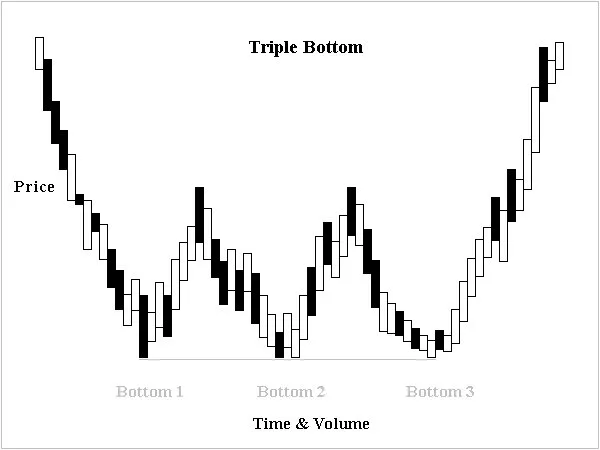
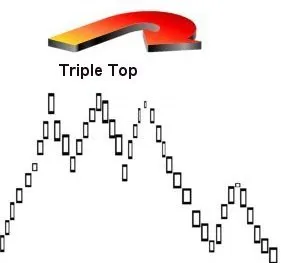
The triple top is confirmed when the price declines from the third peak and falls below the lowest valley between the three peaks. This is a crucial signal to keep an eye on!
- This EA combines two moving averages with trend lines.
- Note that trend lines won’t operate in test mode.
- You can only optimize tests using moving averages.
- In live trading, both trend lines and moving averages work together.
- During backtesting, the EA will only display trend lines visually without using them for trade creation.
- Trend lines act as filters, increasing the probability of winning trades.
- Always try it on a demo account first!
- This EA only trades based on the open candle price!
- If you prefer not to increase your lot size after a loss, set "IncreaseFactor=0".
Now, let’s dive into the inputs and settings you’ll want to customize:
Inputs
- Use_TP_In_Money - Enable Take Profit in Money (true/false).
- TP_In_Money - Set Take Profit in Money (values: 10-100).
- Use_TP_In_Percent - Enable Take Profit in Percent (true/false).
- TP_In_Percent - Set Take Profit in Percent (values: 10-100).
- ------------[Money Trailing Stop For Multiple Trades]----------------------
- Enable_Trailing - Enable trailing stop with money (true/false).
- Take Profit in Money (values: 25-300).
- Stop Loss in Money (values: 1-20).
- ------------------------------------------------------------------------------------
- Exit - Close trades if the trend moves against you (true/false).
- Lots - Lot size (values: 0.01-1).
- Lots Size Exponent (values: 1.01-2).
- IncreaseFactor - Amount to increase lots after a losing trade (values: 0.001-0.1).
- Stop_Loss - Set Stop Loss (values: 30-500; set to 600 for multiple trades).
- MagicNumber - Magic number (values: 1-100000).
- TakeProfit - Set Take Profit (values: 50-200; set to 600 for multiple trades).
- FastMA - Fast Moving Average (values: 1-20).
- SlowMA - Slow Moving Average (values: 50-200).
- Mom_Sell - Momentum Sell trigger (values: 0.1-0.9).
- Mom_Buy - Momentum Buy trigger (values: 0.1-0.9).
- ---------------------CONTROL DRAW DOWN-----------------------------
- UseEquityStop - Enable equity stop (true).
- TotalEquityRisk - Set total equity risk (values: 0.01-30).
- ------------------------------------------------------------------------------
- FractalNum - Number of highs and lows (values: 1-10).
- Max_Trades (1-12).
- ----------------IF YOU USE ONLY 1 TRADE:-----------------------
- /////////////////////////////////////////////////////////////////////
- USETRAILINGSTOP - Enable trailing stop (true/false).
- WHENTOTRAIL - When to trail (values: 40-100).
- TRAILAMOUNT - Trail amount (values: 40-100).
- Distance From Candle - Distance from candle (values: 1-100).
- USECANDELTRAIL - If using trailing stop (true/false).
- X - Number of candles (values: 1-100).
- USEMOVETOBREAKEVEN - Enable "break even" (true/false).
- WHENTOMOVETOBE - When to move to break even (values: 1-30).
- PIPSTOMOVESL - How many pips to move stop loss (values: 1-30).
- It’s a good idea to optimize this EA every few months using the exact inputs mentioned above.
- You can use it as a hedging grid EA or a single trade EA.
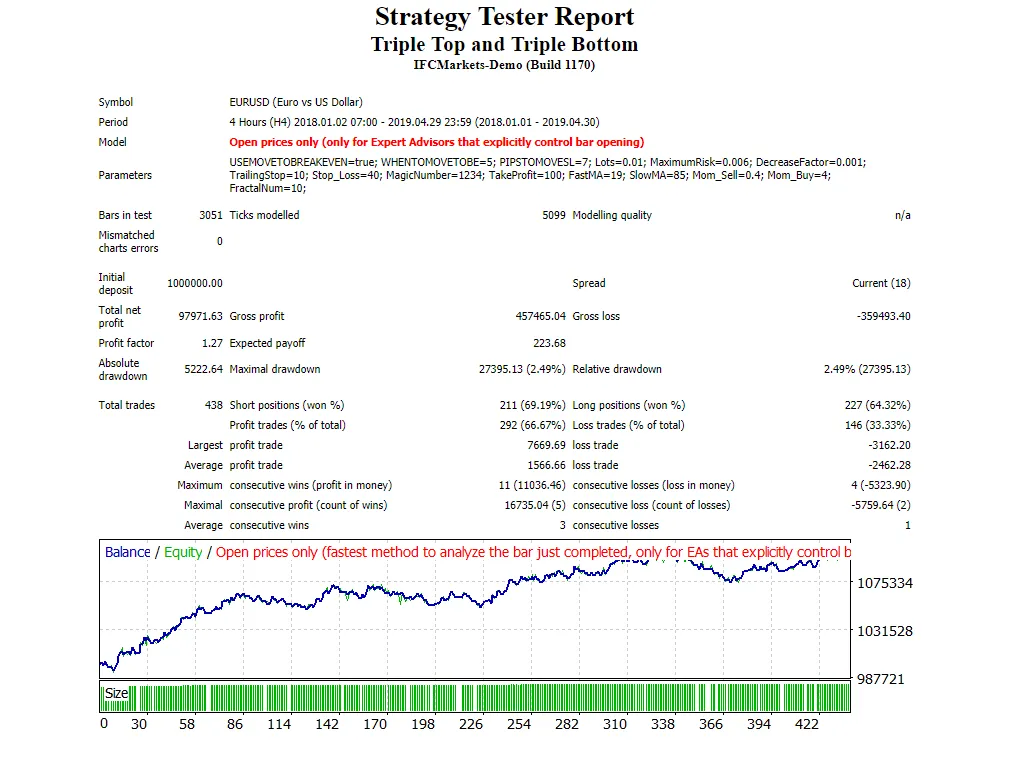
- For backtesting, follow this link: https://bit.ly/2CD7XWD.




Comments 0