
If you're looking to jazz up your trading charts, the ClearView indicators are just what you need. Say goodbye to the default grid and hello to a more insightful visual experience. This trio of indicators includes a handy template to load all three at once, making them perfect for both manual and hybrid trading. Even if you lean towards automated trading, these tools can provide valuable visual cues to optimize your strategy.
Why are these indicators so effective? Well, traders often set targets and stops around round numbers—think 50, 100, 500, or even 1000 pips. These levels can act as significant support or resistance zones. By using ClearView indicators, you'll easily spot when the price is approaching these crucial points.
When you load these indicators, give your terminal a moment to update the current chart history and fetch data from the monthly chart.
The default color schemes are designed to work best on a black background, but feel free to tweak them to fit your style.
ClearView_PricePointer
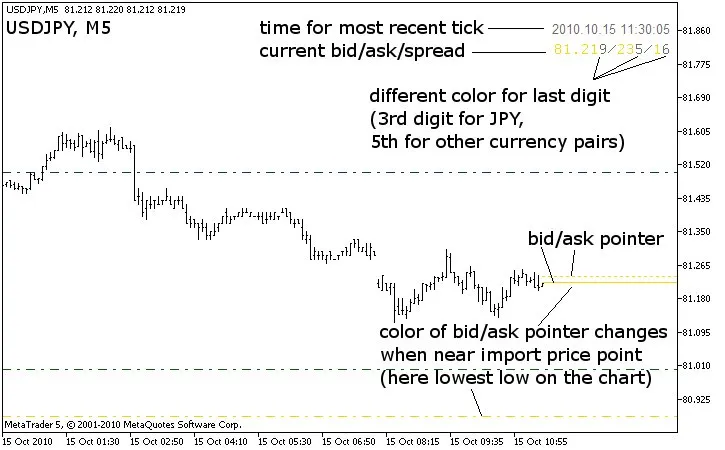
This indicator tracks bid/ask prices with alerts at every 500 and 1000 pips, along with daily highs and lows. It displays crucial information like:
- Current and historical highs/lows printed upon loading
- Manual setting for historical highs/lows if your data provider doesn't have enough history
- Independent toggle for bid and ask lines
- Extended bid/ask lines to the start of the chart or just to the latest bar
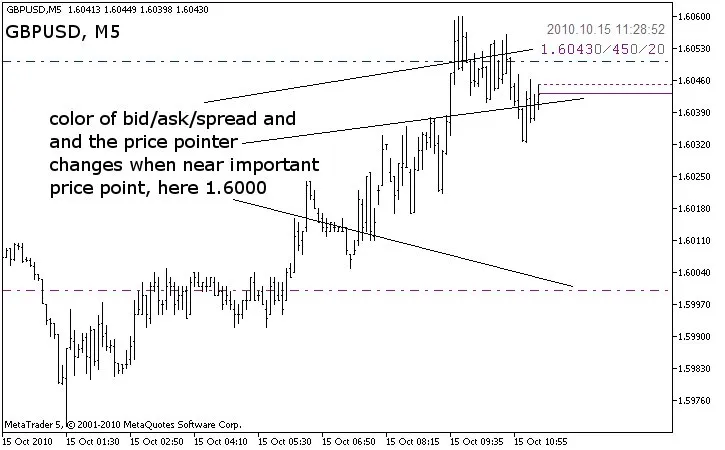
- Color changes for bid/ask lines when approaching significant price points
- Customizable pips before color change (set in 4-digit pips)
- Different color for the last digit in bid/ask/spread for clarity
- Location settings for displaying bid/ask/spread/time
- NOTE: Shift your chart for better visibility by enabling 'Chart shift' in the properties.
ClearView_RoundNumberMarker
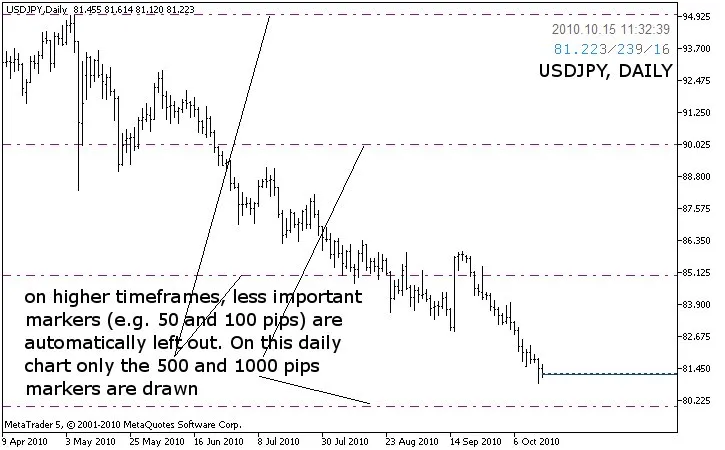
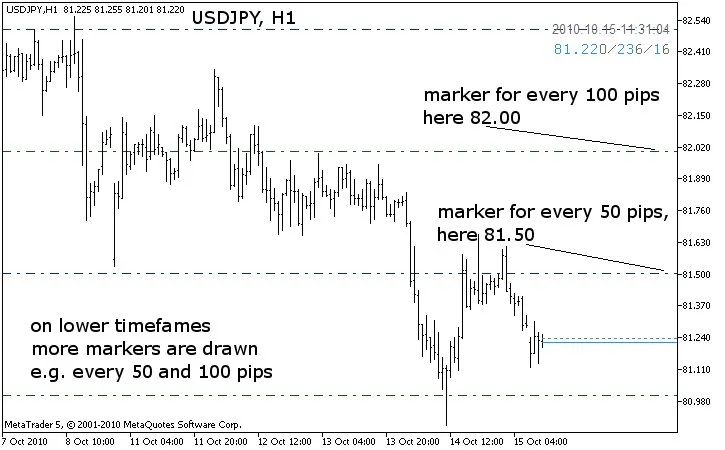
This indicator marks significant pips—every 50, 100, 500, and 1000—along with chart highs/lows. Key features include:
- Choice of bright or dim colors for visibility
- Lines can be drawn as background (recommended) or foreground
- Similar high/low printing options as PricePointer
- Manual setting for historical highs/lows
- Marks significant points as support/resistance when hit by price
- Customizable duration for marking previous high/low (default is 1 day)
- Control over which timeframe markers appear to avoid clutter
- Object descriptions for clarity on what each marker represents
ClearView_PeriodSeparator
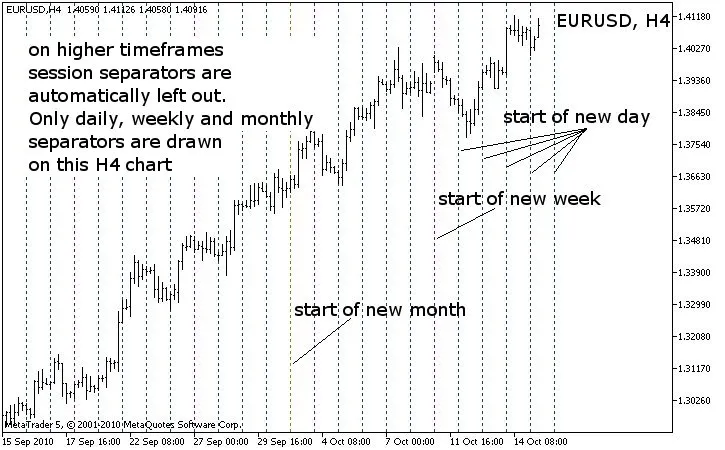
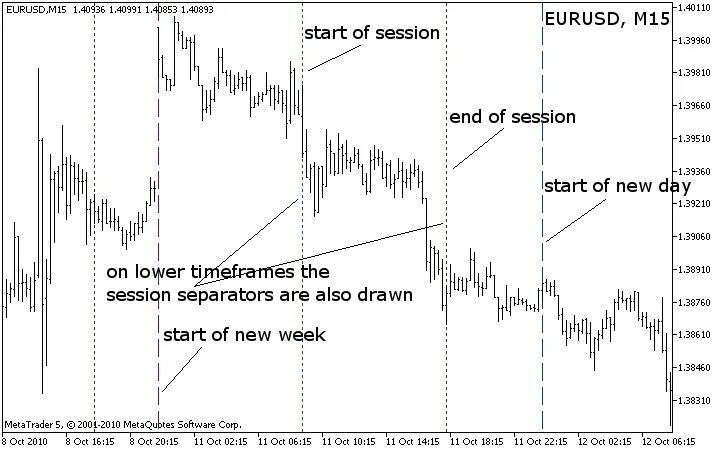
This tool helps you visually separate trading periods—days, weeks, months, and custom sessions. Features include:
- Color options for visibility
- Background or foreground line drawing
- Custom start/end times for marking trading hours
- Control over which timeframe markers are displayed
- Future projection of session markers for time management
ClearView_ChartTemplate
This handy template quickly loads all three indicators above.
- NOTE: It searches for indicators in the default folder /MQL5/Indicators.
Check out the images below to see how these indicators perform. Keep in mind that they look best against a black background, so some colors may not pop as much in these examples. But don’t worry—you can always adjust the colors in the indicator properties to match your preferred background.
ClearView_PricePointer
ClearView_RoundNumberMarker
ClearView_PeriodSeparator




Comments 0