
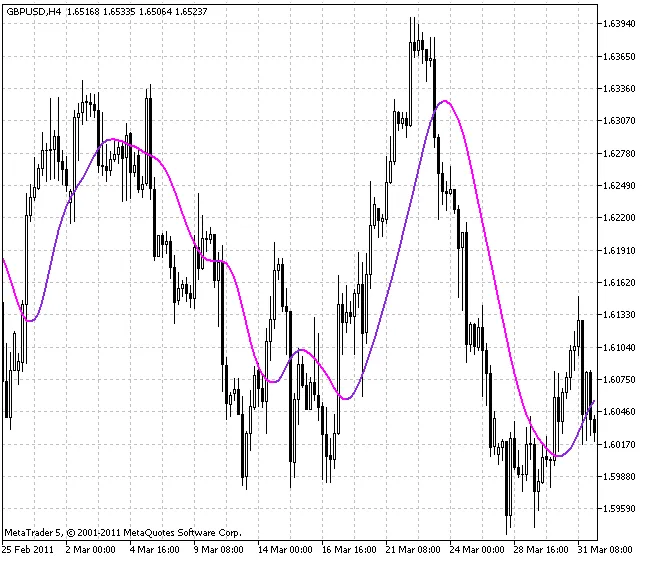
Welcome, fellow traders! Today, we’re diving into the X2MA indicator for MetaTrader 5, a universal moving average that offers double smoothing. One of the coolest features of X2MA is its flexibility, allowing you to choose from a variety of smoothing options to tailor it to your trading style.
What Smoothing Options Does X2MA Offer?
Here’s a quick rundown of the different smoothing algorithms you can select:
- SMA - Simple Moving Average
- EMA - Exponential Moving Average
- SMMA - Smoothed Moving Average
- LWMA - Linear Weighted Moving Average
- JJMA - JMA Adaptive Average
- JurX - Ultralinear Smoothing
- ParMA - Parabolic Smoothing
- T3 - Tillson's Multiple Exponential Smoothing
- VIDYA - Smoothing Using Tushar Chande's Algorithm
- AMA - Smoothing Using Perry Kaufman's Algorithm
It’s important to note that the Phase1 and Phase2 parameters have distinct meanings depending on the smoothing algorithm you choose. For instance, in the JMA, the Phase variable ranges from -100 to +100. For T3, it’s a smoothing ratio multiplied by 100 for better visualization. Meanwhile, VIDYA uses a CMO oscillator period, and for AMA, it reflects a slow EMA period. In other algorithms, these parameters generally don’t impact smoothing. By default, the fast EMA period for AMA is fixed at 2, and the power ratio is also set at 2.




Comments 0