
If you're diving into the world of trading, understanding money management is crucial. This Expert Advisor (EA) is designed to help you manage your trades using a martingale strategy with a multiplier.
Here’s a step-by-step guide on how to get the most out of this EA:
- Always run the EA before opening any positions to ensure optimal results.
- Load the MartingaleEA-5Levels on your chosen chart.
- Make sure the Martingale Mode is set to true.
- Input the currency pairs you want to trade, like EUR/USD or GBP/USD.
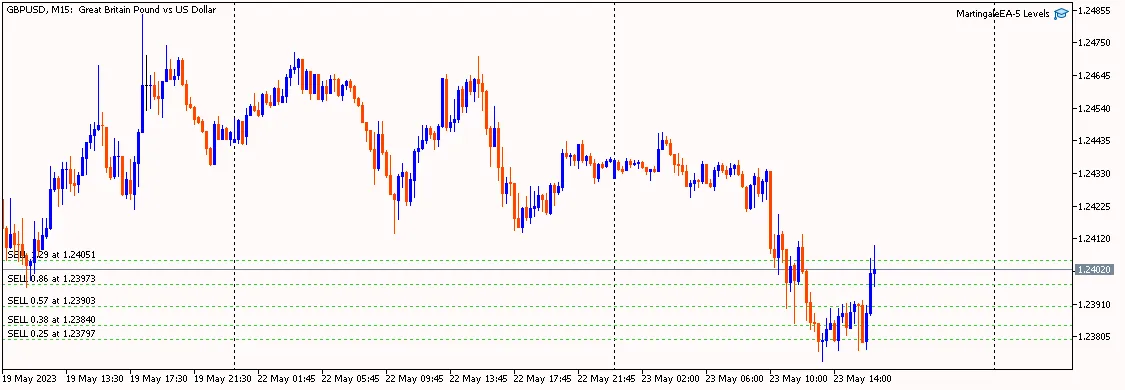
- Select your martingale multiplier and enter it in the Martingale Volume Multiplier field. For instance, if you set this to 2, and your first position is 1 lot, the second will be 2 lots and the third will be 4 lots.
- This EA can open a maximum of 5 martingale positions, so enter a number between 1 and 5 in the Number Of Martingale Trading field.
- In the distances field (from distance 1 to distance 5), specify the pips or points for the spacing between each position.
- In the Close all positions when total take profit is field, input a target like 100. When all martingale positions reach a total profit of $100, all open positions will close automatically.
- For the Close all positions when total stop loss is field, enter a limit such as -500. If your total loss reaches -$500, all open trades will be closed.




Comments 0