
Hey traders! If you're on the lookout for a straightforward way to manage your stop loss and take profit orders, you're in the right spot. Today, we're diving into a nifty tool designed specifically for MetaTrader 5 that simplifies this process for you.
So, how does it work? Whenever you open a new position, the EA first checks for any existing stop orders. If it doesn’t find one, it automatically sets a stop order based on the distance you've specified in your EA settings. Once that's done, it starts adjusting your take profit and/or stop loss as the price moves beyond your set distance.
You’ve got flexibility with the position types – whether it’s any, buy, or sell. You can also specify the symbol for the position (any or a specific one), along with the magic number or position ticket. Plus, if you want to trail in the losing area, there's an option for that too. If you don’t opt for this mode, stop orders won’t trail in the losing zone. You can also set a breakeven value in your parameters.
The EA comes packed with 12 input parameters:
- Initial StopLoss size in points (0 - no stop) - Sets a stop loss if one isn’t already present. If this is set to 0, no stop loss will be placed;
- Initial TakeProfit size in points (0 - no take) - Adds a take profit order if one isn’t already there. Set this to 0 for no take profit;
- TrailingStop size in points (0 - no trail) - This defines how far the stop loss is from the price; set to 0 to disable trailing;
- TrailingTake size in points (0 - no trail) - Defines the trailing distance for take profit. Set to 0 to disable trailing;
- Positions type - Choose which types of positions to trail;
- Positions symbol ("" - any symbol) - Specify the symbol for trailing or leave it empty for all symbols;
- Positions magic number (0 - any magic) - Set the magic number for positions to trail;
- Position ticket (0 - all tickets) - Specify which ticket to trail;
- Trailing Step - Defines how far the price must move before the stop order is modified according to your settings;
- Trailing in the unprofitable zone - Enable or disable trailing in losing areas;
- Breakeven in points - Sets the breakeven value where a losing area starts;
- Spread multiplier - A multiplier used to calculate the correct distance for stop orders.
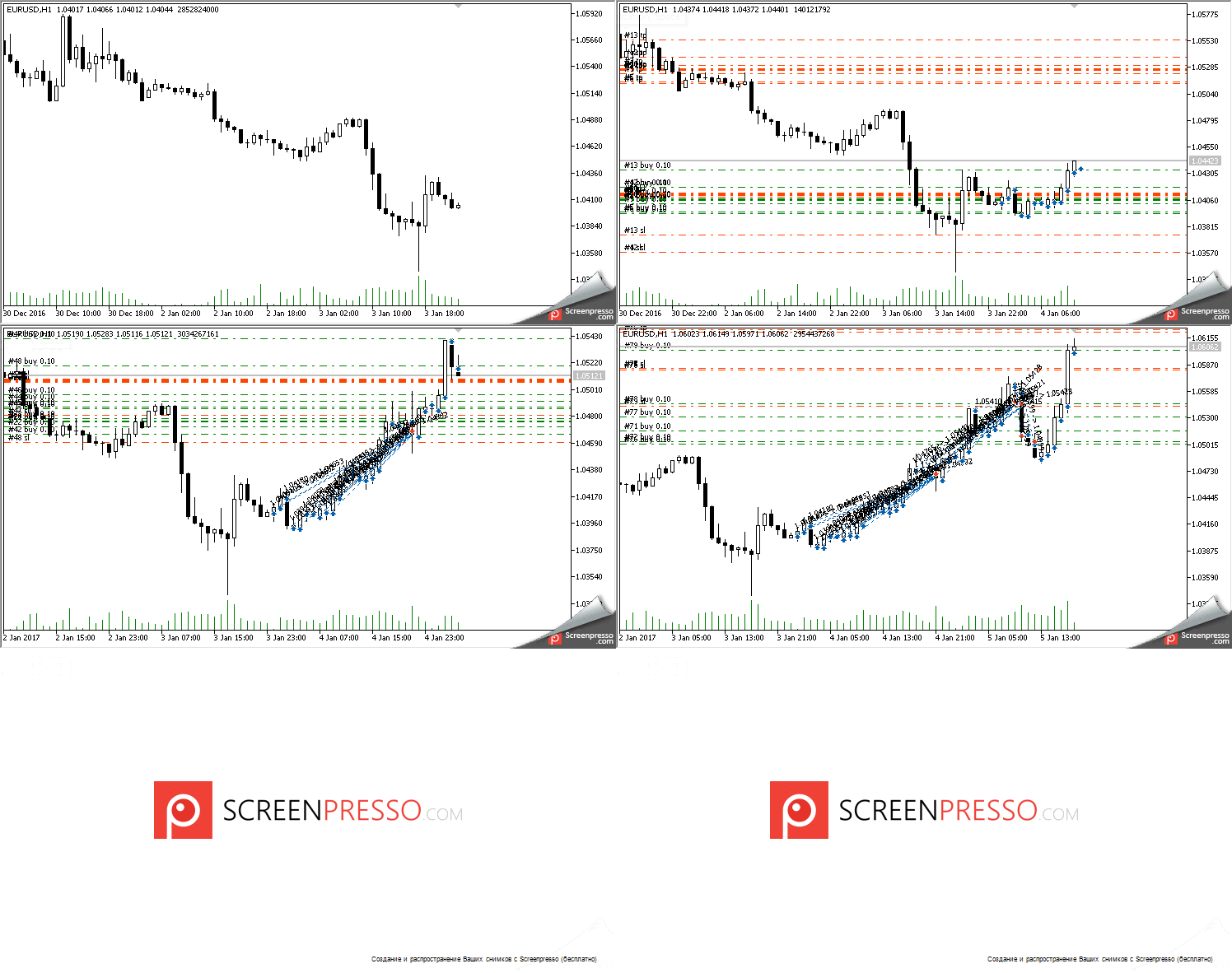
Fig.1 Initial StopLoss=600, initial TakeProfit=1200, TrailingStop=300, take profit trailing is disabled, trailing in the loss area is disabled.




Comments 0