
Author: tembox
If you're looking to enhance your trading strategy on MetaTrader 4, the MA Lock indicator could be just what you need. This nifty tool is designed to lock your Moving Average (MA) to a specific timeframe, allowing you to see how different periods compare without constantly switching charts.
Ever found yourself wanting to check the MA(8) from the H1 timeframe while you're analyzing M15? Or maybe you’re curious about the MA(100) from M15 while on H4? With MA Lock, you can do just that! It seamlessly adjusts its settings based on the timeframe you’re currently working with.
Here’s a quick example:
Imagine you want to view the MA(8) from H1 across other timeframes, especially those lower ones like M15, M30, and M5, or even the H4. Here’s how the MA values look:
- H1: MA(8)
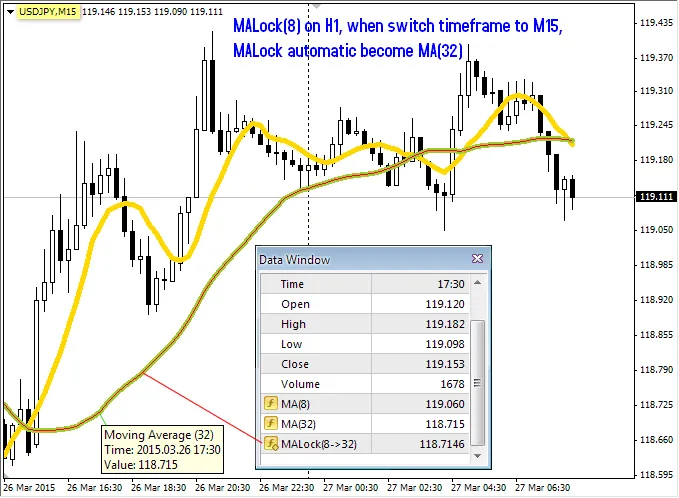
- M15: MA(32)
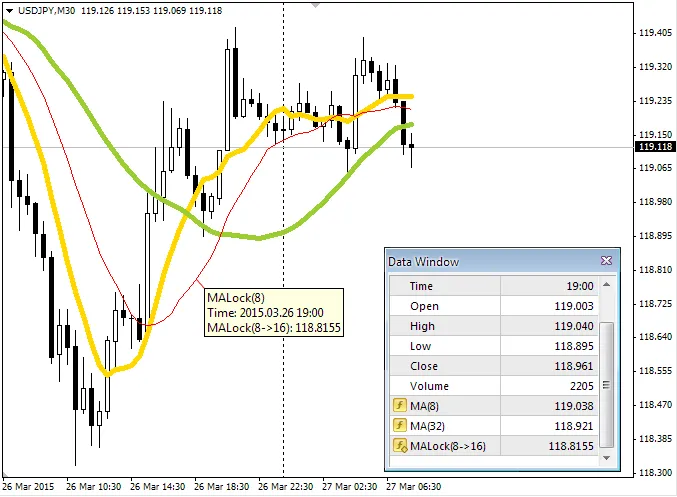
- M30: MA(16)
- M5: MA(96)
- H4: MA(2)
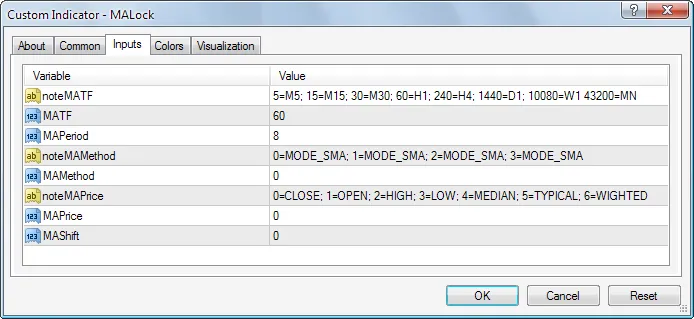
To set this up, you’ll need to bind the MA to the H1 timeframe with the following settings:
- MATF: 60 (check notes for parameter details)
- MAPeriod: 8
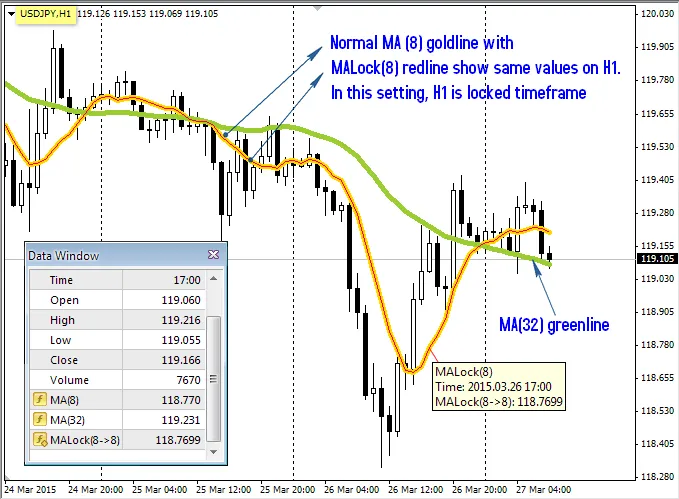
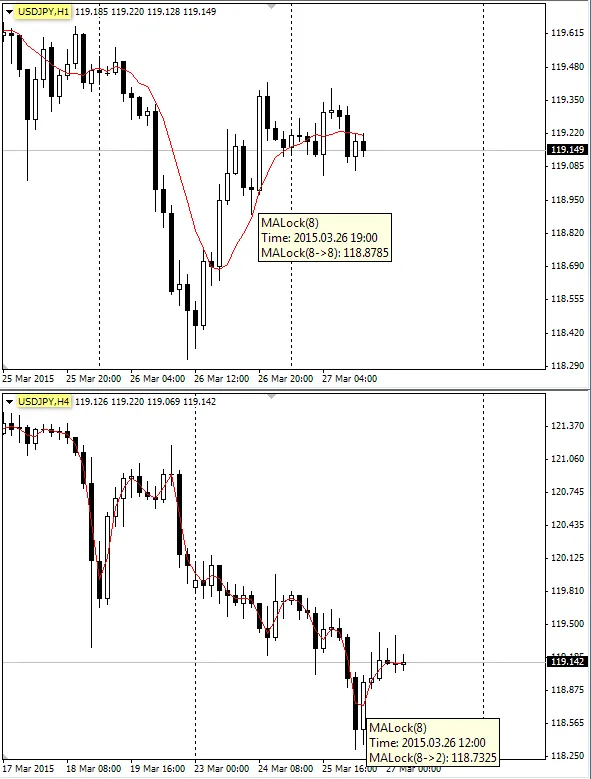
Here’s a visual comparison: MALock(8) on H1 (the thin red line) next to the standard MA(8) before switching timeframes:
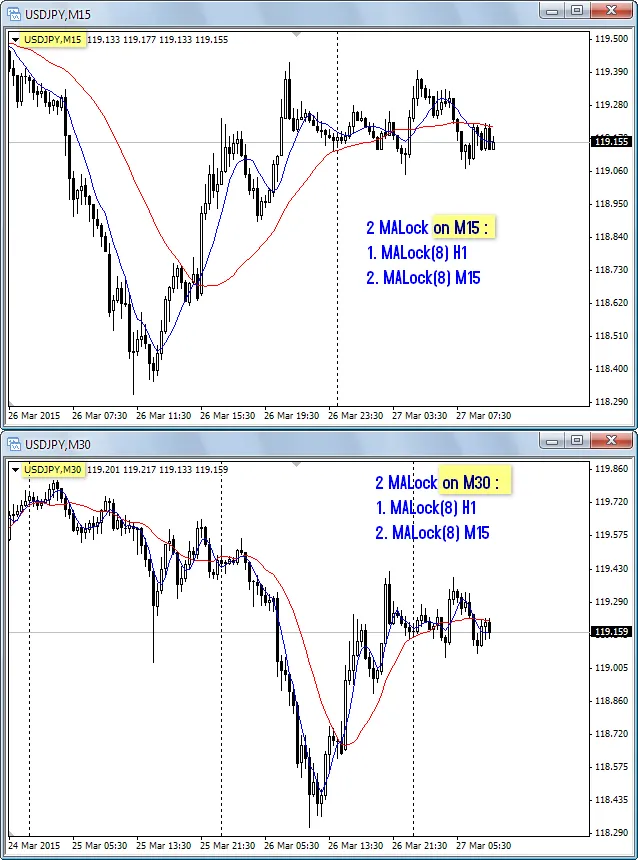
When you switch to M15, MALock(8) automatically updates to MA(32):
And on M30, it adjusts to MA(16):
Lastly, here’s how MALock(8) performs on H1 and H4:
And for those looking for a double take, here’s the 2 MALock setup:
In summary, MA Lock is a powerful tool that can help you quickly reference important Moving Averages across different timeframes without the hassle. Happy trading!




Comments 0