
Hey fellow traders! Today, we're diving into the Range Breakout Indicator for MetaTrader 4. This handy tool can help you identify potential breakout points within a defined range, making it a valuable asset in your trading toolkit.
Input Settings You Need to Know
- Range Start Time: This is when your range creation kicks off. Pick a time that suits your trading style.
- Range End Time: This marks the finish line of your range creation. It’s crucial to define this to get accurate readings.
- Trade End Time: This is where the lines marking the range zone high and low are extended to. Timing is everything!
- Minimum Size: Set the smallest range size in points that you want to consider for trading.
- Maximum Size: Similarly, this denotes the largest range size in points that you’ll use.
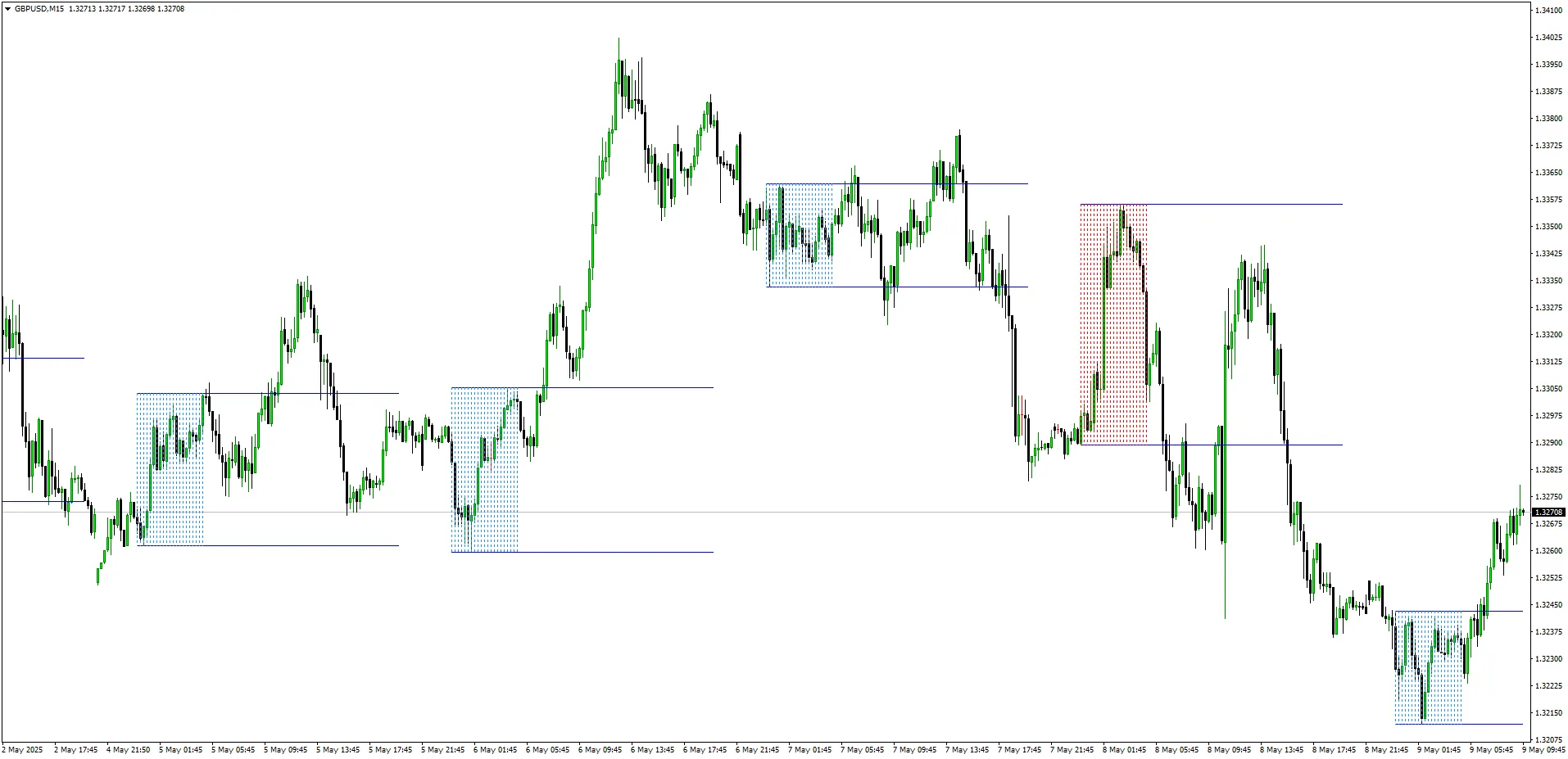
When the range size falls between your minimum and maximum settings, the indicator will light up in blue, signaling that it's ready for action!
Check out this example below:




Comments 0