
Overview:
Let’s talk about hedging – that term that often leaves traders scratching their heads. You know, the idea of buying one position while selling the same symbol isn't something all brokers support, especially outside of the US. But for those of you using MetaTrader 5, I get it; the lack of multi-directional positions can be a bit of a bummer. That's where the Triangle Hedge EA comes in to save the day!
This EA is designed to open two positions to create a synthetic hedge symbol. For instance, if you're looking to establish a synthetic Buy position on EURUSD, you can simply buy EURGBP and GBPUSD in adjusted lot sizes. It’s a neat little trick!
I’ve included 12 symbols from the Automated Trading Championship and AUDJPY in the selection list, but don’t let that limit you! If you have the right components, you can synthesize any symbol. For example, using XAUUSD and USDJPY can help you create a synthetic XAUJPY position.
That said, we all know that synthetic positions often come with double the spread, which can eat into your account. Sometimes, they can be more beneficial than going with a 'real' symbol, but it’s a trade-off to consider.
Visual Guide:
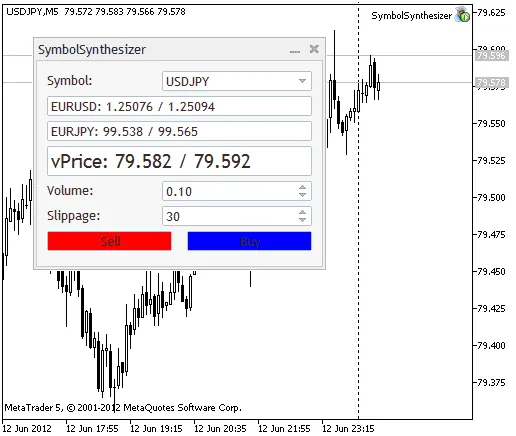
While it might seem like this should be a script, I’m still figuring out how to create a dialog box from one. That’s the reason I opted to make it an EA instead.
Here’s what you’ll need to get started:
- EA: SymbolSynthesizer.mq5
- Class: SymbolSynthesizerDialog.mqh (place this in the "/Include" folder)
- Class: SpinEditDouble.mqh (also in "/Include" folder, modified from SpinEdit.mqh for double values)




Comments 0