
Hey fellow traders! If you’re diving into the world of automated trading, you might want to take a closer look at the RSI Expert v2.0. This powerful Expert Advisor (EA) for MetaTrader 4 builds on its predecessor’s core principles while introducing some exciting new features.
What’s New?
- Enhanced customization options for indicators
- Martingale strategy integration
- Dynamic lot size calculation based on your account balance
- Incorporation of two Moving Averages (Fast and Slow)
Trading with Moving Averages
The RSI Expert v2.0 offers three distinct trading modes when using Moving Averages:
- Disabled – In this mode, the EA ignores Moving Averages completely.
- Direct – Here, you can open Buy orders when the Fast MA is above the Slow MA, and Sell orders when the Fast MA is below the Slow MA.
- Reverse – This mode allows you to open Sell orders when the Fast MA is above the Slow MA, and Buy orders when it’s below.
Understanding Martingale
- If a trade signal appears but the previous trade in the same direction is at a loss, this feature will double the lot size. For instance, if you get a Buy signal and your previous Buy trade is in the red, the new trade will have double the lot size.
- To activate Martingale, switch the Lot type to MARTIN. Make sure to set your initial lot value in the Lot parameter.
Lot Size as a Percentage of Balance
- This feature adjusts your lot size based on your current balance, ensuring your trades are always in line with your capital.
- To enable this mode, switch the Lot type to Percent of balance. Specify the desired percentage in the Lot size as a percentage of balance parameter. Keep in mind, if this calculation results in a lot size below the minimum allowed, the trade won’t be executed.
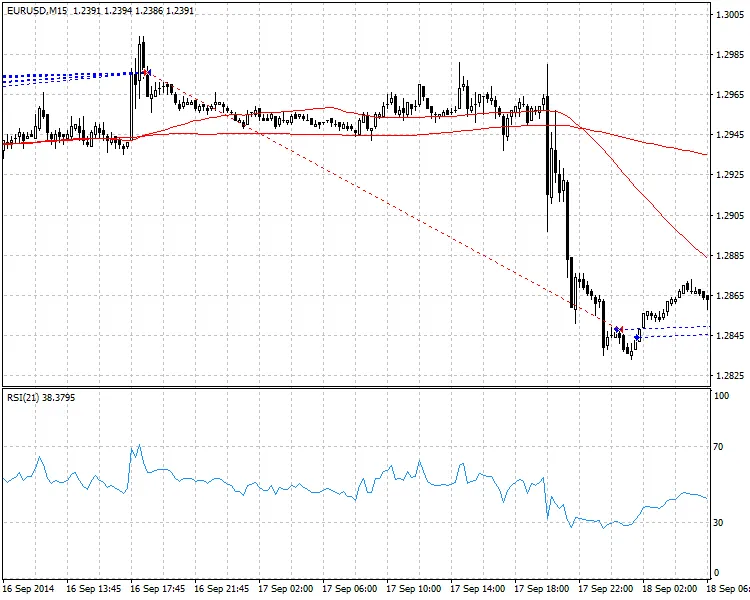
So, if you’re looking to enhance your trading strategy with a robust EA, the RSI Expert v2.0 might just be the tool you need. Happy trading!




Comments 0