
TradeChannel is an innovative Expert Advisor designed for MetaTrader 5, originally developed from MQL4. You can check out the original work by its creator, George-on-Don, here.
How TradeChannel Works
The magic starts with identifying the price channel, which involves determining the maximum High (MaxH) and minimum Low (MinL) over a set period defined in the parameters. These critical values help calculate a reference level: (MaxH + MinL + Close) / 3.
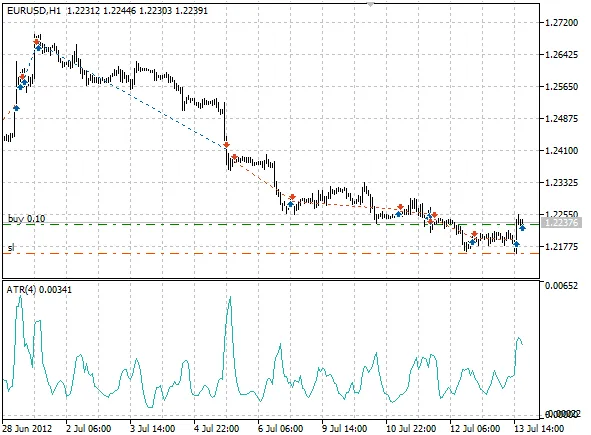
Now, let’s talk signals! A Sell signal is triggered when the bar's closing price dips below the upper channel limit but remains above the reference level. Conversely, if the closing price is above the lower channel limit and below the reference level, it’s time to Buy!
Closing positions also follow specific signals. If the High price of the closed bar equals the upper channel limit and matches the previous bar’s value, that's your cue to close a Buy position. For a Sell position, if the Low price of the closed bar equals the lower limit and matches the previous bar’s value, it's time to exit. These situations are rare, so the Expert Advisor also incorporates a Stop Loss feature. The Stop Loss is calculated using the ATR indicator, based on channel limits—using the lower limit for Buy orders and the upper limit for Sell orders.
For securing profits, TradeChannel employs a trailing stop function, ensuring you can ride the waves of profit while minimizing risk.
Parameters
- Lots: This defines the order volume; set to 0 to use the MaxR parameter.
- SndMl: This option sends email notifications whenever the Expert Advisor opens or closes positions.
- DcF: This is the lot reduction factor during losses. A value of 0 means no reduction; the lower the value, the greater the lot reduction, but if it can’t be reduced, the minimum lot size is applied.
- MaxR: This sets the maximum risk from 0-1 (as a share of free funds) and is effective when Lots is set to 0.
- pATR: This is the ATR period used for Stop Loss calculations.
- rChannel: The period for the price channel.
- Trailing: This defines the trailing level; set to 0 to disable the trailing feature.
In the original version, there was a parameter called isFloatLots that toggled between Lots and MaxR. In this updated version, we’ve simplified it to just the Lots parameter. If Lots is set to 0, the MaxR parameter takes over.




Comments 0