
Hey fellow traders! Today, I want to share a nifty little tool that can really sharpen your trading game—the Magnified Market Price indicator. This tool is super straightforward and can make a significant difference in how you visualize price movements on your charts.
Getting to Know the Magnified Market Price Indicator
The Magnified Market Price indicator is designed to display the current price on your trading chart in a clear and easy-to-read format. Here’s how you can customize it to suit your trading style:
Indicator Parameters
- Auto Color Change: Do you want the font colors to change automatically? Set this to True for yes.
- Bid/Ask Colors: Choose whether to display bid and ask prices in different colors (set this to True).
- Default Font Color: You can set this to your preferred color—let’s say Black for a classic look.
- Font Size: Adjust the font size; a good starting point is 24.
- Font Type: Comic Sans MS is a fun choice, but feel free to use whatever you like!
- Price Display Location: Decide where you want the price to show on your chart. Options include:
- Upper Left = 0
- Upper Right = 1
- Lower Left = 2
- Lower Right = 3
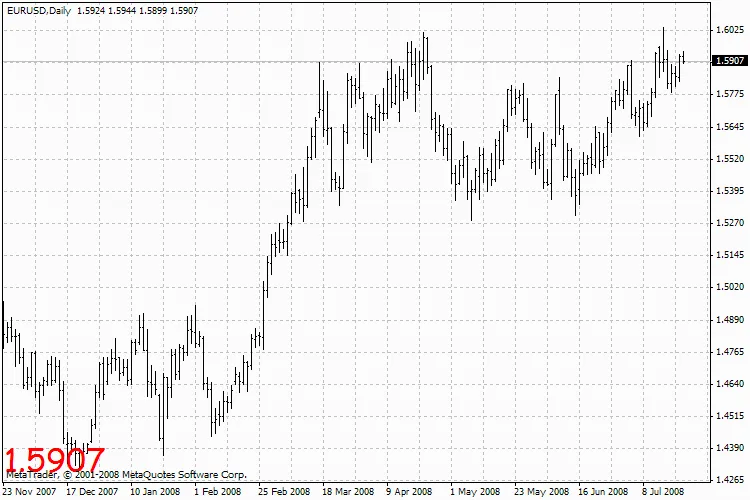
Magnified Market Price Indicator
So, if you’re looking to make your charts more user-friendly and visually appealing, give the Magnified Market Price indicator a spin. Whether you’re a newbie or a seasoned pro, this tool can help you keep your eyes on the prize—literally!




Comments 0