
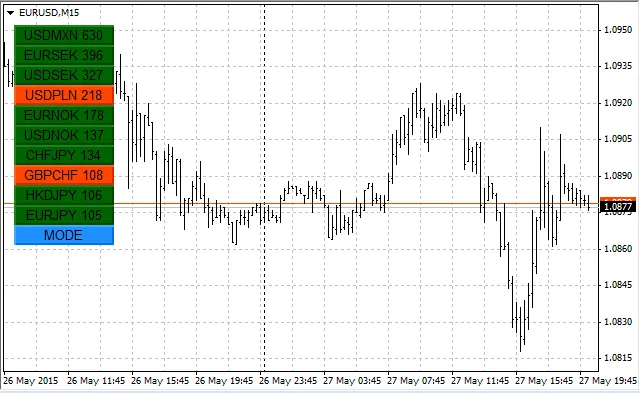
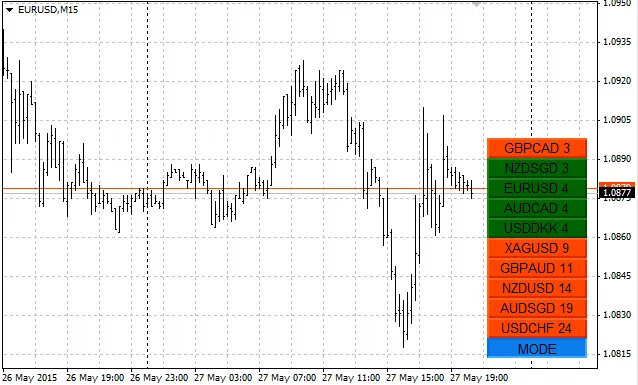
If you're looking to enhance your trading experience with MetaTrader 4, the UpDown indicator is a tool you won't want to overlook. This nifty indicator calculates the distance of the current price from the opening price or the distance between the High and Low prices, depending on your preference.
It works across all pairs available in the 'Market Watch' window, excluding hidden ones. What’s cool is that it sorts these values in either ascending or descending order and displays them right on the buttons for easy access.
Simply click on a button, and voila! A chart for the corresponding symbol opens up in a new window, giving you a quick view of the market.
Latest Updates (as of June 2015): We’ve fixed an issue where the button coordinates shifted when switching timeframes, ensuring a smoother user experience.
Configuration Options:
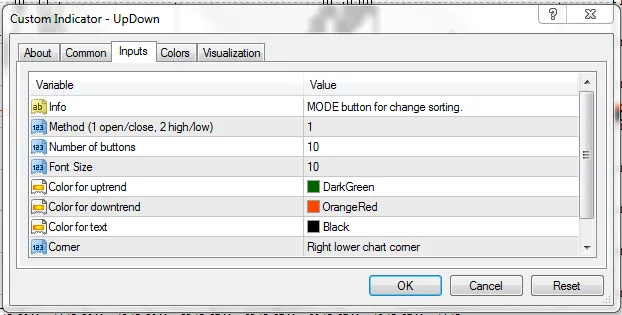
- Calculation Method: Choose between opening-closing or high-low calculations.
- Number of Buttons: Set how many currency buttons you'd like to display.
- MODE Button: Press this to toggle between ascending and descending sorting modes.
- Exclusion: To remove a pair from calculations, simply delete it from the 'Market Watch' window.
Important Notes:
- Keep in mind that pressing the MODE button may introduce a slight delay due to the heavy code running in the background.
- The maximum number of pairs the indicator can calculate is capped at 50 (see code #define LINES 50).




Comments 0