
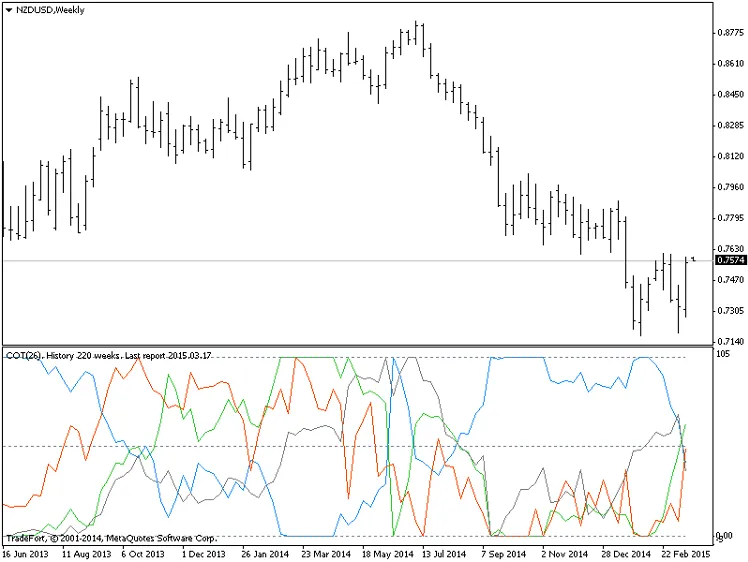
If you're looking to enhance your trading game, the COT (Commitments of Traders) indicator is a powerful tool at your disposal. This indicator leverages reports published by the CFTC (Commodity Futures Trading Commission) available at www.cftc.gov. You can find these reports in two handy formats: 'Excel' and 'Text'.
How to Set Up the COT Indicator
- First, grab the reports in text format under the categories 'Futures-and-Options Combined Reports' or 'Futures Only Reports'.
- Download five files and rename them to avoid confusion. All the files in the archives come with the same name, either annualof.txt or annual.txt, so make sure to rename them accordingly. For the current year, rename the file to 2015.txt.
- The second file for the prior year should be renamed to 2014.txt, and continue this pattern for the rest. In the previous version of the indicator, the files were labeled A.txt, B.txt, C.txt, etc. To save yourself the hassle of renaming them every year, the new version uses the year.txt format.
- Next, place your renamed files in the MQL4\Files folder. Once done, you’re ready to start using the indicator!
The COT indicator creates files and global variables named code.bin. To refresh these files, simply change the values of the global variables from 0 to 1 (you can do this by pressing F3). Then, hit 'Refresh' to update your chart. If you want to refresh all files at once, use the global variable called Update files code.bin.
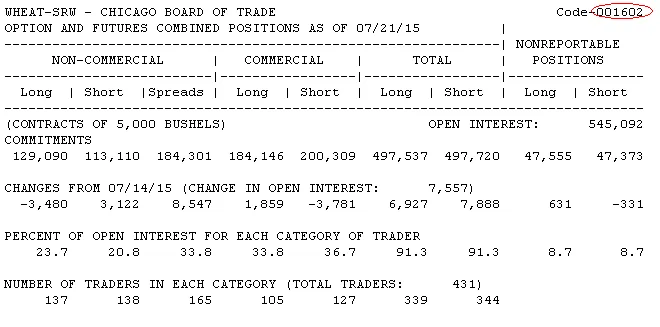
In the settings for the indicator, you'll notice a variable labeled 'Code', which represents the market code for futures. For instance, the market code for wheat is 001602.




Comments 0