
Are you ready to take your trading to the next level? This Day Trading EA utilizes a solid day trading strategy and features a trailing stop loss and take profit mechanism, perfectly tailored for major forex pairs and NASDAQ stocks on a 1D time frame.
Here’s what you need to know:
- This EA shows crucial information right on your screen, making it easy to track your trades.
- Start by testing it on a demo account before diving into live trading.
- It only trades based on the price of the open candle, keeping things simple and straightforward!
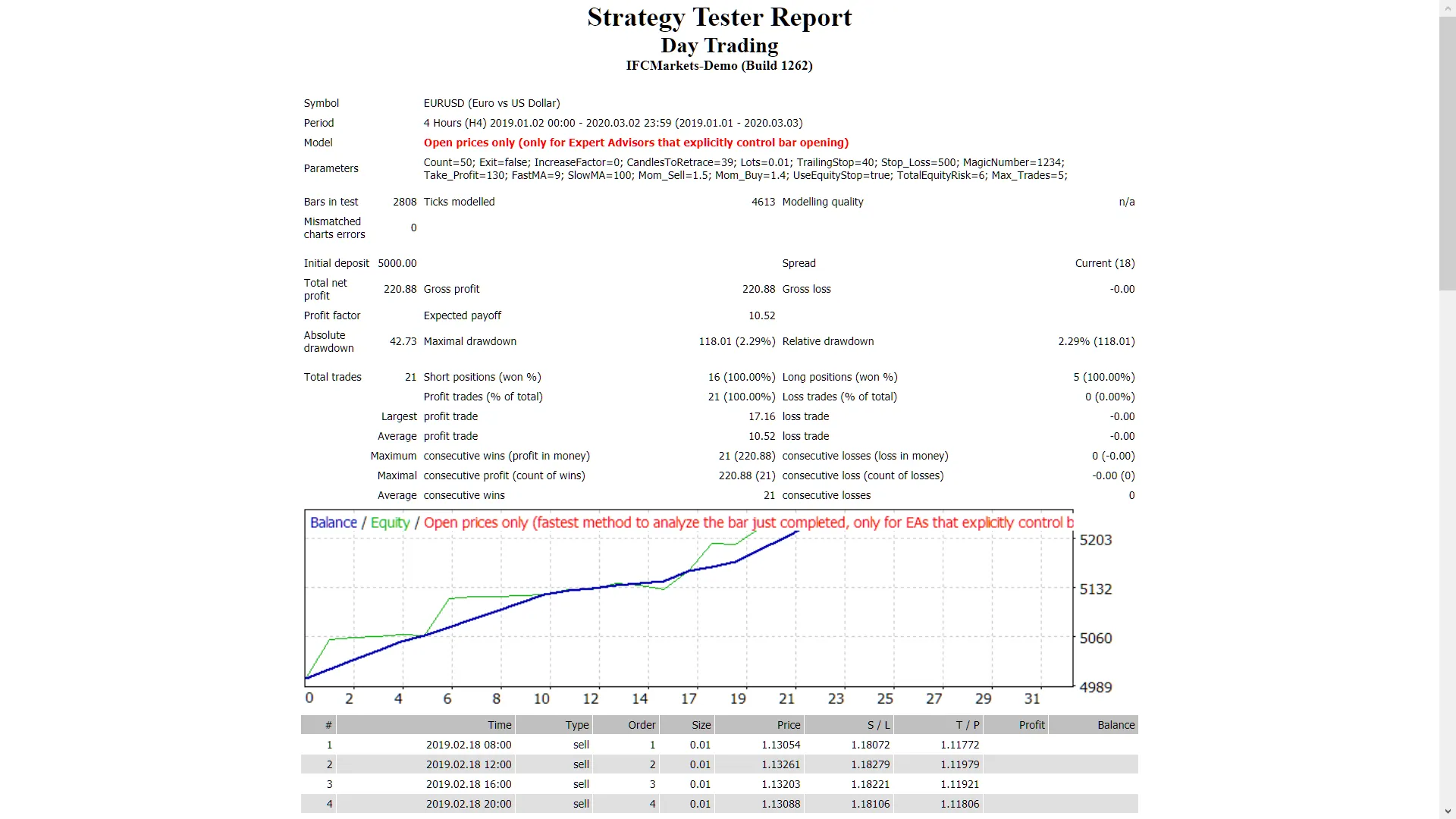
- If you prefer not to increase your lot size when you hit a losing trade, just set: "IncreaseFactor=0".
Input Settings for Optimal Performance
- Use_TP_In_Money: Enable or disable take profit in money (true/false).
- TP_In_Money: Set take profit in money (values: 10-100).
- Use_TP_In_Percent: Enable or disable take profit in percent (true/false).
- TP_In_Percent: Set take profit in percent (values: 10-100).
- Enable_Trailing: Activate trailing stop with money (true/false).
- Take Profit In Money: Set between 25-200 in current currency.
- Stop Loss In Money: Set between 1-20 in current currency.
- BarsToCount: Specify how many bars to wait for channel (values: 5-40).
- Exit: Close trades if the trend goes against you (true/false).
- Lots: Define lot size (values: 0.01-1).
- Lots size Exponent: Use between 1.01-2.
- IncreaseFactor: Set how much to increase lots if you lose a trade (values: 0.001-0.1).
- Stop_Loss: Set stop loss (values: 30-500). Use 600 for multiple trades.
- MagicNumber: Assign a magic number (values: 1-100,000).
- TakeProfit: Define take profit (values: 50-200). Use 600 for multiple trades.
- FastMA: Set fast moving average (values: 1-20).
- SlowMA: Set slow moving average (values: 50-200).
- Mom_Sell: Set momentum sell trigger (values: 0.1-0.9).
- Mom_Buy: Set momentum buy trigger (values: 0.1-0.9).
- UseEquityStop: Activate equity stop (true/false).
- TotalEquityRisk: Define total equity risk (values: 0.01-30).
- Max_Trades: Set the maximum number of trades (1-12).
- TrailingStop: Set a value from 40 to 100 to activate trailing stop loss & take profit, setting to "0" will deactivate trailing stop loss.
- Enable Break Even: Activate break even functionality (true/false).
- Break Even Move: Set how much to move to break even (values: 5-30).
- How much pips move: Set for break even (values: 5-30).
Remember, optimizing this EA periodically is essential for maintaining peak performance. Whether you want to use it as a hedging grid EA or for single trades, it’s a versatile tool in your trading arsenal.
Want to learn how to backtest? Check out this guide.




Comments 0