
If you're looking to enhance your trading game, the ColorMETRO_WPR indicator just might be your new best friend. This trading system generates signals when a bar closes, but only if there's a shift in the cloud's color—pretty nifty, right?
To get started with this Expert Advisor (EA), you'll need to download the compiled indicator file, ColorMETRO_WPR.ex5. Just pop it into your terminal's data directory at MQL5/Indicators.
One important thing to keep in mind is that the TradeAlgorithms.mqh library file lets your EA work seamlessly with brokers that offer non-zero spreads. Plus, it allows you to set your Stop Loss and Take Profit right when you open a position. If you're interested in exploring more versions of this library, check it out here: Trade Algorithms.
In the tests I conducted (details below), I used the default input parameters for the EA. Notably, I didn't factor in Stop Loss or Take Profit during the testing phase.
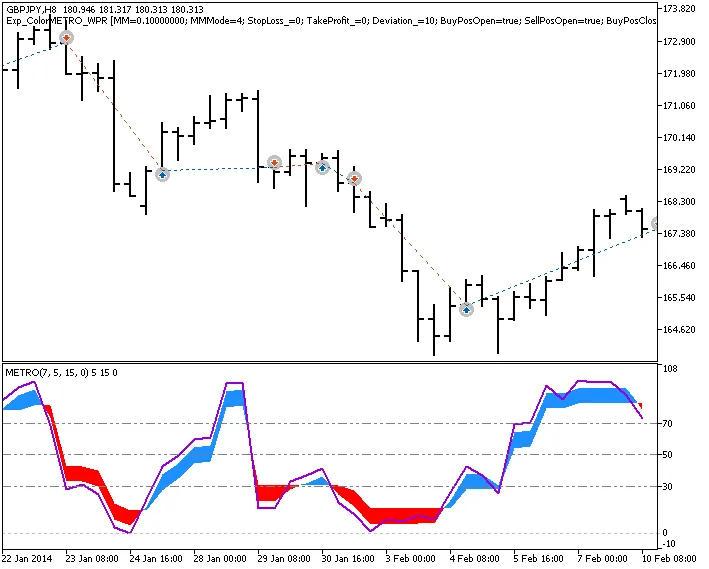
Fig. 1. Trade examples on the chart
Now, let’s dive into the testing results for 2014 on the GBPJPY H8:
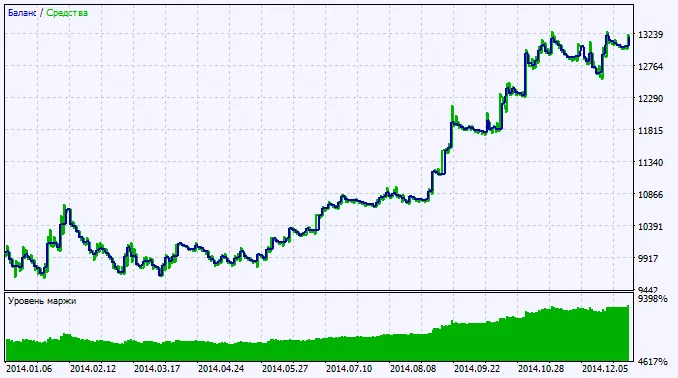
Fig. 2. Chart of testing results




Comments 0