
If you're looking to step up your trading game, let me introduce you to the Extremum indicator. This handy tool is designed for use with MetaTrader 5 and can really help you spot those critical trading signals.
Here's how it works: A signal to make a trade is generated when the histogram bar closes and flips from green to red, or the other way around. When it comes to exiting trades, you have a couple of options: you can either set a pending order or close out your position if the histogram bar changes to the opposite color.
To get started, just drop the Extremum.ex5 file into your terminal's data folder, specifically in MQL5\Indicators.
During testing, we used the default input parameters of the Expert Advisor, without any Stop Loss or Take Profit settings. Here's a snapshot of the testing results for 2011 on the USD/CHF H4 chart:
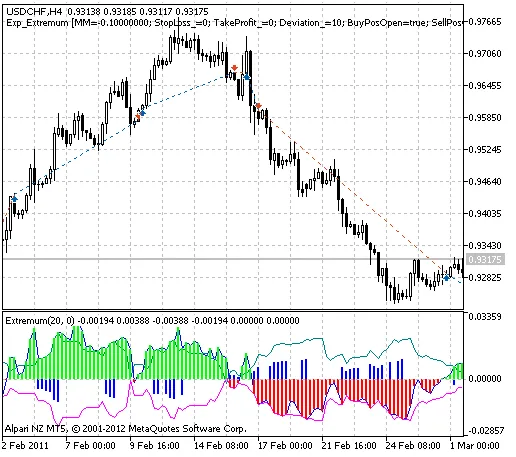
Fig. 1. The instances of history of deals in the chart.
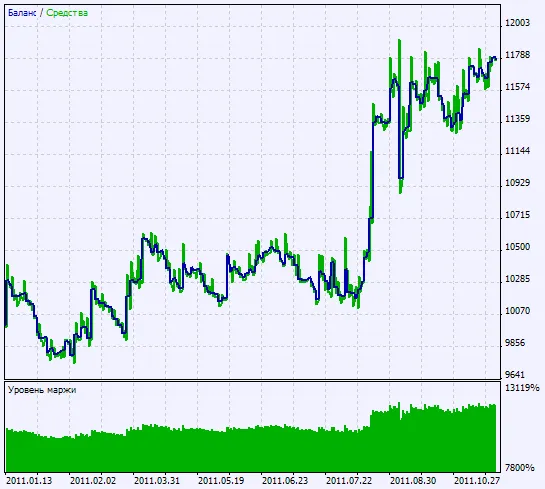
Fig. 2. Chart of testing results




Comments 0