
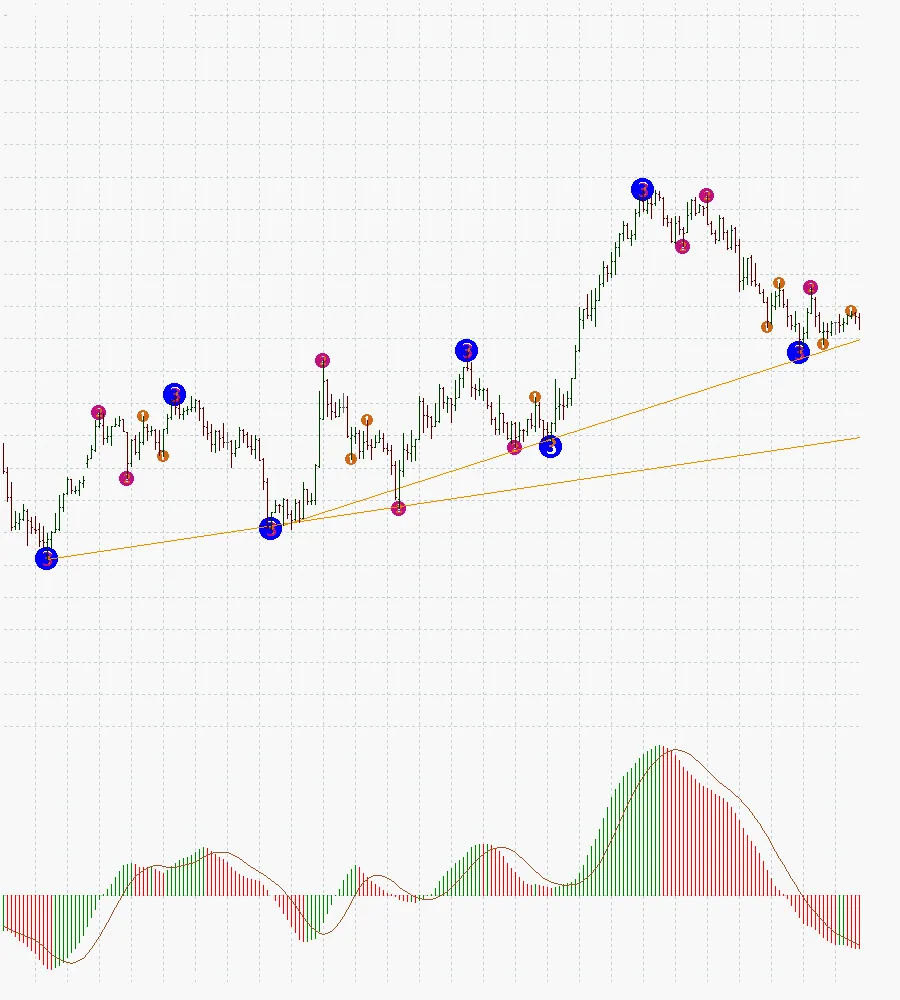
If you're looking to elevate your trading game, the 3-Level ZZ Semafor indicator might just be what you need. This nifty tool places semaphore points on the highs and lows across different time frames—high, medium, and low. It’s a visual treat that can help you spot trends at a glance!
The magic behind this zigzag calculation comes from an algorithm developed by klot. Let’s dive into the main settings that make this indicator tick:
Main Settings
- Period1 = 5: Set your periods here. If you want to remove a semaphore, just set it to 0.
- Period2 = 13;
- Period3 = 34;
Deviation and Step Settings
- Dev_Step_1 = "1,3": This sets the deviation and step for each period. It’s similar to the classic Zigzag setup and requires two figures, separated by a comma.
- Dev_Step_2 = "8,5";
- Dev_Step_3 = "21,12";
Customizing Semaphore Symbols
- Symbol_1_Kod = 140: You can change the semaphore symbol on your chart. This number corresponds to the current symbol code.
- Symbol_2_Kod = 141;
- Symbol_3_Kod = 142;
This indicator was crafted during the development of an Expert Advisor based on the “folding rule by Likhovidov” system. If you’re curious about the algorithm's creation, check it out here.




Comments 0