
Hey fellow traders! Today, let's dive into the Vidya Zone Indicator for MetaTrader 4. This nifty tool uses three price points for its calculations: the high, low, and median. Sounds simple, right? But here’s the catch: if you were to use the regular Vidya, you might run into some hiccups. That’s because different prices can show varying momentum even within the same bars, leading to potential errors.
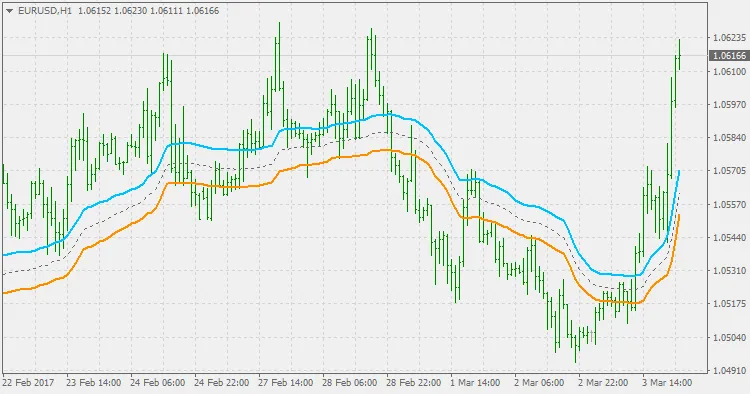
To tackle this issue, the Vidya Zone Indicator introduces a modified calculation that smooths out those bumps. What does this mean for you? It means you get an error-free zone that delivers logical results, making it a reliable ally in your trading arsenal.
So, how do you use it? The Vidya Zone is primarily designed for breakout trading. Here’s the lowdown: when the price hangs out within this zone, it signals a no-trade area—a kind of warning zone, if you will. But the magic happens when the price breaks out of this zone; that’s your cue to consider entering trades.




Comments 0