
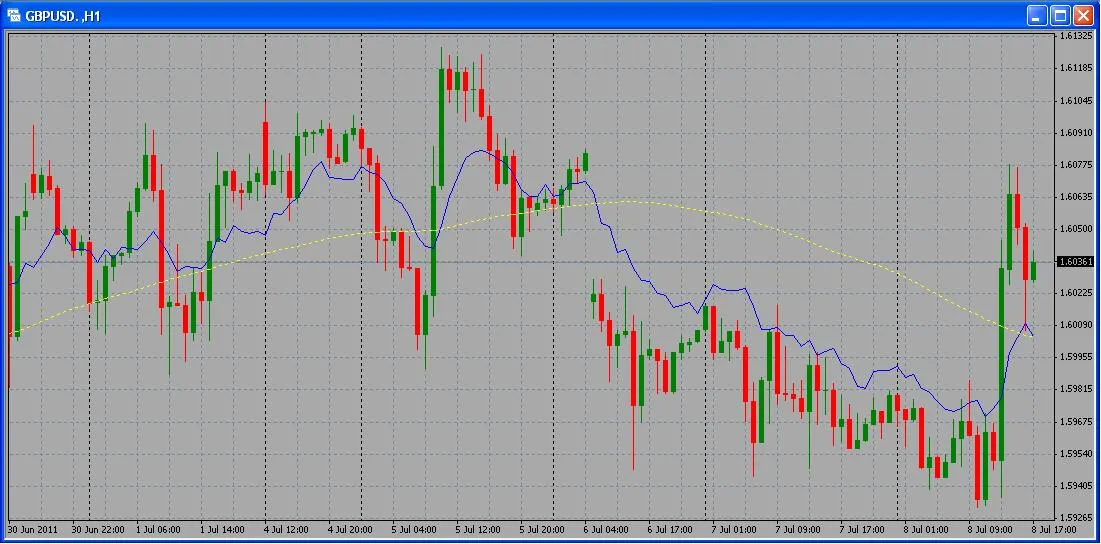
If you're diving into the world of trading on MetaTrader 4, the Fibo Moving Average is a handy tool you’ll want to add to your arsenal. Let’s break down how to set it up and what parameters you need to keep in mind.
Input Parameters
Here are the key parameters you'll be working with:
- nAppliedPrice: This defines the price type you want to use, and you can set it as follows:
- PRICE_CLOSE = 0
- PRICE_OPEN = 1
- PRICE_HIGH = 2
- PRICE_LOW = 3
- PRICE_MEDIAN = 4
- PRICE_TYPICAL = 5
- PRICE_WEIGHTED = 6
- maMethod: This parameter allows you to choose the moving average method:
- MODE_SMA (Simple Moving Average) = 0
- MODE_EMA (Exponential Moving Average) = 1
- MODE_SMMA (Smoothed Moving Average) = 2
- MODE_LWMA (Linear Weighted Moving Average) = 3
With these settings, you can tailor the Fibo Moving Average to fit your trading style and strategy. Whether you're a fan of the classic SMA or prefer the sensitivity of an EMA, this indicator can provide valuable insights into market trends.
Happy trading!




Comments 0