
Author: Farshad Saremifar
Meet Batman V1.0, an Expert Advisor (EA) designed to enhance your trading experience on MetaTrader 4. This EA is based on the BAT strategy with some clever modifications to help you make the most of your trades.
The beauty of Batman V1.0 lies in its ability to enter positions during breaks of lows and highs. If the breakout is genuine, you'll hit your take profit (TP) targets. If not, the EA intelligently adjusts by adding offsets based on your input parameters. What's more, it automatically closes all positions upon every high or low break, eliminating the need for a traditional stop loss.
Take profit levels can be set statically (Static_SL) or dynamically by entering a Fibonacci level in the input parameters. Just remember to set your Static_TP to a negative value (like -10) to get things rolling.
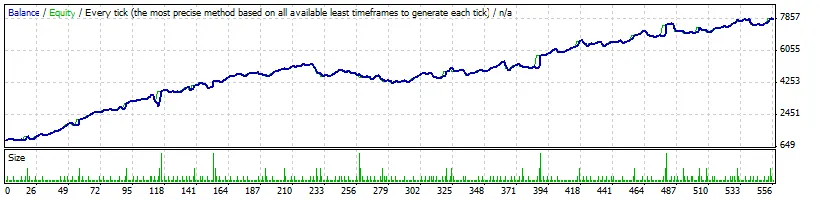
You have control over the number of offsets by adjusting the Orders value, and you can tweak your lot sizes by changing the LotExponent setting. I've seen great results on both demo and live accounts, so I recommend giving it a spin in demo mode first.
Installation Instructions:
- Place
BAT.mq4in the indicators folder of MetaTrader. - Install
Batman-EA.mq4in the experts folder.
Recommendations:
- It's best to use this EA on higher time frames.
- If you're keen on lower time frames, optimize the EA for shorter periods, ideally daily.
- Focus on optimizing these parameters (not all input parameters): ATRPeriod, Factor (ranging from 1 in 0.1 steps to 2), Static_TP (from -1 in 1 step to ...), and Orders.
Curious to learn more? Check out my website where I share all my products and software. If you have any questions, feel free to reach out!




Comments 0