
Welcome, fellow traders! Today, let's dive into the world of the Exp_ColorMETRO_Duplex Expert Advisor (EA) designed for MetaTrader 5. This powerful tool features two identical trading systems, one for long positions and one for short positions, both relying on the signals from the ColorMETRO indicator. What's great is that you can configure these systems in various ways within a single EA.
Understanding the Input Parameters
These input parameters are broken down into two main categories:
- Parameters for Long Positions: These are indicated with names starting with 'L'.
- Parameters for Short Positions: Look for names that begin with 'S'.
Input Parameters for Long Operations
//+----------------------------------------------+//| EA inputs for long operations |//+----------------------------------------------+inputuint L_Magic=777; //L magic numberinputdouble L_MM=0.1; //L share of a deposit in a dealinput MarginMode L_MMMode=LOT; //L lot size calculation method
Input Parameters for Short Operations
//+----------------------------------------------+//| EA inputs for short operations |//+----------------------------------------------+inputuint S_Magic=555; //S magic numberinputdouble S_MM=0.1; //S share of a deposit in a dealinput MarginMode S_MMMode=LOT; //S lot size calculation method
Each of these trading systems operates independently, as they have different magic numbers. This independence is crucial because real financial markets aren't always symmetrical. In fact, trading in a rising market often requires a different set of parameters compared to a falling market.
Configuring Your EA
To effectively configure your EA, start by testing one trading system at a time. You can disable the other system using the relevant switches. For example:
inputbool L_PosOpen=true; //L Permission to enter long positionsinputbool L_PosClose=true; //L Permission to exit long positions
After you've thoroughly tested one system, repeat the process for the second system.
Important Notes
For the EA to function correctly, make sure the compiled ColorMETRO.ex5 indicator file is located in your <terminal_data_directory>\MQL5\Indicators folder.
During our tests, we used the default input parameters for the Expert Advisor, and we did not apply Stop Loss or Take Profit settings.
Testing Results
Here are some visuals from our testing results for 2017 on the EURJPY H4:
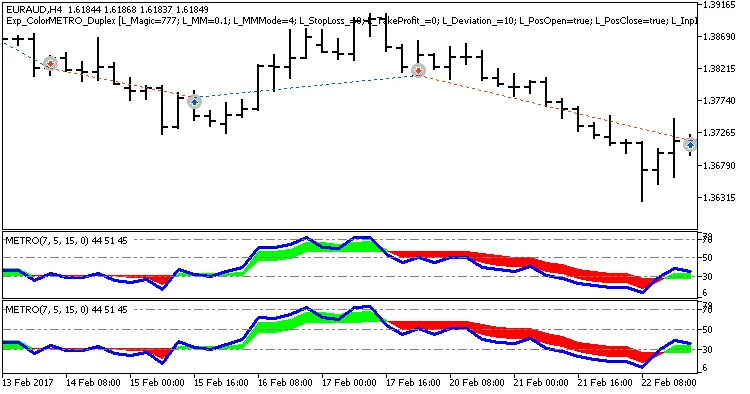
Fig. 1. Examples of deals on the chart with symmetrical settings
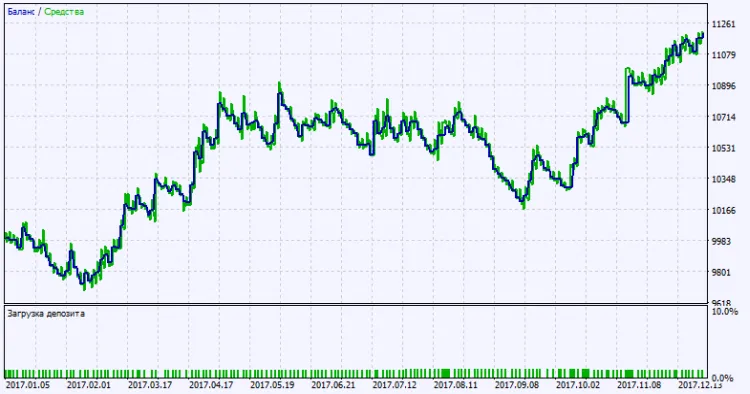
Fig. 2. Testing results chart
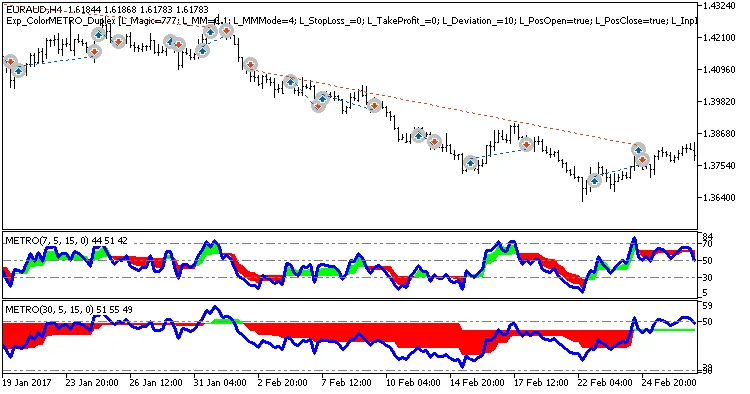
Fig. 3. Examples of deals on the chart with non-symmetrical settings




Comments 0