
If you’re looking to take your trading game to the next level, the eKeyboardTrader for MetaTrader 5 might just be your new best friend. This handy Expert Advisor lets you execute trades using your keyboard, making it a breeze to manage your trades efficiently. With it, you can easily Buy, Sell, or Close trades, and you have the flexibility to set or modify key parameters like Trade Volume (lots), Stop Loss, Take Profit, and Slippage.
Once you launch the eKeyboardTrader, you’ll see your current settings displayed right away (Lot, Stop Loss, Take Profit, Slippage), along with a list of commands at your fingertips (check out Figure 1 below):
- b - buy,
- s - sell,
- c - close,
- i - parameters menu

Figure 1. Main menu
In the parameters menu, you can tweak the following settings (refer to Figure 2):
- l - Lot,
- k - Stop Loss,
- j - Take Profit,
- h - Slippage,
- i and Esc - return to main menu.
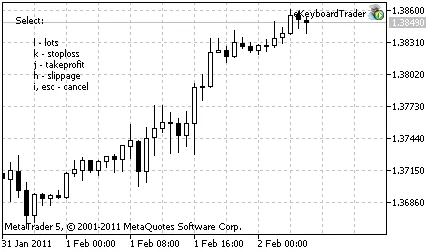
Figure 2. Selection of input parameter
Once you select an input parameter, you’ll enter input mode (see Figure 3). Here’s what you can do:
- i - apply; if you don’t specify a value, pressing apply will be the same as hitting Esc,
- Esc - cancel (this will take you back to the main menu),
- BackSpace - delete the last character you input.
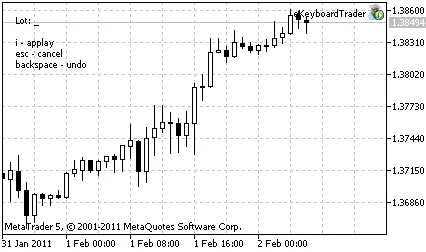
Figure 3. Input parameter value




Comments 0