
Author of the Idea:Glenn Bacon, Code Creator:barabashkakvn.
Meet the Simple FX EA, an automated trading tool that leverages the power of moving averages to make Forex trading a breeze!
This Expert Advisor (EA) trades Forex automatically using customizable moving averages (MAs). You have the flexibility to adjust the period, method, and type of MAs to suit your trading strategy. Plus, you can modify order settings like lot size, slippage, and magic number. Best of all, it trades across any currency pairs, with optimal results typically seen on the D1 timeframe.
The latest version of Simple FX is simplefx2.mq4, and it comes with some fantastic upgrades:
- Customizable stop loss (s/l) and take profit (t/p) settings
- Fixed s/l and t/p code for better performance
- The EA now waits for the first MA crossover before placing trades
- Once an order hits its s/l or t/p, the EA will wait for the next MA crossover before acting again
- Critical variables are automatically saved to a file for easy tracking
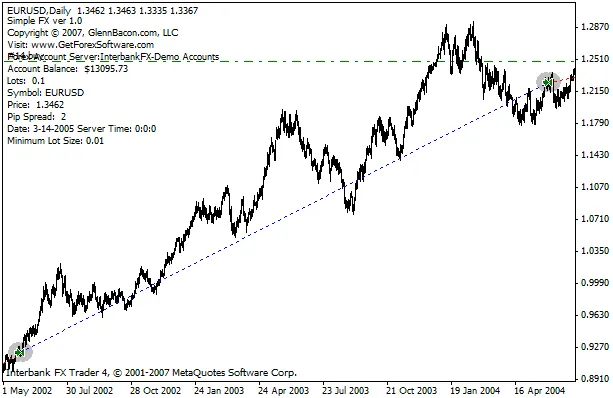
Using the Simple FX EA is straightforward. When the short MA is above the long MA, you're in a bullish trend. The EA will close any sell orders and open a buy order. Conversely, if the short MA dips below the long MA, it's a bearish trend, prompting the EA to close buy orders and open a sell order. This way, the EA stays in the market, seamlessly navigating through bullish and bearish trends.
The stop loss and take profit settings are optional, which means you can leave them at zero without affecting the EA's functionality. However, if you prefer more control, you can set them manually. For instance, setting a Take Profit of 20 will have the EA open positions with a target of 20 pips.




Comments 0