Technical Indicator

Unlocking Trading Insights with the Cumulative Volume Delta (CVD) Indicator for MetaTrader 5
MetaTrader5
Unlocking Trading Insights with the Cumulative Volume Delta (CVD) Indicator for MetaTrader 5

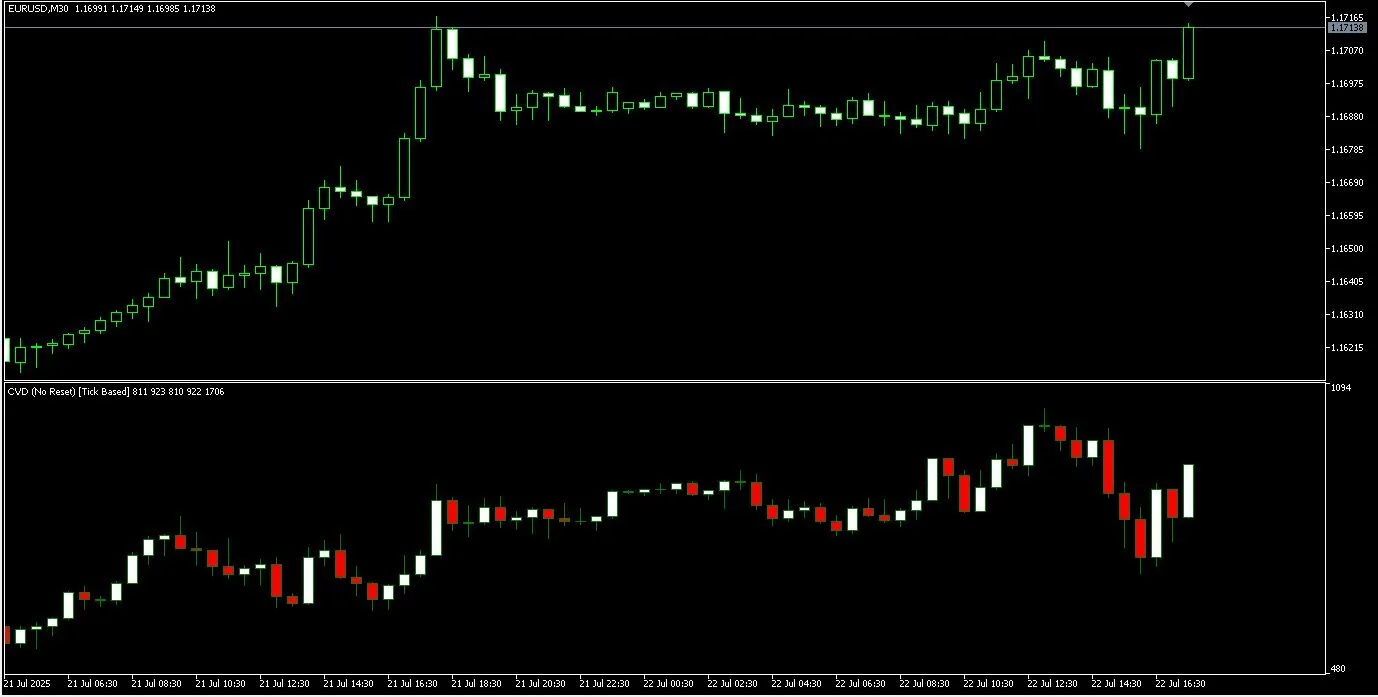
Looking to sharpen your trading edge? The Cumulative Volume Delta (CVD) indicator for MetaTrader 5 is a lightweight, open-source tool that visualizes the net buying and selling pressure as CVD candles in a separate window. It’s an excellent starting point for diving into volume and order flow analysis. What It Does Calculates and displays CVD on your chart using M1 data (this is the free version) Offers an option to reset on timeframe boundaries or to keep it running without resets Compatible with any symbol and timeframe, giving you flexibility in your trading How It’s Calculated (Free Version) For each M1 candle: direction = sign(close − open) Volume delta = direction × tick_volume CVD = cumulative sum of volume deltas Displayed as candles (open/close = previous/current CVD) Inputs InpResetPeriod (ENUM_TIMEFRAMES): Choose a timeframe to reset CVD (e.g., H1, D1) InpNoReset (bool): Set to true if you prefer to never reset How to Install Copy CVD_MT5_v3_m1_codebase.mq5 to: MQL5/Indicators Compile it in MetaEditor (just hit F7) or restart MetaTrader 5 Attach it from the Navigator under Indicators Tips & Troubleshooting On your first run, MetaTrader 5 may need to download M1 history. So, be patient! Scrolling through the chart or switching timeframes can help MT5 fetch the necessary data. If CVD doesn’t seem to update, double-check that your chosen symbol/timeframe has M1 history available. For those with slow terminals, consider trading less busy symbols or keeping fewer charts open to boost performance.

2025.11.02
Mastering Market Moves with Wave Weis Bar Force for MetaTrader 5
MetaTrader5
Mastering Market Moves with Wave Weis Bar Force for MetaTrader 5

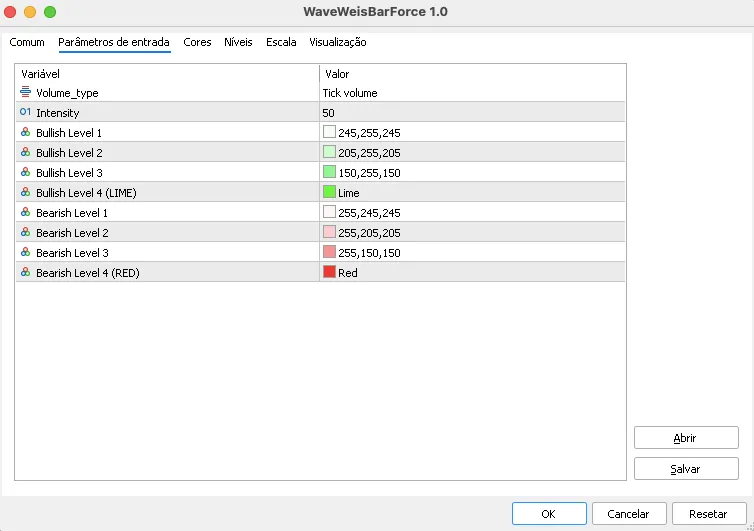
Wave Weis Bar Force: Understanding Accumulated Wave Volume Wave Weis Bar Force is a powerful indicator designed to utilize the principles of volume waves (Weis) to pinpoint accumulation phases and shifts in market direction. This tool aggregates volume while the trend remains stable, and when the trend shifts, it initiates a new wave and resets the accumulation count to zero. You can monitor the intensity of these movements through the Intensity window, which compares the current wave's volume to the highest recent accumulation. Input Parameters Volume Type: This setting allows you to choose your volume source—either tick or real volume. Intensity: This parameter defines the bar window used for intensity reference. Bullish Levels (1 to 4): A scale of green, ranging from the lightest shade to LIME. Bearish Levels (1 to 4): A scale of red, from the lightest to RED. Here's an example of the input parameters screen: Visual Interpretation Bullish Levels Level 1: Very light green (indicating a low intensity wave). Level 2: Light green. Level 3: Medium green. Level 4: LIME (signifying the maximum intensity bullish wave). Bearish Levels Level 1: Very light red (indicating a low intensity wave). Level 2: Light red. Level 3: Medium red. Level 4: RED (signifying the maximum intensity bearish wave). WaveMax (white): This marks the bar representing the highest volume within the current wave. WaveClimax (yellow): This marks when the current wave's accumulation surpasses the best historical accumulation. Here's an example of the indicator applied to a chart: Quick Notes Only the current cumulative value is shown in the legend for simplicity. WaveMax and WaveClimax markers are hidden by default to keep the display clean. This indicator is versatile for any asset and timeframe, making it especially handy for intraday analysis.

2025.10.25
Mastering ATR: Wilder Smoothing for Enhanced Trading Insights
MetaTrader5
Mastering ATR: Wilder Smoothing for Enhanced Trading Insights

Good morning, fellow traders! If you run into any issues with this code, whether it’s a glitch or due to MQL5 updates, just drop me a line, and I’ll fix it up for you. Thanks! Looking for more indicators? You can check out all my multi-timeframe codes in CodeBase or the Marketplace by simply searching for "William210". There’s both free and paid stuff available! Why This Code Matters The Average True Range (ATR) indicator, crafted by J. Welles Wilder back in 1978, is a key tool for traders to gauge the volatility of an asset. By averaging the largest True Ranges over a specified period, it provides insights into price movements and helps identify potential trading opportunities. It’s worth noting that the original ATR didn’t include any smoothing techniques. Wilder Smoothing came into play later on, designed to smooth out the fluctuations of the ATR indicator, making it much easier to analyze. Essentially, it’s a simple moving average applied to ATR values, typically over a 14-period timeframe. Wishing You Success with This Code! If you find this code helpful, don’t forget to give it a star! And feel free to add me as a friend to be the first to know when my latest codes hit the CodeBase or Marketplace. I’ve also penned down other handy codes over in CodeBase: Adaptive Moving Average using iama() ADX using iadx() Alligator using alligator() ATR using iatr() The ATR can be quite useful for other indicators, like SuperTrend, which you can find in the Marketplace. Awesome Oscillator without iao() Bollinger Bands using ibands() Donchian Channel Envelopes using ienvelopes() Ishimoku using iishimoku() Keltner Channel MACD using imacd() Momentum using iMomentum() Moving Averages using ima(), and other native functions like SimpleMA(), ExponentialMA(), SmoothedMA(), LinearWeightedMA() I also offer plenty of multi-timeframe smoothing options in the Marketplace! From simple averages to more complex ones like EMA, SMA, and even volume-weighted averages such as VWMA and VEMA—there's something for everyone. Have ideas for new codes? I’m all ears! You can request them on this thread.

2025.10.23
Understanding Bollinger Bands Squeeze: Your Guide to Market Volatility
MetaTrader5
Understanding Bollinger Bands Squeeze: Your Guide to Market Volatility

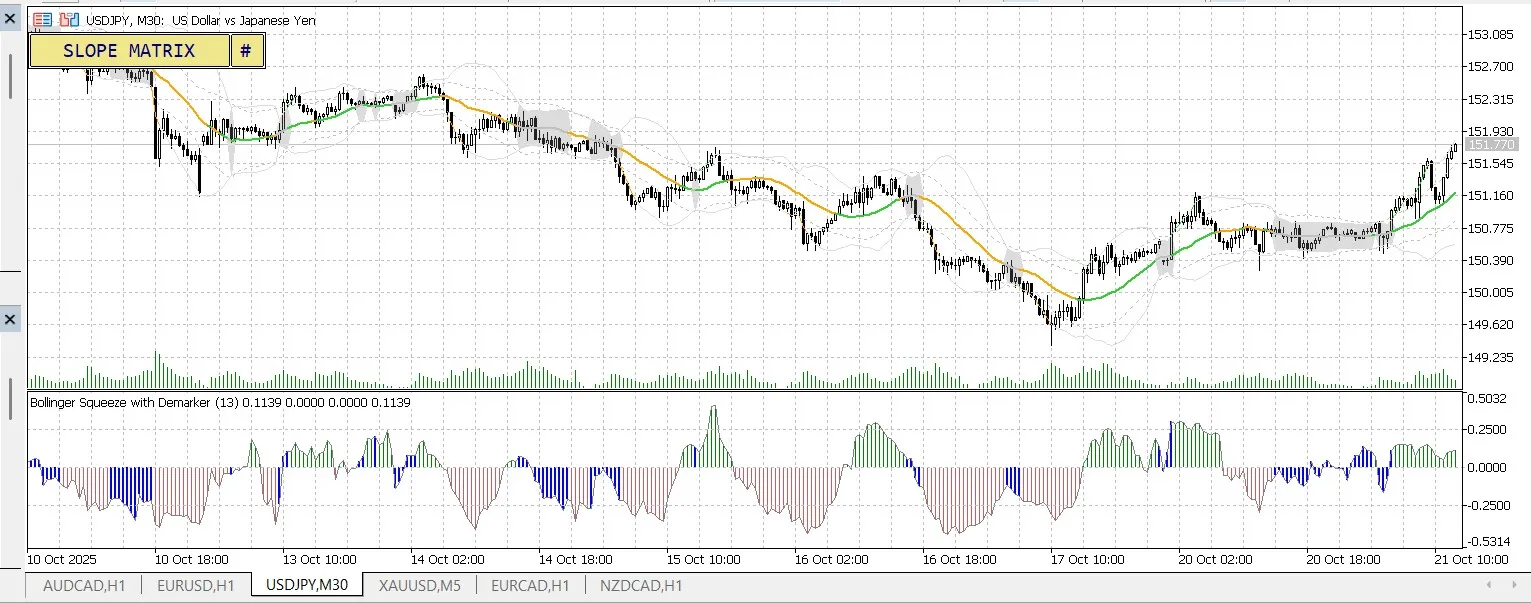
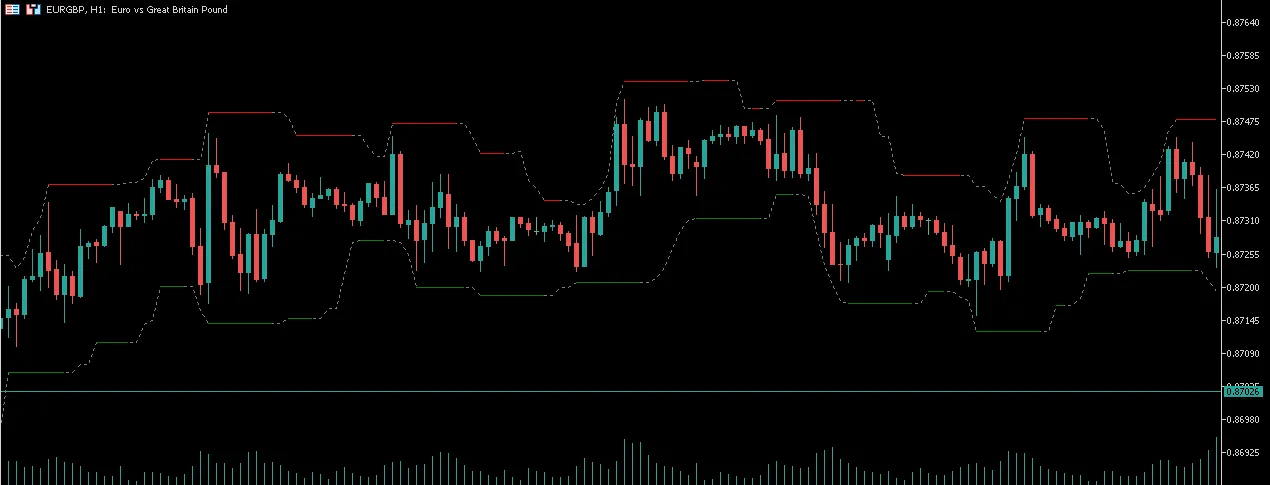
Bollinger Bands Squeeze - The Calm Before the Storm The Bollinger Bands Squeeze is one of the most potent signals you can spot when using the Bollinger Bands indicator. It highlights a phase of low market volatility that’s about to break, hinting at a significant price movement ahead. 1. What are Bollinger Bands? This technical analysis tool consists of three lines: Middle Band: A 20-period Simple Moving Average (SMA). Upper Band: Middle Band + (2 x Standard Deviation). Lower Band: Middle Band - (2 x Standard Deviation). The upper and lower bands expand and contract based on market volatility. 2. When Does the "Squeeze" Happen? A Bollinger Bands Squeeze occurs when the upper and lower bands contract and draw closer together. This indicates: The market is in a "consolidation" phase. Price volatility is significantly low. Buying and selling pressures are balanced. Visually, the bands coiling tightly resemble a squeeze, compressing the market's energy and tension. 3. The Meaning: It Forecasts a Major Move As the saying goes, "The tighter the squeeze, the bigger the move." When the bands start to expand again after a squeeze, it’s a clear signal that: The consolidation phase has ended. A new, strong trend is on the horizon. The price is likely to "break out" of its trading range with considerable momentum. Crucial Note: The Squeeze alerts you to an impending volatile move; however, it doesn’t predict the direction. To confirm the breakout direction (up or down), look for: A sharp increase in trading volume. Additional technical signals (like candlestick patterns, RSI, etc.). In summary, the Bollinger Bands Squeeze is an invaluable tool for identifying when the market is in the "quiet before the storm." When you notice a squeeze, it's time to gear up for a significant price movement.

2025.10.21
Mastering Pin Bars: The Essential Indicator for MetaTrader 5 Traders
MetaTrader5
Mastering Pin Bars: The Essential Indicator for MetaTrader 5 Traders

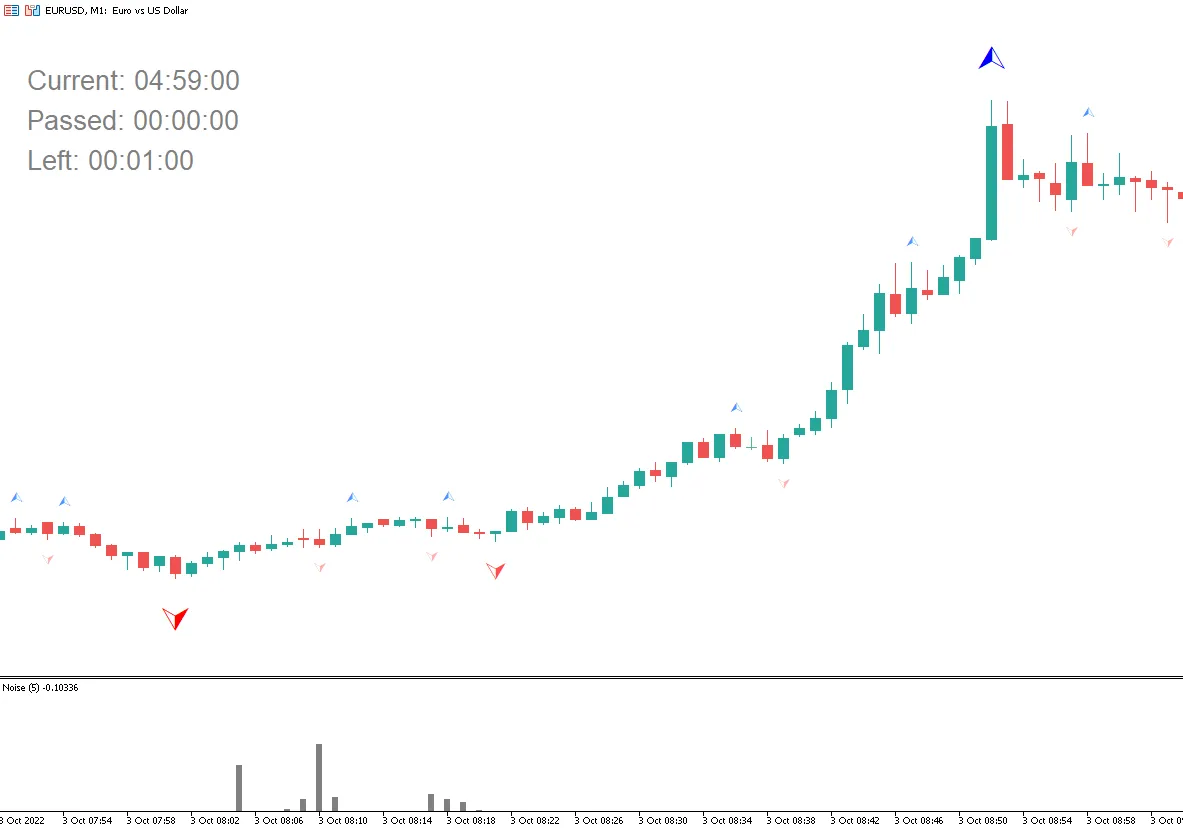
What is a Pin Bar? A Pin Bar is a specific type of candlestick that features a small body and an elongated shadow. This configuration often signals a potential price reversal, making it a key pattern for traders to watch. The Pin Bar indicator scans your chart for these Price Action patterns and marks them with icons, making it easier to identify trading opportunities: To avoid cluttering your chart with false signals, the indicator looks for patterns on past bars. When it identifies a Pin Bar, it places a signal arrow on the current bar, right at its opening price. This indicator adheres strictly to the formation rules of Pin Bars, so it's recommended to pair it with another indicator for filtering and confirmation, such as one that highlights key support and resistance levels. Customizing Your Pin Bar Indicator The Pin Bar indicator comes with four adjustable parameters: Minimum Size of a Candle (from low to high): This parameter sets the minimum height of a candle (in pips) that the indicator will analyze. Candles smaller than this threshold will be disregarded, helping you filter out noise in low-volatility markets. Increase this value to refine your signals. Maximum Size of the Candle Body Relative to Its Shadows: This establishes the maximum allowable size of the candle body (the difference between Open and Close) compared to the total height of the candle. A smaller value means more pronounced signals with long shadows and small bodies—classic indicators of a Pin Bar. For clean signals, try values between 0.2 to 0.4. Position of the Body Relative to the Previous Candle: This parameter defines how deep the Pin Bar body can penetrate into the range of the previous candle. A smaller value means the body will be closer to the edge, aligning with classic reversal patterns. Values between 0.2 and 0.4 are ideal for identifying signals where the Pin Bar body is near the previous candle’s border. Aspect Ratio of the Shadows: This sets the minimum ratio between the length of the main shadow (upper for a Pin Bar to Sell, lower for a Pin Bar to Buy) and the opposite shadow. The higher the value, the more prominent the main shadow should be. Values between 1.5 and 2.5 help filter signals to only include candles with a clearly defined long shadow. How the Indicator Works It analyzes each candle on the chart and compares it with preceding ones. It identifies candlesticks with small bodies and one shadow significantly longer than the other. It verifies that the body of the candlestick is contained within the range of the previous candlestick, which is crucial for a classic Pin Bar. If a candle meets all the criteria, the indicator marks it with an arrow on the chart: Blue Arrow: Pin Bar to Buy (long lower shadow) on the previous bar (PinBar to Up - buffer 0), and a blue signal arrow on the current bar (Signal Buy - buffer 2). Red Arrow: Pin Bar to Sell (long upper shadow) on the previous bar (PinBar to Down - buffer 1), and a red signal arrow on the current bar (Signal Sell - buffer 3). Parameter Settings Recommendations For More Rigorous Signal Selection: Increase the Minimum Size of a Candle from Low to High and Aspect Ratio of the Shadows. Decrease the Maximum Size of the Candle Body Relative to Its Shadows and Position of the Body Relative to the Previous Candle. For Increased Signal Frequency: Decrease the Minimum Size of a Candle from Low to High and Aspect Ratio of the Shadows. Increase the Maximum Size of the Candle Body Relative to Its Shadows and Position of the Body Relative to the Previous Candle. Adjust parameters based on the volatility of the instrument and timeframe to ensure the indicator finds the most relevant Pin Bars for your trading strategy. Buffer Numbers for External Programs: Buffer 0 (Name PinBar to Up): Marks Pin Bars for Buy. Buffer 1 (Name PinBar to Down): Marks Pin Bars for Sell. Buffer 2 (Name Signal Buy): Indicates a signal to buy. Buffer 3 (Name Signal Sell): Indicates a signal to sell. To get signals from your Expert Advisor, use Buffers 2 and 3 for Buy and Sell signals, respectively. The values in these buffers appear on the current bar and reflect its opening price, while the previous bar contains the details of the identified pattern. If Buffer 0 has a value, it indicates a Buy Pin Bar, while Buffer 1 signifies a Sell Pin Bar. Feel free to tweak the parameters to align with your trading style and the frequency of signals you prefer, ensuring that the indicator integrates smoothly into your overall strategy.

2025.10.12
Candle Move Indicator for MetaTrader 5: Enhance Your Trading Insights
MetaTrader5
Candle Move Indicator for MetaTrader 5: Enhance Your Trading Insights

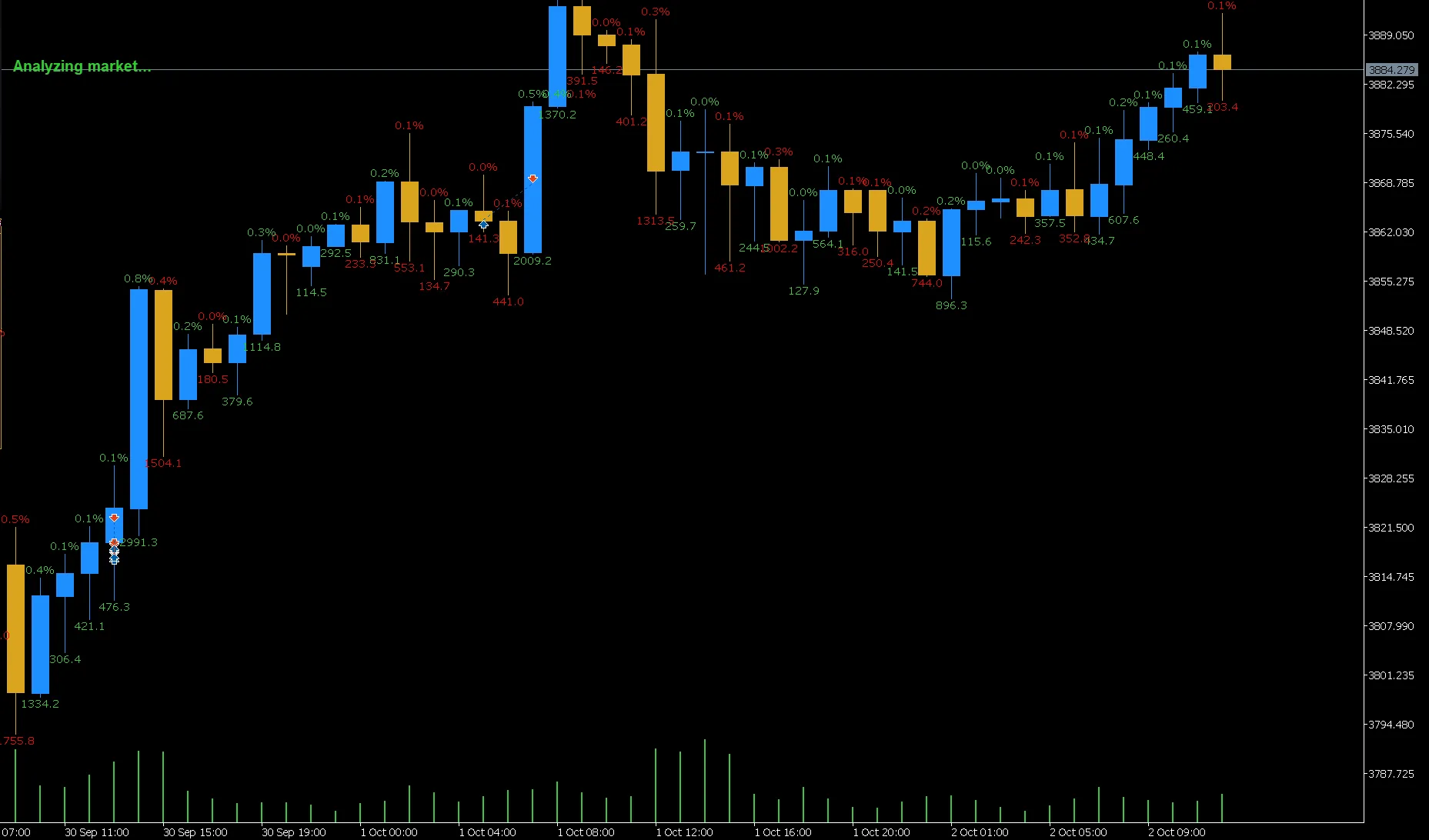
Key Features: Dual Display: This nifty tool automatically calculates and showcases price changes in both pips (displayed below the candle) and percentage (shown above the candle). It’s perfect for quickly gauging market movements! Two Measurement Modes: Close-to-Close (default): This mode compares the current candle's close price to the previous one, giving you a clear picture of inter-candle volatility. Close-to-Open: This option allows you to compare the close and open prices of the same candle, helping you measure its body size effectively. Flexible Customization: Tailor the indicator to your preferences by changing colors for gains and losses. Plus, you can set a minimum pip threshold (PipsLimit) to filter out those insignificant price movements. Performance Optimized: To keep the indicator running smoothly, you can limit the number of historical bars it processes (MaxBars). Input Parameters: CloseToClose: Set this to true if you want to compare with the previous candle, or false to measure just the current candle. PipsLimit: This parameter ensures that the indicator only displays information if the candle moves more than this specified number of pips. DisplayLossColor: Choose a color for price drops that stands out to you. DisplayGainColor: Pick a color for price gains that’s easy to spot. MaxBars: This sets the maximum number of past bars the indicator will consider in its calculations.

2025.10.02
First Previous 1 2 3 4 5 6 7 Next Last