Technical Indicator

Unlock Market Insights with the Candle Replay Magnifier for MetaTrader 5
MetaTrader5
Unlock Market Insights with the Candle Replay Magnifier for MetaTrader 5

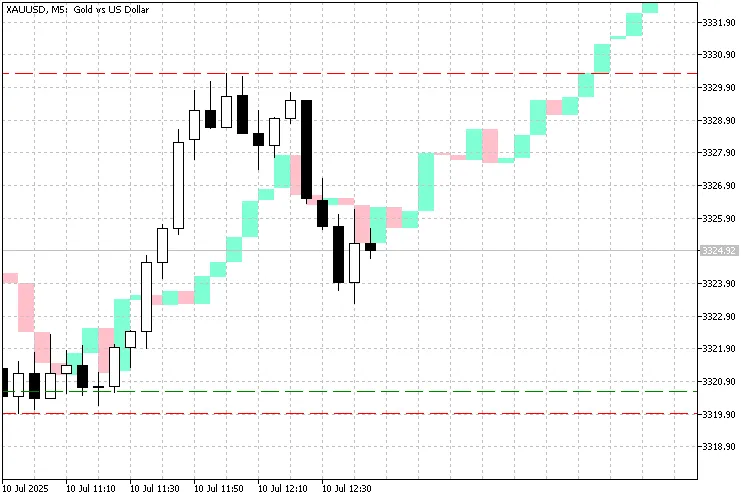
Features: Get ready to elevate your trading game with the Candle Replay Magnifier! This nifty tool allows you to: Overlay historical candles from any date directly onto your current chart. Automatically adjust the replay zone as the live chart moves. Access dynamic tooltips that provide: Time. Open, High, Low, Close. Candle Range. Direction (Bullish/Bearish). Volume. Customize colors for bullish and bearish candles. Interactively select and drag the overlay region. Use it on intraday timeframes (from M1 to H1). Parameters: Parameter Name Description InpReplayDate Set the date for fetching historical candles. InpMainZoneColor Choose a color for the main live zone rectangle. InpReplayZoneColor Set the color for the replay overlay zone. InpBullColor Pick a color for bullish replay candles. InpBearColor Choose a color for bearish replay candles. How to Use: Follow these simple steps to get started: Attach the indicator to your chart (intraday works best). Select the Replay Date using the input panel. The indicator will display a red "Main Zone" on your chart. A green "Replay Zone" will show historical candles aligned to the current position. Hover over the replay bars to view candle details. What's Inside the Zones? The first candle in the Main Zone corresponds to the first candle from your selected Replay Date. The current live candle aligns with the last candle of the green Replay Zone. This setup allows you to easily analyze: "How did the market perform at this position last time?" "Are we seeing a similar pattern unfold?" What's Around My Current Candlestick? The current candlestick in the red Main Zone matches the last candle in the green Replay Zone, precisely aligned by time and open price. The first candle on the left of the Main Zone corresponds to the first candle of the Replay Zone (from the selected date). The last (current) candle of the Main Zone matches the last candle from the Replay Zone, making for a seamless comparison. This helps you answer: "What did price do next the last time we were at this level and time of day?" Notes and Limitations: Zone Range: Large replay ranges may slow down performance on low-end devices. No Wicks: Only candle bodies are displayed; upper and lower shadows are omitted. No Buffers: This indicator uses only chart objects (rectangles), not indicator buffers. Redraws on New Bar: The full replay zone is re-rendered with each new tick, which may affect performance. Market Closed on Replay Date: If the market was closed on the selected date, no candles will appear. Replay Offset Risk: If some bars are missing on the replay date, the green replay zone may misalign, affecting the current candle's open price. Only Intraday Timeframes Supported: This tool is specifically designed for intraday use (below daily timeframe). Screenshots: Conclusion: Whether you're a pattern trader, scalper, or simply want to visually compare market behavior, the Candle Replay Magnifier is a tool that adds a fresh perspective to your analysis. Give it a go and share your thoughts!

2025.07.10
Harnessing the GARCH Indicator for Accurate Volatility Estimation in Forex Trading
MetaTrader5
Harnessing the GARCH Indicator for Accurate Volatility Estimation in Forex Trading

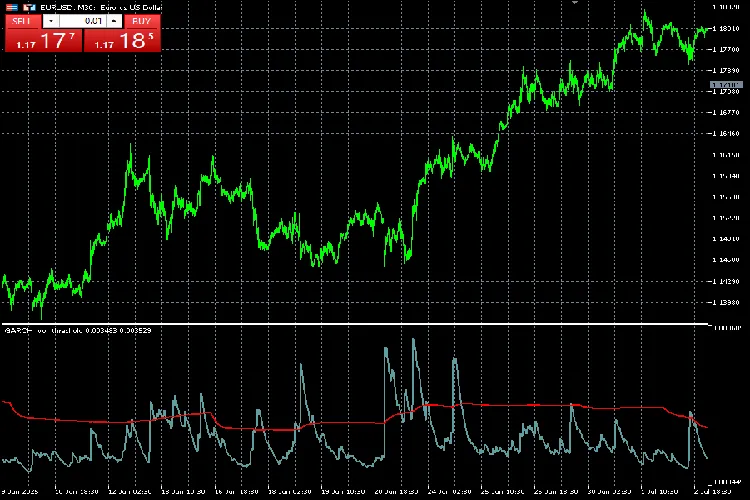
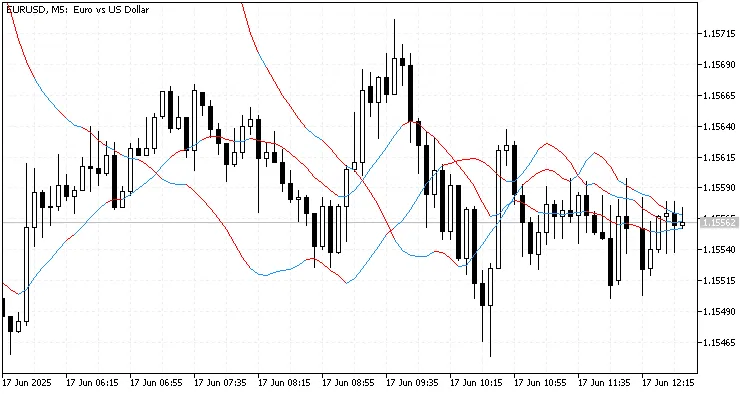
The GARCH Indicator (Generalized AutoRegressive Conditional Heteroskedasticity) is a powerful tool for traders looking to gauge market volatility. Built on the GARCH(1,1) model, this indicator is designed to forecast price action volatility for various assets in the financial markets. So, what’s the scoop? The GARCH model is commonly used in financial time series analysis because it assumes that the variance of a time series is autocorrelated. In simpler terms, it means the market's volatility can change over time, often influenced by past price movements. The term heteroskedasticity refers to this irregularity in error term variation, which is a hallmark of financial markets. Many financial institutions rely on the GARCH model as a go-to estimator for the volatility of stocks, bonds, and even market indices. Plus, it's been tested across Forex, commodities like XAUUSD, and cryptocurrencies such as BTCUSD, making it quite versatile. Input Parameters: Gamma Variable - This is your constant term, which reflects the unconditional variance. Alpha Variable - Known as the ARCH coefficient, it shows how the market reacts to recent shocks. Beta Variable - This is the Generalized ARCH coefficient, indicating the persistence of past variance. Bar Window - This sets the number of bars to be included in the rolling mean or standard deviation. Threshold Scale - The default setting is 1, but you can adjust it based on your trading strategy. Understanding the Lines: The cadet-blue line represents the GARCH one-step forecast values of volatility (variance) for the upcoming candle. Using the GARCH(1,1) formula, this line will spike during significant market movements and gradually return to its baseline, indicating periods of heightened volatility. The red line sets the threshold for identifying high and low volatility periods. This dual-line setup is crucial for traders, as it enables easy identification of volatile areas, which is essential for making informed trading decisions. You can even amplify this threshold scale to suit your needs. Keep in mind, though, that this indicator may not perform optimally on lower timeframes like M1 and M5. Want to dive deeper into the GARCH model? Check out this Investopedia article for more insights!

2025.07.08
Unlock Your Trading Potential with the AutoTrendLines Indicator for MetaTrader 5
MetaTrader5
Unlock Your Trading Potential with the AutoTrendLines Indicator for MetaTrader 5

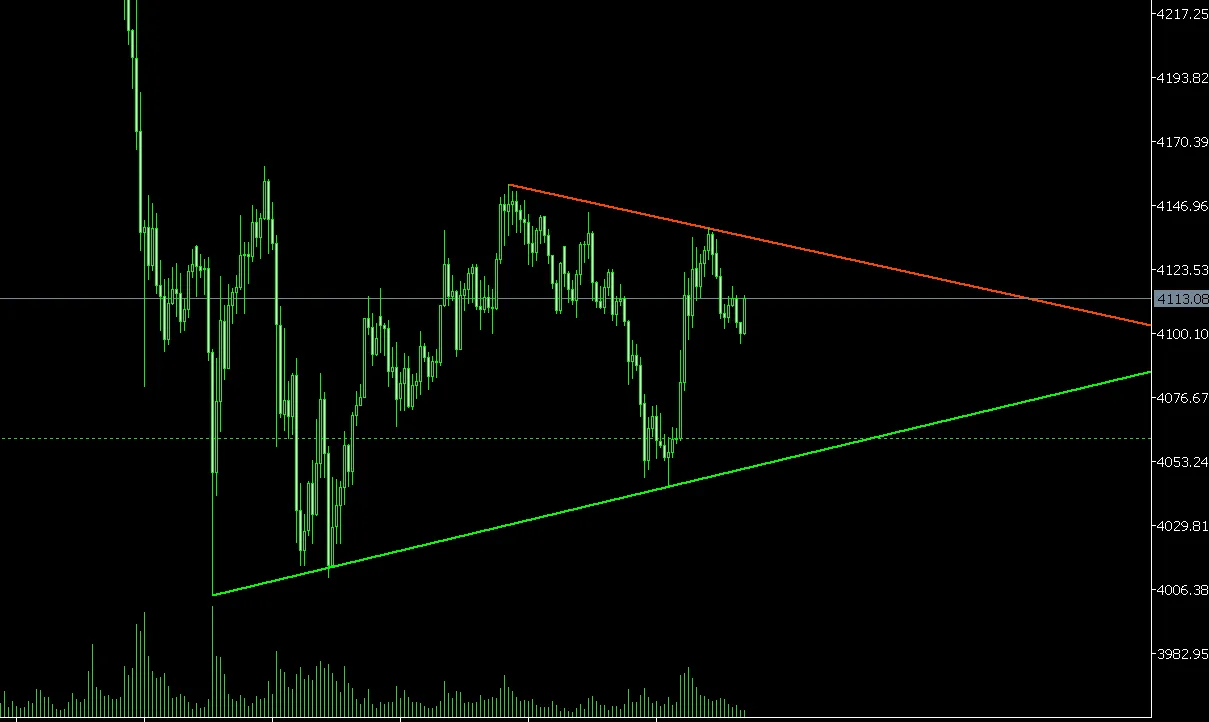
Discover the AutoTrendLines Indicator Main Features: Dual Detection Mode: Mode A: Dual Pivot Detection - This mode identifies trendlines using two pivot points to help you spot crucial market movements. Mode B: Adaptive Slope Analysis - Get insights with adaptive slope-based analysis that adjusts dynamically to market conditions. Breakout Detection System: Automatic detection of support and resistance breakouts. Receive real-time alerts when breakouts occur, so you never miss a trading opportunity. Visual cues with arrow markers at breakout points to keep your strategy sharp. Customizable breakout threshold (in pips) to suit your trading style. Auto-Adjust Feature: Your trendlines automatically adjust after breakouts, keeping your analysis up-to-date. Historical trendline data is stored, providing context for your trading decisions. View up to three historical trendlines for a comprehensive outlook. Smart Visualization: Customize colors, thickness, and line styles for a personalized trading chart. Easy differentiation between support (lime) and resistance (orange-red) levels. Dimmed historical lines help you track past trends without cluttering your view. Flexible Configuration: Over 15 customizable parameters allow you to tailor the indicator to your needs. Adjust lookback periods and edge offsets for even greater precision. Independent toggles for features let you streamline your trading setup. Application: Perfect for swing and intraday traders, the AutoTrendLines Indicator supports precise trend detection and helps identify optimal entry points. Original Source: Copyright 2012, Rone - mql5.com Version: 2.0 (Optimized 2025)

2025.07.07
Understanding Monthly VWAP: Your Go-To Indicator for Long-Term Trading
MetaTrader5
Understanding Monthly VWAP: Your Go-To Indicator for Long-Term Trading

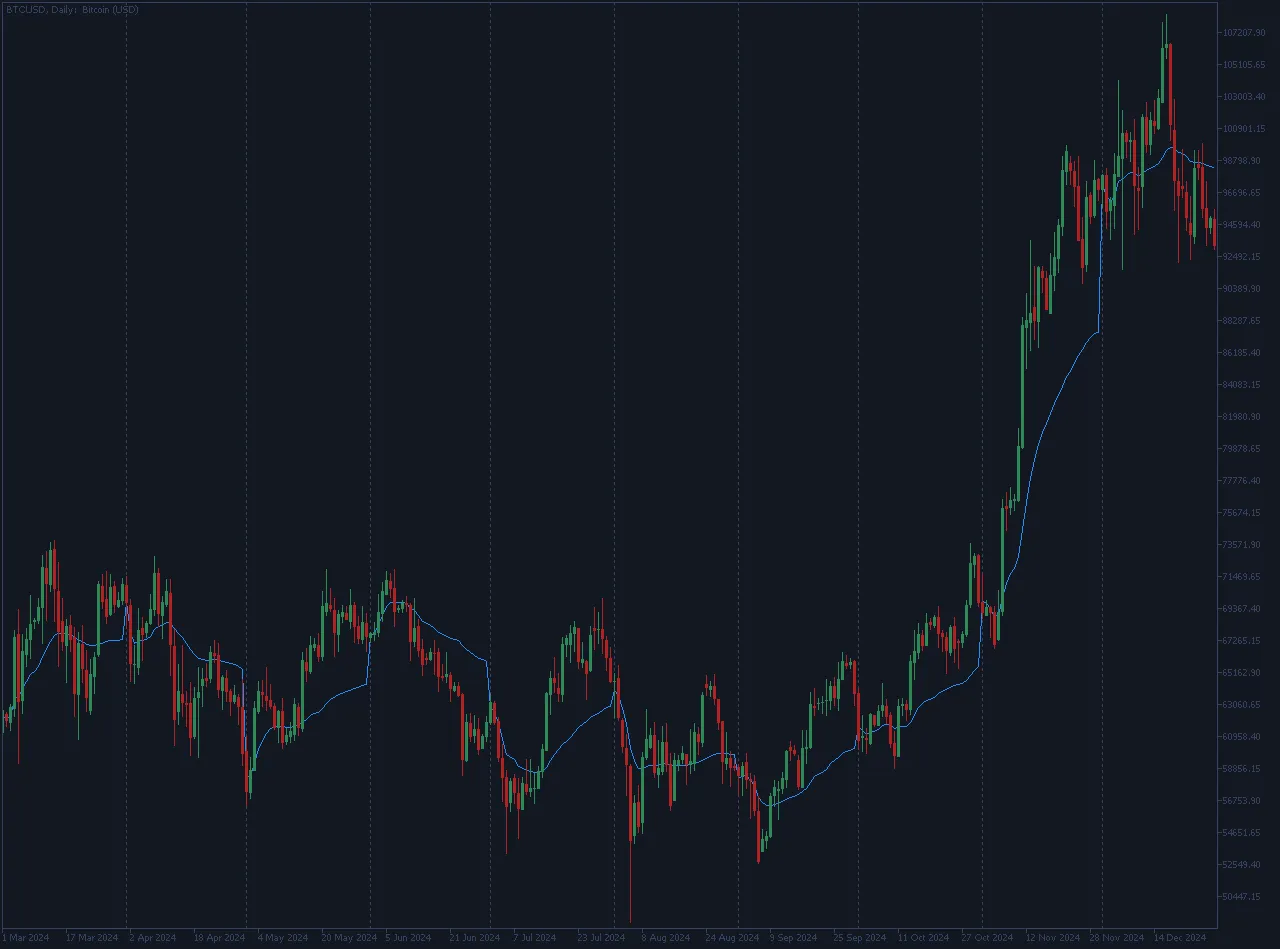
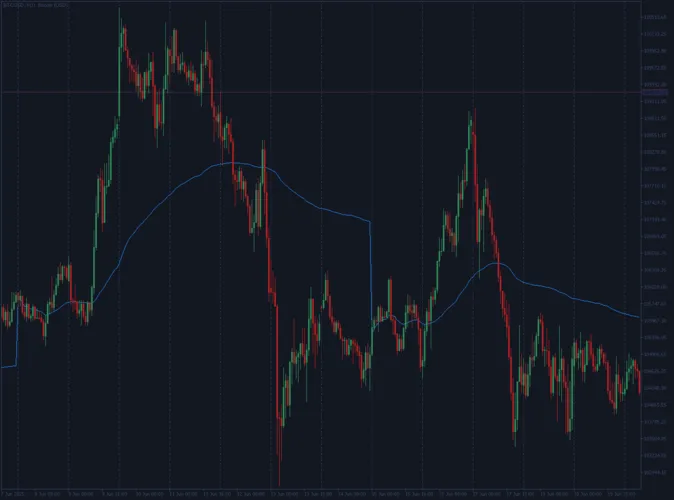
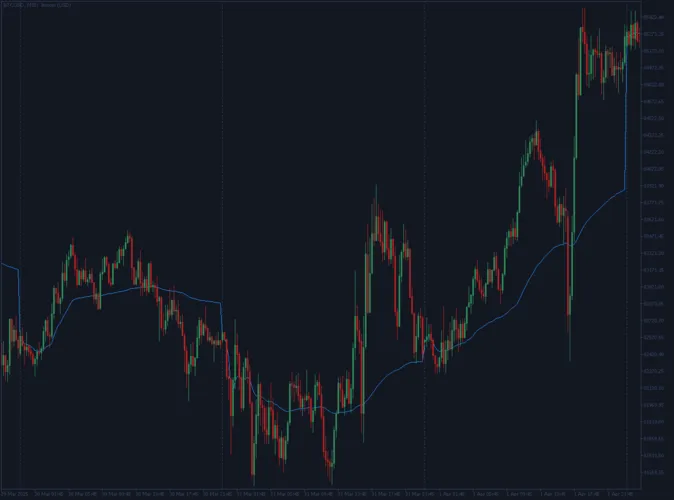
Monthly VWAP: Your Compass for Long-Term Market Direction The Monthly VWAP (Volume Weighted Average Price) is a powerful tool designed to give traders a clear long-term view of market activity. This custom indicator recalibrates at the start of each new trading month, allowing you to track the average price weighted by volume. Unlike simple moving averages, VWAP takes into account the volume of trades, making it a reliable gauge for identifying where significant trading has occurred. Essentially, it calculates the cumulative total of (Price * Volume) divided by the total volume for each month, starting fresh with the first bar of each new trading session. The result is a clear line on your chart that visually represents the price levels where most of the month's trading volume has taken place. Why is Monthly VWAP a Key Player in Long-Term Strategies? Identify Long-Term Fair Value: This tool provides you with valuable insights into the average price at which an asset has traded, weighted by volume. It sets a solid benchmark for gauging market sentiment throughout the month. Strategic Positional Planning: Many institutional and long-term traders use Monthly VWAP as a critical reference point for managing larger positions. If the price consistently holds above the Monthly VWAP, it can indicate bullish strength, whereas trading below it may suggest bearish control. This knowledge is vital for making informed decisions about entries, exits, and position sizing. Macro Trend Confirmation: You can use Monthly VWAP to validate the strength and direction of broader market trends. Typically, in healthy long-term trends, the price interacts predictably with the Monthly VWAP. Uncluttered Long-Term View: Despite its complex calculations, the Monthly VWAP appears as a single, clear line on your chart, helping you maintain a clean and focused analysis, free from the noise of short-term fluctuations. Key Features of this Indicator: Monthly Reset: The VWAP calculation resets automatically at the beginning of each new trading month, providing a relevant perspective on long-term market activity. Precision Calculation: Utilizes standard MQL5 functions for accurate computation of typical price and volume, ensuring reliable data. Clear Chart Visualization: Displays a distinct line on your chart for immediate visual interpretation, enhancing your analytical clarity. Open Source: The full MQL5 source code is available, promoting transparency and allowing for further customization by the trading community.

2025.07.04
Master Your Weekly Trading with VWAP: A Key Indicator for MetaTrader 5
MetaTrader5
Master Your Weekly Trading with VWAP: A Key Indicator for MetaTrader 5

Weekly VWAP: Your Go-To Tool for Weekly Market Insights The Weekly VWAP (Volume Weighted Average Price) is not just another indicator; it’s a game changer for traders looking to get a solid grasp on market trends over the week. This custom-built indicator gives you a unique long-term outlook by calculating the volume-weighted average price, resetting every new trading week. Unlike basic moving averages, the VWAP takes trading volume into account, highlighting price levels where significant trading activity has taken place. This makes it instrumental for identifying the true fair value of an asset throughout the week. Essentially, the Weekly VWAP computes the cumulative total of (Price * Volume) divided by the total volume for the week, resetting automatically with each new trading session. It draws a distinct line on your chart, providing an easy visual cue of where most trading volume has occurred relative to price. Why You Should Add Weekly VWAP to Your Trading Toolkit: Spotting Weekly Fair Value: This indicator gives you a clear picture of the average trading price of an asset, adjusted for volume, which helps you gauge overall market sentiment throughout the week. Strategic Positioning: A lot of professional traders look to VWAP as a benchmark for taking positions on higher timeframes. If the price is consistently above the Weekly VWAP, it could indicate ongoing bullish momentum, while trading below might suggest bearish control. This insight is crucial for making informed entry and exit decisions. Confirming Trend Strength: The Weekly VWAP can serve as a confirmation tool for the strength of a weekly trend. A strong trend typically keeps the price in line with the Weekly VWAP. Simple Visual Representation: Despite its complex calculations, the Weekly VWAP is displayed as a single, clear line on your chart, ensuring that your analysis stays straightforward and uncluttered. Key Features of the Weekly VWAP Source Code: Weekly Reset: The VWAP calculation resets at the start of each trading week, ensuring you have a fresh look at market dynamics each week. Accurate Calculations: It uses standard MQL5 functions for accurate price and volume computations, guaranteeing reliable data. Clear Chart Display: The VWAP is represented as a clear line on your chart for instant visual comprehension. Open Source: The complete MQL5 source code is available, encouraging transparency, enhancing learning, and enabling further customization by the trading community.

2025.07.04
Mastering Daily VWAP: Your Go-To Tool for Intraday Trading Success
MetaTrader5
Mastering Daily VWAP: Your Go-To Tool for Intraday Trading Success

Daily VWAP: Your Essential Intraday Fair Value Indicator The Daily VWAP (Volume Weighted Average Price) is a must-have custom indicator crafted specifically for traders looking to enhance their intraday analysis. Unlike your regular moving averages, VWAP factors in trading volume, giving more weight to prices where the action is hot. This makes it an invaluable tool for spotting the genuine fair value of an asset as the trading day unfolds. Here’s how it works: the indicator calculates the cumulative sum of (Price * Volume) divided by the total volume for the day, resetting at the start of each new trading session. The result? A smooth line on your chart that clearly shows where most of today’s trading volume has been concentrated relative to price. Why should you use Daily VWAP? Identify Intraday Fair Value: Get a clear picture of the average price at which an asset is traded, adjusted for volume, giving you a solid benchmark for gauging bullish or bearish sentiment. Strategic Entry & Exit Points: Many institutional traders swear by VWAP as a key reference point. If the price is above VWAP, it often signals bullish momentum, while trading below it might indicate bearish control. This insight can be gold for planning your entry and exit strategies. Trend Confirmation: Use VWAP to back up the strength of an intraday trend. A strong trend typically sees the price holding steady in relation to VWAP. Simple & Uncluttered: Despite its complex calculations, Daily VWAP presents itself as a straightforward line on your chart, keeping your analysis neat and focused. Features of this Source Code: Daily Reset: The VWAP calculation refreshes at the start of each trading day, offering a new perspective on daily market dynamics. Robust Calculation: It employs standard MQL5 functions for precise computation of typical price and volume. Clean Plotting: You’ll see a distinct blue line on your chart for easy identification. Open Source: Full MQL5 source code is available, ensuring complete transparency and the opportunity for further customization by the trading community.

2025.07.04
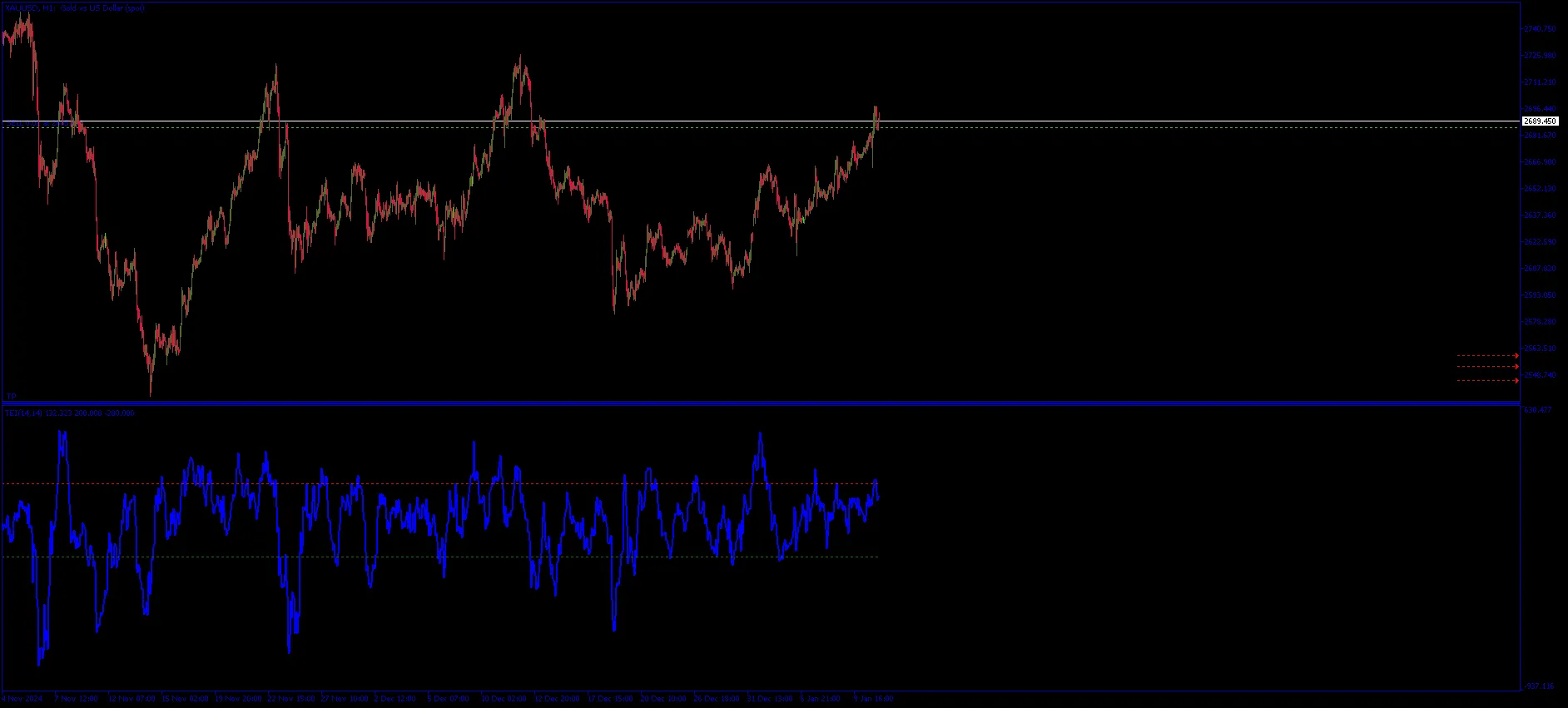
Mastering the Trend Equilibrium Indicator (TrendEQ) for MetaTrader 5
MetaTrader5
Mastering the Trend Equilibrium Indicator (TrendEQ) for MetaTrader 5

Get to Know the Trend Equilibrium Indicator (TrendEQ) If you’re looking to elevate your trading game, the Trend Equilibrium Indicator (TrendEQ) for MetaTrader 5 is worth a look. This nifty tool can help you pinpoint market momentum and volatility, giving you a clearer edge in your trading decisions. Settings and Parameters To make the most of TrendEQ, let’s dive into its key settings: Momentum Period: This setting determines the number of candles used to calculate momentum. A recommended value is 14. Just a heads-up, higher values can smooth out the curve but may introduce some lag. Volatility Period: Similar to momentum, this parameter uses candles to assess volatility. Again, 14 is suggested for optimal performance. Scaling Factor: This adjusts the pointer calculation to produce a more readable curve. The default is set at 100,000. Thresholds: Overbought Level: The market is considered overbought above 100.0, signaling a potential price correction. Oversold Level: If prices drop below -100.0, the market could be poised for a recovery. Understanding Its Functionality The TrendEQ offers a couple of critical functionalities: Trend Determination: A positive value indicates upward momentum (bullish trend), while a negative value signals downward momentum (bearish trend). Volatility Adjustment: This feature helps fine-tune momentum calculations based on current market volatility, which means you’ll get more accurate and timely signals. Overbought/Oversold Signals: Keep an eye out for overbought conditions that suggest a price correction may be on the horizon, and oversold conditions that hint at a potential price bounce. By integrating the Trend Equilibrium Indicator into your trading strategy, you can enhance your ability to read market conditions and make informed trading decisions. Happy trading!

2025.06.28
Understanding Candle Size: A Key Indicator for MetaTrader 5 Traders
MetaTrader5
Understanding Candle Size: A Key Indicator for MetaTrader 5 Traders

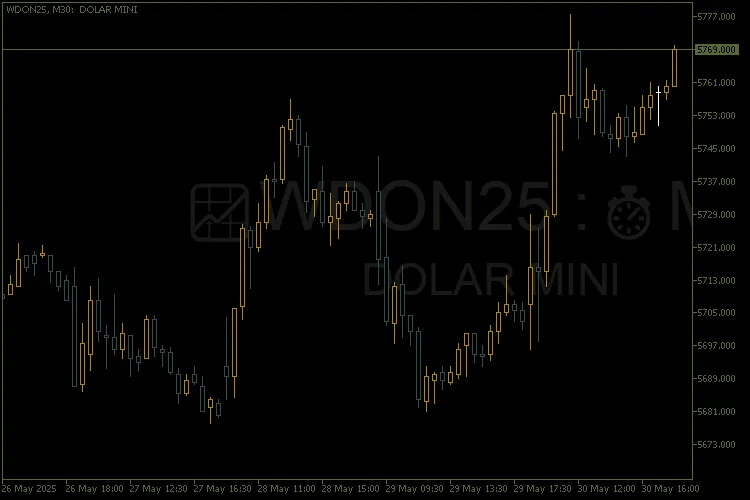
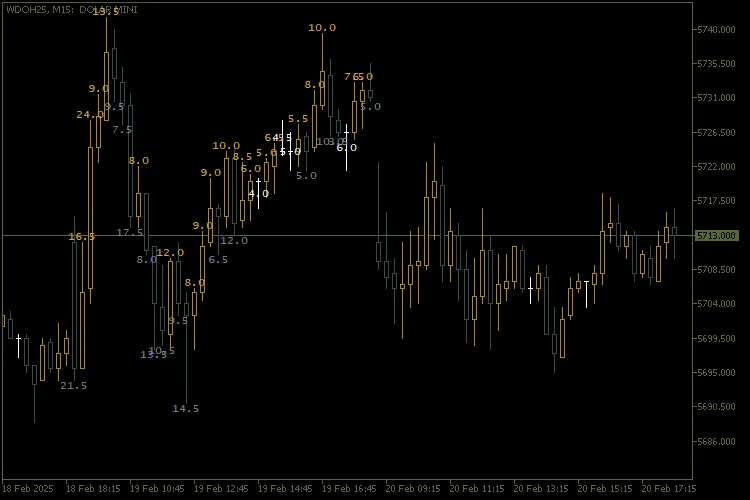
Candle Size Indicator Overview Main Features of the Indicator Candle Size Calculation: This indicator measures the range of candles (the difference between high and low) and displays it in points or pips for easy reference. Bullish and bearish candles are color-coded, making it a breeze to interpret the market at a glance. Customization by Day of the Week: Choose to analyze candles from specific days (like Monday or Tuesday) or include every day. Each day of the week is assigned a unique color, allowing you to spot daily trends with ease. Dynamic Text Positioning: Text can be adjusted vertically to avoid overlapping with other chart elements. The indicator automatically shifts the text to stay within the visible area of the chart. Style and Formatting: Personalize the font, size, color, and anchor type of the text displayed on your chart. Choose from various line styles (like dashed or dotted) for enhanced visualization. Automatic Cleanup: When you remove the indicator from the chart, all associated objects are cleared automatically, keeping your chart tidy. External Variables Explained Here's a breakdown of the user-configurable external variables: InpAmount Number of candles to analyze. InpMCConfigOptimistic Optimistic calculation type (like maximum). InpMCConfigPessimistic Pessimistic calculation type (like minimum). InpMCCorOptimistic Color for bullish candles. InpMCCorPessimistic Color for bearish candles. InpMCConfigFountain Font for the text displayed on the chart. Sunday, Monday, etc. Specific colors for each day of the week. InpStyle Line style (like dashed or dotted). InpWidth Line width. textplace Distance of the text from the top of the graph. InpFont Font of the text displayed in the graph. InpFontSize Font size. InpAnchor Type of anchor for the text (like top, bottom, center). Best Instruments and Timeframes for Use Instruments: This indicator can be applied to any financial instrument on the MetaTrader 5 platform, including currency pairs, indices, commodities, and cryptocurrencies. Timeframes: Compatible with all timeframes, from 1-minute to weekly charts. However, larger timeframes (like H1 or D1) tend to provide clearer and more accurate volatility analysis. How to Interpret the Indicator Candle Size: A larger candle indicates higher volatility during that period. A smaller candle suggests reduced activity or market consolidation. Colors: Bullish candles are shown in a specific color (like gold). Bearish candles are displayed in another color (like grey). Days of the Week: Using different colors for each day helps you identify patterns in price behavior on specific days. Practical Use Cases Volatility Analysis: This tool helps traders pinpoint days or periods with elevated volatility based on candle size. Daily Patterns: Analyzing candles from specific days allows you to recognize trends in price behavior. Decision Making: Quick visual insights into bullish and bearish strength aid in making informed trading choices. Visual Example Figure 1: Example chart featuring the indicator. Colors differentiate between bullish and bearish candles, while text displays each candle's size. https://www.mql5.com/en/charts/20733290/wdoh25-m15-banco-btg-pactual

2025.06.21
Unlock Trading Potential with the MACD Colour Histogram for MetaTrader 5
MetaTrader5
Unlock Trading Potential with the MACD Colour Histogram for MetaTrader 5

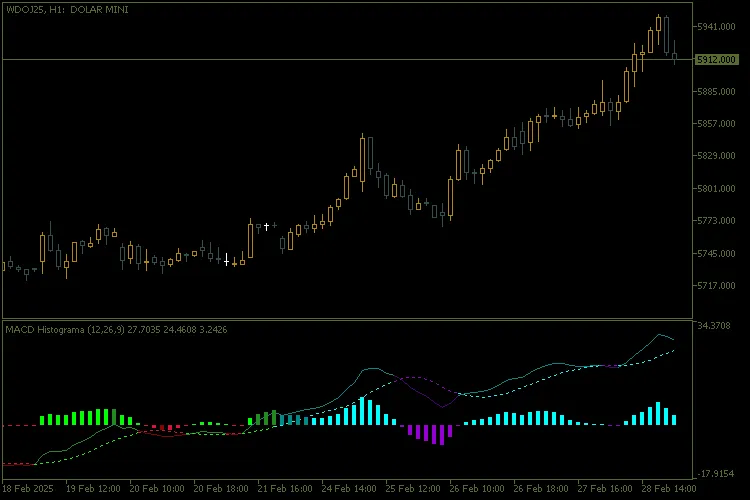
Key Features Dynamic and Coloured Histogram:The histogram automatically changes colour based on market conditions, giving you quick insights at a glance: When the MACD crosses above or below the signal line. When the MACD crosses above or below the zero line. The strength and direction of the trend. Customisable Sound Alerts:Get real-time notifications whenever significant crossings occur between the MACD and the signal line, or when the MACD crosses the zero line. You can tailor: The sound of the alert. The maximum number of repetitions. The minimum pause between alerts. Configurable Colors:This indicator employs a vibrant and intuitive colour palette to highlight various states of the MACD, signal line, and histogram. These colours are designed for easy interpretation, helping you make quick decisions. Customisable Parameters: Periods of the fast and slow moving averages. Period of the signal moving average. Price applied to the calculation (close, open, high, low, etc.). User-Friendly Interface:The indicator is straightforward to set up and use, even if you're just starting out. All parameters can be adjusted right in the properties window. How It Works: The indicator calculates the difference between the MACD and its signal line, displaying the result as a coloured histogram. Different colours represent crossovers, positive/negative trends, and momentum shifts. Audible alerts are triggered for significant events, such as line crossings or transitions between positive and negative zones. Benefits: Quick Decision Making: With dynamic colours and sound alerts, you can react swiftly to market changes. Full Customisation: Tailor the parameters to align with your trading strategy. Clear Visualisation: The clean and intuitive design makes it easy to interpret data, even on busy charts. Compatibility: Works seamlessly on any asset and timeframe supported by MetaTrader 5. Examples of Use: Utilise the indicator to pinpoint entry and exit points in trend strategies. Combine the MACD Colour Histogram with other indicators to validate buy/sell signals. Keep an eye on the histogram to spot divergences between price and momentum. For a detailed view: View Chart

2025.06.18
Master Your Trading with the Candle Counter for MetaTrader 5
MetaTrader5
Master Your Trading with the Candle Counter for MetaTrader 5

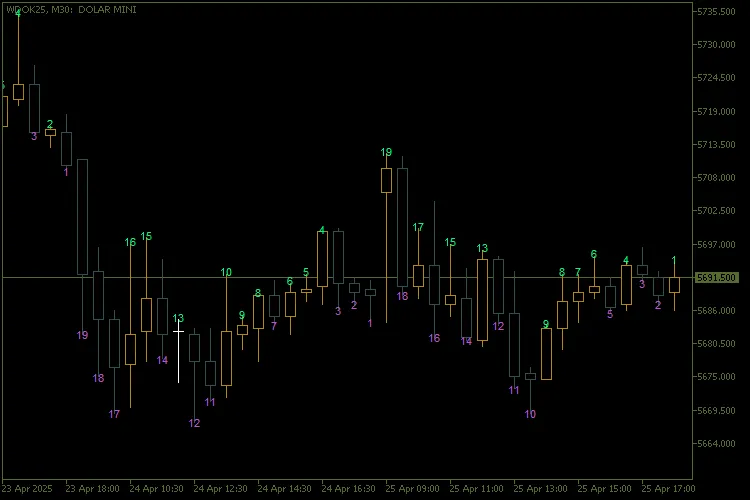
Unlock the Power of the Candle Counter Hey there, fellow traders! If you're looking to enhance your MetaTrader 5 experience, let’s dive into the world of the Candle Counter. This nifty tool can help you keep track of your candles like a pro, ensuring you never miss a beat in your trading game. Key Features Week Selection: The SelectedWeek parameter lets you choose which week of the month to number. If you set SelectedWeek to 0, it will number all weeks, keeping everything in sight. For specific weeks, just use a non-zero value to limit the numbering to that week’s candles. Reverse Count: With NumberFirstCandle set to false, the counting starts from the last candle of the day and goes backwards. Dynamic Filtering: This feature filters candles based on your selected week, so you can focus on what matters. Dynamic Text Positioning: The numbers will appear above or below the candles based on their bullish or bearish nature. Control the spacing with the PriceOffsetFactor parameter for a cleaner look. Visual Customization: Personalize colors, fonts, text sizes, and anchor types to enhance your trading charts. Optimized Performance: This indicator removes old chart objects before creating new ones, keeping your workspace neat and efficient. Input Parameters PriceOffsetFactor Spacing factor between text and candle. 0.5 InpTextColourAbove Text color above bullish candles. clrSpringGreen InpTextColourBelow Text color below bearish candles. clrMediumOrchid InpFont Font type for the numbers. "Arial" InpFontSize Font size. 8 Anchor Text positioning anchor type (center, top, bottom, etc.). ANCHOR_CENTER NumberFirstCandle Start count on first (true) or last (false) candle of the day. true SelectedWeek Week selected for counting (0 = every week). 1 Detailed Features 1. Filtering by Week: The GetWeekOfMonth() function calculates which week each candle falls into. With the condition if(SelectedWeek != 0 && currentWeek != SelectedWeek), only candles from your chosen week are processed. 2. Sequential Counting: The count resets with each new day when candleDay != previousDay. If NumberFirstCandle is true, it starts counting from the first candle. If set to false, it counts down from the last candle of the day. 3. Text Positioning: Text positions above bearish candles (closing price < opening price). Text appears below bullish candles (closing price > opening price). 4. Creating and Updating Chart Objects: The CreateText() function creates or updates chart objects on your chart. These objects are uniquely named with the ObjectPrefix to avoid any naming conflicts. 5. Automatic Cleaning: The DeleteObjects() function removes all graphical objects created by the indicator when it’s removed or reinitialized. Happy trading! Feel free to share your thoughts or questions in the comments below!

2025.06.17
Mastering Divergence with the Awesome Oscillator: A Trader's Guide
MetaTrader5
Mastering Divergence with the Awesome Oscillator: A Trader's Guide

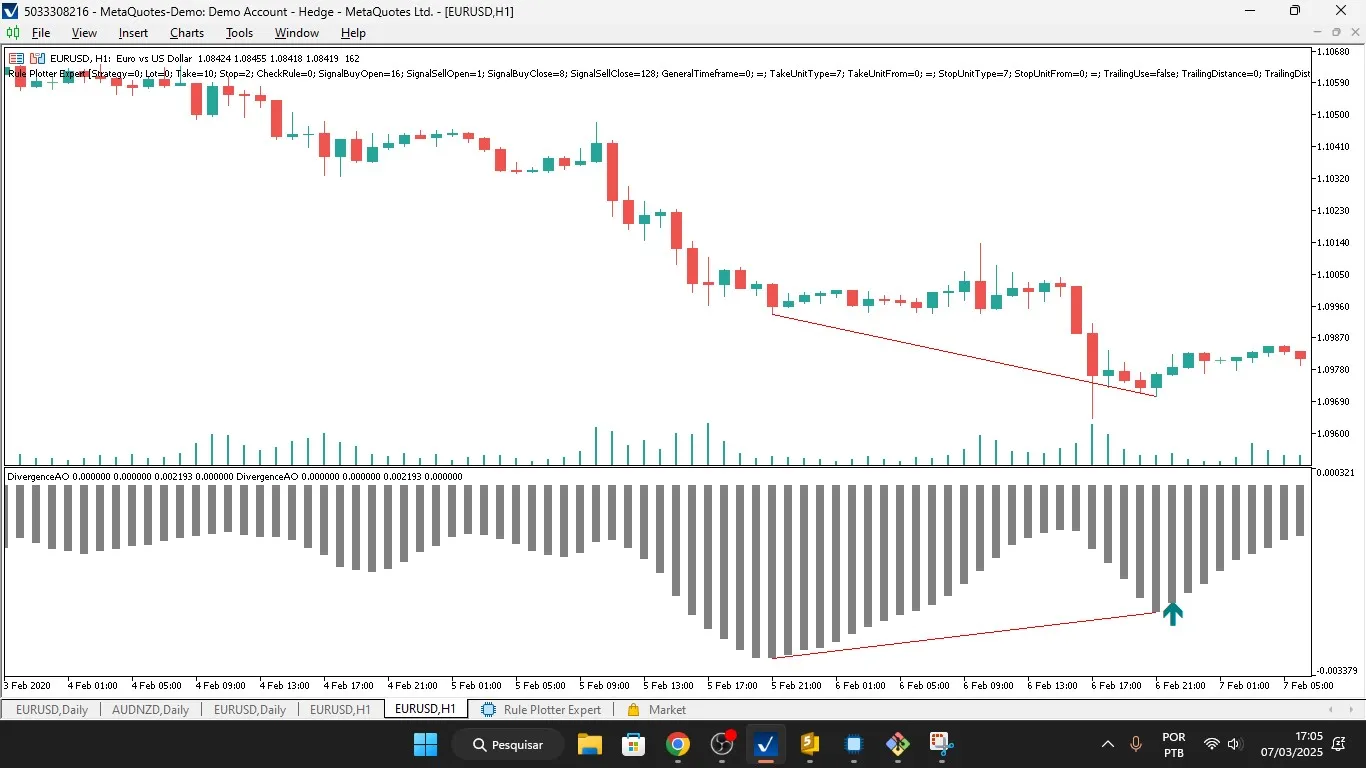
If you’re looking to up your trading game, the Divergence Awesome Oscillator might just be the tool you need. This custom indicator for MetaTrader 5 is designed specifically to spot and visualize divergences between price action and the Awesome Oscillator (AO). Divergences happen when the price and the AO aren't in sync, often hinting at potential market reversals or continuations. This handy indicator plots buy/sell signals, a histogram of the AO, and trendlines to make those divergences pop on your chart. Key Features of the Indicator: Divergence Detection: Spot bullish divergences (where the price hits lower lows while the AO makes higher lows). Identify bearish divergences (when the price hits higher highs while the AO hits lower highs). Visualization: Buy/Sell Arrows: Arrows on your chart indicate potential buy or sell signals based on divergences. Histogram: The AO values are displayed as a histogram for easy analysis. Trendlines: Trendlines help you visualize the divergences between price and the AO. Custom Buffers: Uses four buffers to store data: BuyBuffer and SellBuffer for buy/sell signals. HistogramBuffer for AO values. PointsCounterBuffer to keep track of aligned points for confirming divergences. Dynamic Trendline Drawing: Utilizes CChartObjectTrend to dynamically draw trendlines based on price and AO. Crossing Check: A function (CheckCrossing) checks if the price or AO crosses a trendline, which can confirm or invalidate a divergence. Interpolation: Employs linear interpolation (CalculateIntermediateValue) to find intermediate values between two points, aiding in crossing checks. How It Works: Initialization: The OnInit() function sets up the indicator buffers, assigns properties like colors and styles, and initializes the AO handle. Main Calculation: The OnCalculate() function analyzes price and AO data to find divergences: Identifies bottoms (lower lows) and tops (higher highs) in both price and AO. Compares price and AO trends to check for divergences. Plots buy/sell signals and draws trendlines upon confirming a divergence. Divergence Confirmation: Conditions like IsBullishTrend and IsBearishTrend are used to confirm divergences. Ensures no crossings between price and AO trendlines to validate the divergence. Dynamic Updates: The indicator keeps updating with each new bar, recalculating divergences and redrawing trendlines as necessary. Key Functions: IsBottom() and IsTop(): Detects local minima (bottoms) and maxima (tops) in an array (price or AO). CheckCrossing(): Checks if the price or AO crosses a trendline, which could invalidate a divergence. CalculateIntermediateValue(): Calculates intermediate values using linear interpolation for better trendline analysis. AddUniqueCoordinates(): Makes sure unique coordinates are added for accurate trendline drawing. TotalAligned(): Counts aligned points to confirm the strength of a divergence. Usage: This indicator is ideal for traders who rely on divergence strategies to spot potential reversals or continuations in the market. It offers visual cues (arrows, trendlines, and histograms) to help traders make well-informed decisions. Example Scenario: If the price is hitting lower lows (bearish), but the AO is making higher lows (bullish), a bullish divergence is spotted. The indicator will plot a buy arrow and draw trendlines to highlight the divergence. On the flip side, if the price is making higher highs (bullish), but the AO is hitting lower highs (bearish), a bearish divergence is detected. The indicator will plot a sell arrow and draw trendlines. Technical Details: Platform: MetaTrader 5 (MT5). Language: MQL5. Dependencies: Makes use of the Awesome Oscillator (iAO) for calculations. Custom Objects: Employs CChartObjectTrend for drawing trendlines and CArrayInt for managing coordinate arrays. This indicator is a valuable asset for traders looking to automate divergence detection and visualization, streamlining their trading strategies and enhancing accuracy.

2025.06.11
Mastering False Breakouts: A Guide to the False Breakouts Indicator for MetaTrader 5
MetaTrader5
Mastering False Breakouts: A Guide to the False Breakouts Indicator for MetaTrader 5

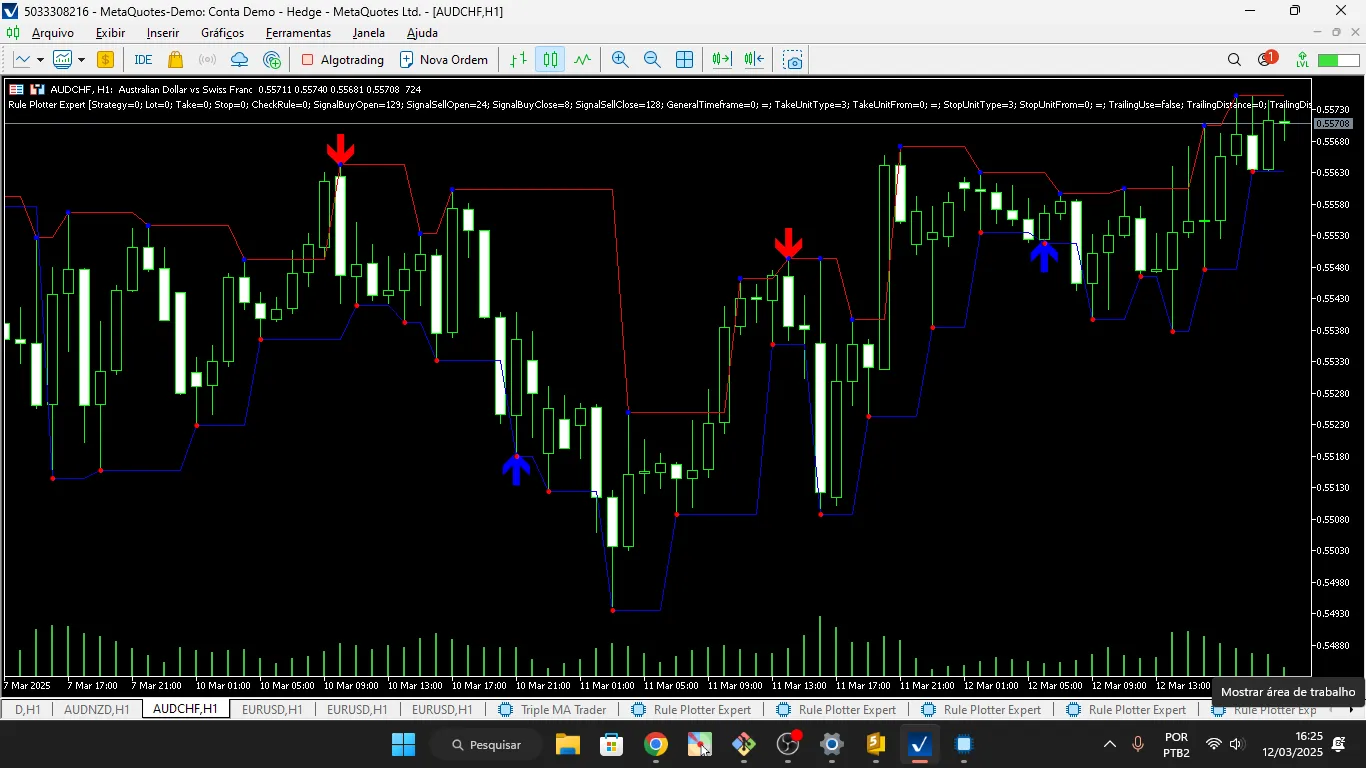
Understanding the "False Breakouts" Indicator for MetaTrader 5 Overview The False Breakouts indicator for MetaTrader 5 is your go-to tool for spotting key trading opportunities. It helps you identify: Buy Points and Sell Points based on false breakouts of support and resistance levels. Dynamic support and resistance lines. Market tops and bottoms. This indicator efficiently utilizes buffers to display crucial information on your charts, making it a breeze to analyze those tricky false breakout patterns. Indicator Structure Key Properties Indicator Name: FalseBreakouts Version: 1.00 Display Window: Main chart Buffers and Plots This indicator operates using 6 buffers and 6 plots to present data effectively: Buy Signal: Type: DRAW_ARROW (up arrow). Color: Blue. Width: 5. Sell Signal: Type: DRAW_ARROW (down arrow). Color: Red. Width: 5. Support Line: Type: DRAW_LINE (solid line). Color: Blue. Resistance Line: Type: DRAW_LINE (solid line). Color: Red. Top Indicator: Type: DRAW_ARROW (up arrow). Color: Blue. Bottom Indicator: Type: DRAW_ARROW (down arrow). Color: Red. Global Variables ExtResistancesBuffer[]: Stores resistance levels. ExtSupportsBuffer[]: Stores support levels. ExtTopsBuffer[]: Stores identified tops. ExtBottomsBuffer[]: Stores identified bottoms. ExtSellBuffer[]: Stores selling points. ExtBuyBuffer[]: Stores buying points. Main Functions 1. OnInit() Purpose: Initializes the indicator and sets up the buffers. Actions: Maps the buffers to the plots. Initializes empty values for the buffers. Defines Buy and Sell arrows. Sets arrow displacement on the chart. 2. OnCalculate() Purpose: Updates buffers with each new tick or candle. Actions: Checks for any new data. Initializes buffers if required. Identifies tops and bottoms based on price extremes. Updates support, resistance, tops, and bottoms. Calls functions to determine Buy and Sell signals. 3. IndexNextPoint() Purpose: Finds the index of the next valid point in a buffer. Use: Utilized by the IsBuy() and IsSell() functions for reference points. 4. IsBuy() Purpose: Checks for a Buy signal based on a false breakout of support. Logic: Verifies if the current price exceeds the support level. Confirms whether a false breakout occurred. Returns true if conditions are satisfied. 5. IsSell() Purpose: Checks for a Sell signal based on a false breakout of resistance. Logic: Verifies if the current price is below the resistance level. Confirms whether a false breakout occurred. Returns true if conditions are met. Operational Logic Identifying Tops and Bottoms: A top is marked when the current candle's high surpasses the highs of neighboring candles. A bottom is marked when the current candle's low dips below the lows of neighboring candles. Updating Support and Resistance: The last identified top is set as resistance. The last identified bottom is set as support. Generating Buy and Sell Signals: A buy signal is triggered when the price breaks below support and then rebounds above it. A sell signal is triggered when the price breaks above resistance and then falls below it. Example of Use This indicator can be applied to any chart in MetaTrader 5. It will show: Blue arrows for Buy points. Red arrows for Sell points. Blue lines for support levels. Red lines for resistance levels. Additional arrows indicating tops and bottoms. Final Thoughts This indicator is perfect for traders focused on false breakouts. Be sure to test it across various markets and timeframes to gauge its effectiveness. You can customize it to include sound alerts or notifications whenever a signal is triggered.

2025.06.04
First Previous 1 2 3 4 5 6 7 8 9 10 Next Last