System Trading

Unlock Your Trading Potential with MaybeAwo EA for MetaTrader 4
MetaTrader4
Unlock Your Trading Potential with MaybeAwo EA for MetaTrader 4

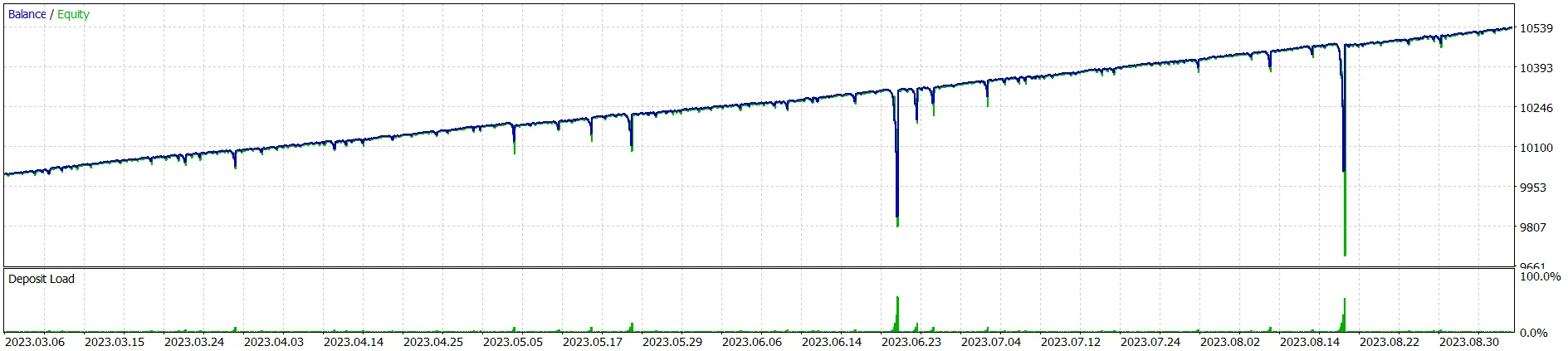
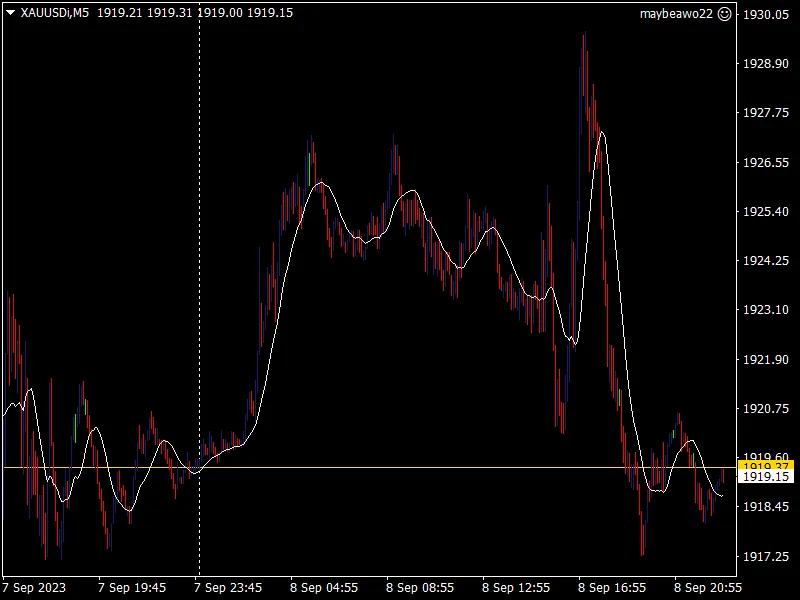
Key Features: Moving Average Entry: MaybeAwo EA employs a straightforward moving average to pinpoint potential entry points. When the market aligns with the moving average crossover strategy, it can trigger buy or sell orders seamlessly. Customizable Parameters: Tailor the EA to fit your unique trading style! You can adjust input parameters like moving period, lot size, stop loss, take profit, breakeven levels, and even specify trading hours. This flexibility means you can adapt the EA across different asset classes. Breakeven Functionality: Protect your profits with the EA’s two breakeven levels. Once a trade goes into profit, it can automatically shift the stop loss to your breakeven level, ensuring you lock in those gains. Plus, you can tweak the breakeven distances to suit your trading needs. Trailing Stop: As your trade moves in your favor, the EA can implement a trailing stop. This handy feature helps you secure profits during strong trends by adjusting the stop loss level accordingly. Start and End Hours: Set specific trading hours for the EA to operate. This allows you to concentrate your trading efforts during peak market sessions, making your trading more strategic. Important Reminders: Take the time to thoroughly review and adjust the input parameters so that the EA aligns with your personal trading strategy. Always test the EA on a demo account before going live. This step is crucial to understand its performance. Keep an eye on the EA’s performance and be ready to tweak parameters as market conditions evolve. Disclaimer: Trading involves risks, and while MaybeAwo EA can enhance your trading experience, it does not guarantee profits. Use it responsibly and always stay aware of the risks associated with automated trading.

2023.09.10
Unlocking the Power of Trailing Take Profit in MetaTrader 5
MetaTrader5
Unlocking the Power of Trailing Take Profit in MetaTrader 5

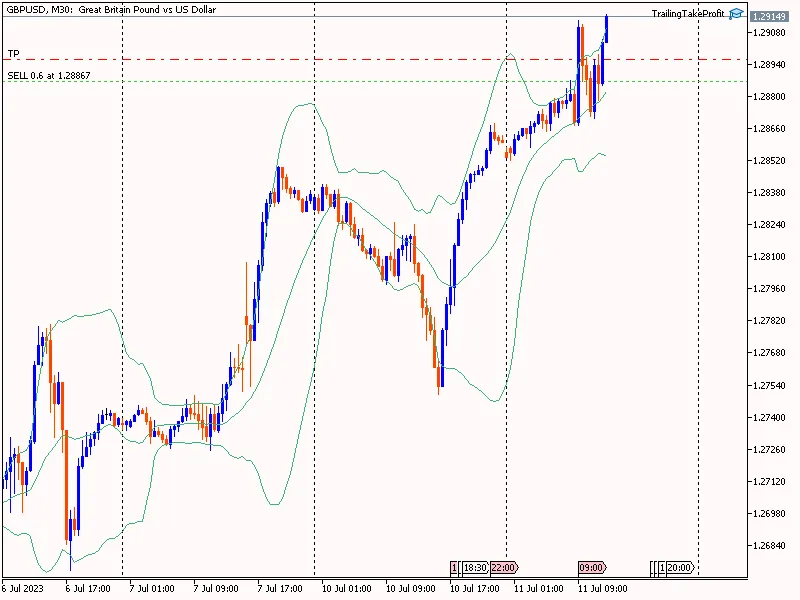
Understanding Trailing Take ProfitMany of you are familiar with the concept of a Trailing Stop, which moves your stop loss up to lock in profits as the price rises. But have you heard about the Trailing Take Profit? This innovative feature is designed to trail your take profit level when your position is in the red, helping to minimize losses rather than just securing profits.Here’s how it works: Let’s say you’re holding a position that’s currently showing a loss. When the price reaches a certain point known as TailingTPStart (for instance, 500 points away from your entry price), your take profit will start to trail the price. The TailingTPDistance is the maximum distance allowed between the trailing take profit and the current price, providing a buffer to potentially recover from losses.This might sound like a game-changer! While it won’t eliminate losses entirely, using this concept with an EA can help you reduce the depth of your losses when you’re trading without a stop loss.How to Set Up Trailing Take ProfitReady to give it a shot? Here’s a simple step-by-step guide to set up your Trailing Take Profit EA:Start by running the Trailing Take Profit EA.Ensure TrailingTP_Mode is set to true for the EA to activate.Input your symbol name, for example, GBPUSD, in the EA settings.Set your TailingTPStart level, which determines how far the price needs to move before the take profit starts trailing.Finally, configure the TailingTPDistance, specifying the maximum distance between the take profit and the current price.This new tool could be just what you need to refine your trading strategy and manage your losses effectively. Give it a try and share your experiences!

2023.07.11
Unlock Profits with the AK-47 Scalper EA for MetaTrader 5
MetaTrader5
Unlock Profits with the AK-47 Scalper EA for MetaTrader 5

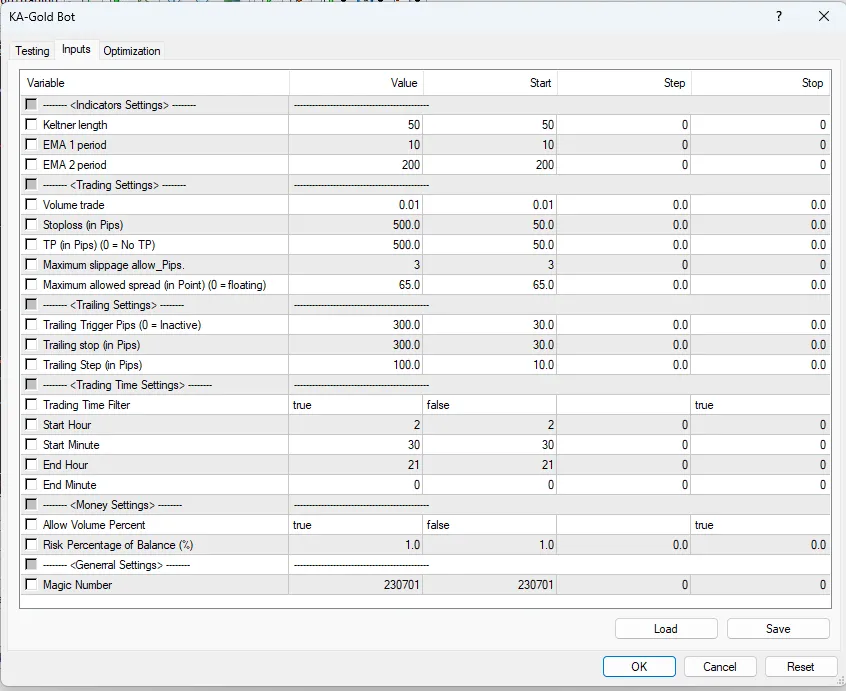
Hey there, fellow traders! Today, I’m excited to dive into the AK-47 Scalper EA – a robust trading system designed for MetaTrader 5. Whether you're a newbie trying to get your feet wet or a seasoned pro looking to optimize your strategies, this EA could be a game-changer for you! 1. Input Parameters #define ExtBotName "AK-47 EA" // Bot Name #define Version "1.00" // Import input classes #include &lt;Trade\PositionInfo.mqh&gt; #include &lt;Trade\Trade.mqh&gt; #include &lt;Trade\SymbolInfo.mqh&gt; #include &lt;Trade\AccountInfo.mqh&gt; #include &lt;Trade\OrderInfo.mqh&gt; //--- Define variables for code readability #define Ask SymbolInfoDouble(_Symbol, SYMBOL_ASK) #define Bid SymbolInfoDouble(_Symbol, SYMBOL_BID) //--- Input parameters input string EASettings = "---------------------------------------------"; // EA Settings input int InpMagicNumber = 124656; // Magic Number input string MoneySettings = "---------------------------------------------"; // Money Settings input bool isVolume_Percent = true; // Allow Volume Percent input double InpRisk = 3; // Risk Percentage of Balance (%) input string TradingSettings = "---------------------------------------------"; // Trading Settings input double Inpuser_lot = 0.01; // Lots input double InpSL_Pips = 3.5; // Stoploss in Pips input double InpTP_Pips = 7; // TP in Pips (0 = No TP) input int InpMax_slippage = 3; // Maximum slippage allowed in Pips input double InpMax_spread = 5; // Maximum allowed spread in Points (0 = floating) input string TimeSettings = "---------------------------------------------"; // Trading Time Settings input bool InpTimeFilter = true; // Trading Time Filter input int InpStartHour = 2; // Start Hour input int InpStartMinute = 30; // Start Minute input int InpEndHour = 21; // End Hour input int InpEndMinute = 0; // End Minute 2. Local Variables Initialization //--- Variables int Pips2Points; // slippage 3 pips, 3=points, 30=points double Pips2Double; // Stoploss 15 pips, 0.015 bool isOrder = false; int slippage; long acSpread; string strComment = ""; CPositionInfo m_position; // trade position object CTrade m_trade; // trading object CSymbolInfo m_symbol; // symbol info object CAccountInfo m_account; // account info wrapper COrderInfo m_order; // pending orders object 3. Main Code a/ Expert Initialization Function int OnInit() { // 3 or 5 digits detection // Pip and point if (_Digits % 2 == 1) { Pips2Double = _Point * 10; Pips2Points = 10; slippage = 10 * InpMax_slippage; } else { Pips2Double = _Point; Pips2Points = 1; slippage = InpMax_slippage; } if (!m_symbol.Name(Symbol())) // sets symbol name return(INIT_FAILED); RefreshRates(); m_trade.SetExpertMagicNumber(InpMagicNumber); m_trade.SetMarginMode(); m_trade.SetTypeFillingBySymbol(m_symbol.Name()); m_trade.SetDeviationInPoints(slippage); return(INIT_SUCCEEDED); } b/ Expert Tick Function void OnTick() { if (TerminalInfoInteger(TERMINAL_TRADE_ALLOWED) == false) { Comment("LazyBot\nTrade not allowed."); return; } MqlDateTime structTime; TimeCurrent(structTime); structTime.sec = 0; // Set starting time structTime.hour = InpStartHour; structTime.min = InpStartMinute; datetime timeStart = StructToTime(structTime); // Set Ending time structTime.hour = InpEndHour; structTime.min = InpEndMinute; datetime timeEnd = StructToTime(structTime); acSpread = SymbolInfoInteger(_Symbol, SYMBOL_SPREAD); strComment = "\n" + ExtBotName + " - v." + (string)Version; strComment += "\nServer time = " + TimeToString(TimeCurrent(), TIME_DATE | TIME_SECONDS) + " - " + DayOfWeekDescription(structTime.day_of_week); strComment += "\nTrading time = [" + (string)InpStartHour + "h" + (string)InpStartMinute + " --&gt; " + (string)InpEndHour + "h" + (string)InpEndMinute + "]"; strComment += "\nCurrent Spread = " + (string)acSpread + " Points"; Comment(strComment); // Update Values UpdateOrders(); TrailingStop(); // Trading conditions based on time filter if (InpTimeFilter) { if (TimeCurrent() >= timeStart && TimeCurrent() < timeEnd) { if (!isOrder) OpenOrder(); } } else { if (!isOrder) OpenOrder(); } } 3.1 Calculate Signal to Send Orders void OpenOrder() { ENUM_ORDER_TYPE OrdType = ORDER_TYPE_SELL; double TP = 0; double SL = 0; string comment = ExtBotName; // Calculate Lots double lot1 = CalculateVolume(); if (OrdType == ORDER_TYPE_SELL) { double OpenPrice = Bid - NormalizeDouble(InpSL_Pips / 2 * Pips2Double, _Digits); TP = OpenPrice - NormalizeDouble(InpTP_Pips * Pips2Double, _Digits); SL = Ask + NormalizeDouble(InpSL_Pips / 2 * Pips2Double, _Digits); if (CheckSpreadAllow() && CheckVolumeValue(lot1) && CheckOrderForFREEZE_LEVEL(ORDER_TYPE_SELL_STOP, OpenPrice) && CheckStopLoss(OpenPrice, SL, TP) && CheckMoneyForTrade(m_symbol.Name(), lot1, ORDER_TYPE_SELL)) { if (!m_trade.SellStop(lot1, OpenPrice, m_symbol.Name(), SL, TP, ORDER_TIME_GTC, 0, comment)) Print(__FUNCTION__, "--&gt; OrderSend error ", m_trade.ResultComment()); } } // Add more conditions for ORDER_TYPE_BUY similarly... } 3.2 Calculate Volume double CalculateVolume() { double LotSize = 0; if (isVolume_Percent == false) { LotSize = Inpuser_lot; } else { LotSize = (InpRisk) * m_account.FreeMargin(); LotSize = LotSize / 100000; double n = MathFloor(LotSize / Inpuser_lot); LotSize = n * Inpuser_lot; if (LotSize < Inpuser_lot) LotSize = Inpuser_lot; if (LotSize > m_symbol.LotsMax()) LotSize = m_symbol.LotsMax(); if (LotSize < m_symbol.LotsMin()) LotSize = m_symbol.LotsMin(); } return LotSize; } 3.3 EA's Trailing Stop Function void TrailingStop() { double SL_in_Pip = 0; for (int i = PositionsTotal() - 1; i >= 0; i--) { if (m_position.SelectByIndex(i)) { if ((m_position.Magic() == InpMagicNumber) && (m_position.Symbol() == m_symbol.Name())) { // For Buy orders if (m_position.PositionType() == POSITION_TYPE_BUY) { SL_in_Pip = NormalizeDouble(Bid - m_position.StopLoss(), _Digits) / Pips2Double; if (SL_in_Pip > InpSL_Pips) { double newSL = NormalizeDouble(Bid - InpSL_Pips * Pips2Double, _Digits); if (!m_trade.PositionModify(m_position.Ticket(), newSL, m_position.TakeProfit())) { Print(__FUNCTION__, "--&gt; OrderModify error ", m_trade.ResultComment()); continue; } } } // For Sell orders... Add similar logic for sell... } } } }

2023.06.12
Mastering Equity-Based Position Closure in MetaTrader 5
MetaTrader5
Mastering Equity-Based Position Closure in MetaTrader 5

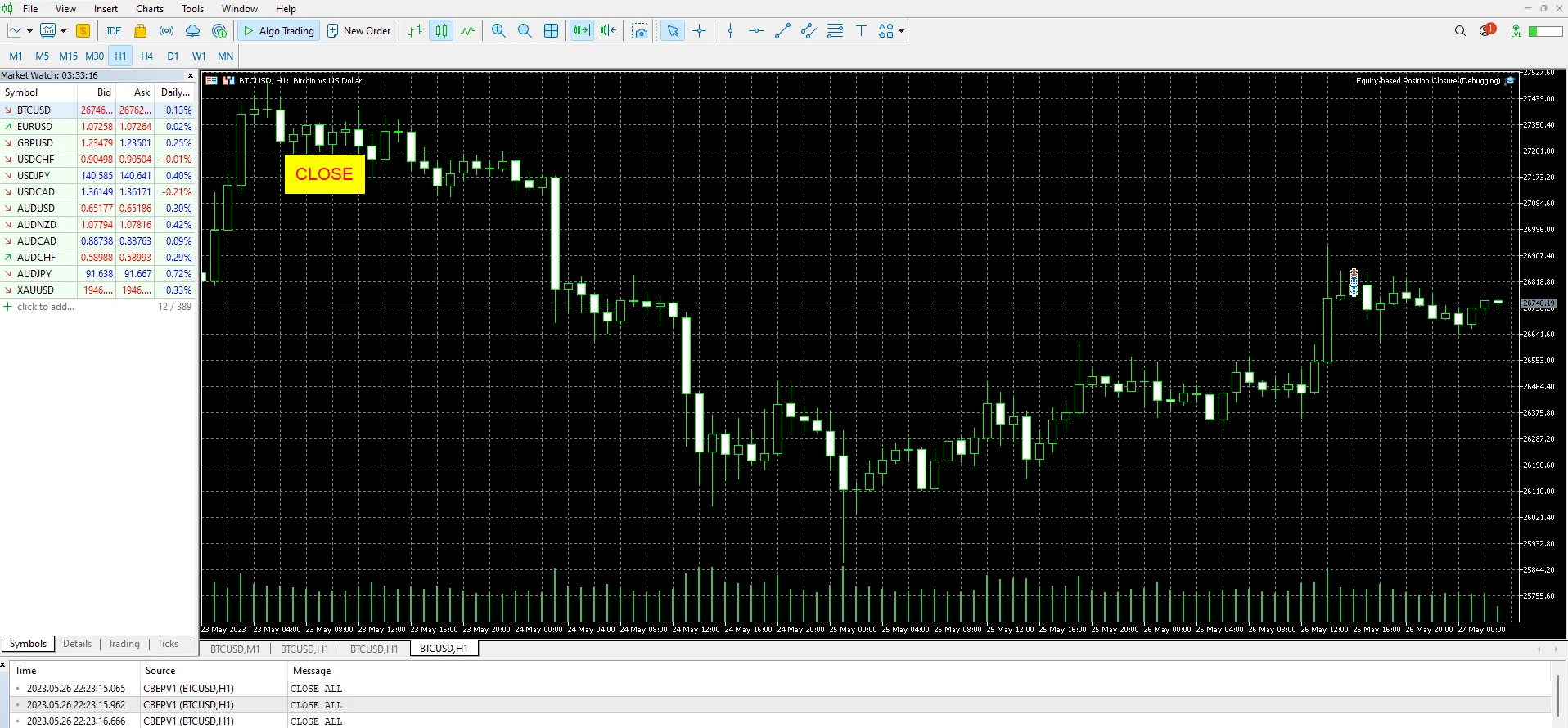
Hey there, fellow traders! Today, let’s dive into an essential aspect of trading: closing equity-based positions in MetaTrader 5. Whether you’re a seasoned pro or just starting out, understanding how to effectively manage your positions can make a world of difference in your trading journey.Why Position Closure MattersClosing a position at the right time is crucial. It can help you lock in profits or minimize losses. When you're trading, especially in volatile markets, having a solid strategy for position closure can keep your trading account healthy.How to Close Positions in MetaTrader 5MetaTrader 5 makes it pretty straightforward to close your positions. Here’s a quick rundown:Find Your Open Positions: Navigate to the 'Trade' tab in the terminal window. Here, you’ll see a list of all your open positions.Select the Position: Click on the position you want to close. It's as easy as pie!Hit the Close Button: Look for the close button, and give it a click. You can also adjust the close parameters if you want to fine-tune your exit.Confirm Your Action: Make sure everything looks good and confirm your closure. And just like that, you’re out!Tips for Effective Position ClosureHere are a few handy tips to consider when closing your positions:Set Profit Targets: Always have a clear target in mind. It helps prevent emotional decision-making.Use Trailing Stops: This can allow you to capture more gains while protecting your downside.Stay Informed: Keep an eye on market news and trends that could impact your positions.So, there you have it! Mastering the art of equity-based position closure in MetaTrader 5 can really elevate your trading game. Remember, it’s all about making informed decisions to maximize your success. Happy trading!

2023.05.27
Mastering Dynamic Trailing Stop Loss and Profit Target Management for MT5
MetaTrader5
Mastering Dynamic Trailing Stop Loss and Profit Target Management for MT5

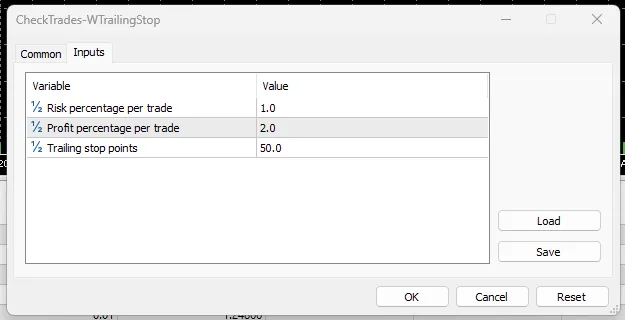
In the fast-paced world of trading, having a sturdy risk management strategy is key to ensuring your success. Today, we're diving into a handy code that can help you manage your trades more effectively in MetaTrader 5. So, what does this code do? Simply put, it’s all about managing your existing trades based on specific input parameters. The main goal here is to close trades when they hit a profit or loss threshold, while also using a trailing stop loss to secure your profits as the trade moves in your favor. Understanding the Code Here’s a quick breakdown of how this code works: It starts by including the necessary header files for trade and symbol information classes. Next, we define input parameters, such as risk percentage, profit percentage, and trailing stop points. Global variables are set up for trade and symbol information objects, which are crucial for managing trades. The OnInit function initializes the symbol information object and checks for any errors. For the OnDeinit function, there’s nothing to worry about in this case; it simply does nothing. The real action happens in the OnTick function, which gets triggered every time a new tick comes in, calling the CheckTrades function. The CheckTrades function goes through all open positions, checking if each belongs to the current symbol. If it does, it calculates the current profit and sees if the profit or loss thresholds are hit. If so, it closes the position. If neither threshold is hit, it checks whether the position type is a buy or sell order and updates the stop loss level with a trailing stop loss. If the new stop loss level is more favorable than the current one, the position gets modified with this new level. In summary, this code offers a straightforward risk management strategy, allowing you to adjust your stop loss dynamically based on a trailing stop loss while closing trades when specific profit or loss thresholds are reached. It’s a simple yet effective way to keep your trading on the right track!

2023.04.28
Maximize Your Trading with This MT5 EA for Multiple Orders
MetaTrader5
Maximize Your Trading with This MT5 EA for Multiple Orders

If you’re looking to streamline your trading process, this Expert Advisor (EA) for MetaTrader 5 (MT5) might just be the tool you need. Designed to open multiple buy and sell orders based on your preferences, this EA is all about making your trading experience smoother and more efficient. Key Features of the EA User-Friendly Interface: The EA comes equipped with straightforward Buy and Sell buttons that allow you to quickly open multiple orders with just a click. Customizable Inputs: You can set the number of buy and sell orders, along with risk percentage per trade, stop loss, take profit, and slippage—all tailored to your trading strategy. Lot Size Calculation: The EA automatically calculates the optimal lot size based on your specified risk percentage and stop loss, helping you manage your capital effectively. Spread and Slippage Checks: Before executing any trades, it checks the spread against your configured slippage to ensure you’re getting the best price possible. When you hit the Buy or Sell button, the EA will work its magic, opening the specified number of orders with the calculated lot size, stop loss, and take profit levels in place. However, keep in mind that this EA is a basic example. It might not be ready for live trading right out of the box, so you’ll want to tweak and optimize it to fit your style. Always make sure to test any trading algorithm in a demo account before diving into the real market with your hard-earned cash.

2023.04.27
Mastering Risk Management with CheckTrades for MetaTrader 5
MetaTrader5
Mastering Risk Management with CheckTrades for MetaTrader 5

Welcome, fellow traders! Today, we’re diving into a handy tool that can take your trading game to the next level: CheckTrades, an Expert Advisor (EA) designed for MetaTrader 5. This EA operates on a simple yet crucial principle: it helps you manage risk by closing open positions once they hit a predefined profit or loss threshold, calculated as a percentage of your account balance. It’s all about protecting your hard-earned capital! How CheckTrades Works Now, let’s break down how this EA functions. Keep in mind that it doesn’t provide entry signals or market timing—its main goal is to manage your existing positions. Here are the external variables you’ll use: RiskPercentage: This represents the maximum loss you’re willing to take on a single trade, expressed as a percentage of your account balance. If the loss on an open position hits this percentage, the EA will automatically close the position to limit your risk. ProfitPercentage: This variable sets your target profit per trade, also as a percentage of your account balance. Once your open position reaches this profit percentage, the EA will close it, ensuring you lock in those gains! Since CheckTrades is focused on risk management, it’s versatile and can be applied to any trading symbol or timeframe. However, it’s crucial to pair it with a solid trading strategy that includes entry signals and additional trade management rules to create a comprehensive trading system. If you're thinking about using this code as an include file, just drop it in your MQL5\Include folder. Its primary function will be to assist in managing risk by closing positions based on your defined profit and loss limits. You can easily combine it with other include files that handle different tasks, such as calculating position sizes based on your account risk or implementing trailing stop-loss strategies. Just use the #include directive in your main EA file to integrate CheckTrades, and call the CheckTrades() function whenever you need to manage your open positions. Happy trading, and may your profits soar!

2023.04.25
First Previous 4 5 6 7 8 9 10 11 12 13 14 Next Last