MetaTrader5
Lazy Bot MT5: ระบบเทรดอัตโนมัติที่น่าลองสำหรับ MetaTrader 5
วันนี้เราจะมาพูดถึง 'Lazy Bot MT5' หรือที่รู้จักกันในชื่อ 'EA' สำหรับ MetaTrader 5 ซึ่งเป็นระบบเทรดอัตโนมัติที่ออกแบบมาเพื่อช่วยให้การเทรดของเราง่ายยิ่งขึ้น
1. พารามิเตอร์การตั้งค่า
Input parameters
//Import External class
#include <Trade\PositionInfo.mqh>
#include <Trade\Trade.mqh>
#include <Trade\SymbolInfo.mqh>
#include <Trade\AccountInfo.mqh>
#include <Trade\OrderInfo.mqh>
//--- introduce predefined variables for code readability
#define Ask SymbolInfoDouble(_Symbol, SYMBOL_ASK)
#define Bid SymbolInfoDouble(_Symbol, SYMBOL_BID)
//--- input parameters
input string EASettings = "---------------------------------------------"; //-------- <EA Settings> --------
input int InpMagicNumber = 123456; //Magic Number
input string InpBotName = "LazyBot_V1"; //Bot Name
input string TradingSettings = "---------------------------------------------"; //-------- <Trading Settings> --------
input double Inpuser_lot = 0.01; //Lots
input double Inpuser_SL = 5.0; //Stoploss (in Pips)
input double InpAddPrice_pip = 0; //Dist from [H], [L] to OP_Price (in Pips)
input int Inpuser_SLippage = 3; // Maximum slippage allow_Pips.
input double InpMax_spread = 0; //Maximum allowed spread (in Pips) (0 = floating)
input string TimeSettings = "---------------------------------------------"; //-------- <Trading Time Settings> --------
input bool isTradingTime = true; //Allow trading time
input int InpStartHour = 7; //Start Hour
input int InpEndHour = 22; //End Hour
input string MoneyManagementSettings = "---------------------------------------------"; //-------- <Money Settings> --------
input bool isVolume_Percent = false; //Allow Volume Percent
input double InpRisk = 1; //Risk Percentage of Balance (%)
2. การเริ่มต้นตัวแปรท้องถิ่น
//Local parameters
datetime last;
int totalBars;
int Pips2Points; // slippage 3 pips 3=points 30=points
double Pips2Double; // Stoploss 15 pips 0.015 0.0150
double slippage;
double acSpread;
string strComment = "";
CPositionInfo m_position; // trade position object
CTrade m_trade; // trading object
CSymbolInfo m_symbol; // symbol info object
CAccountInfo m_account; // account info wrapper
COrderInfo m_order; // pending orders object
3. โค้ดหลัก
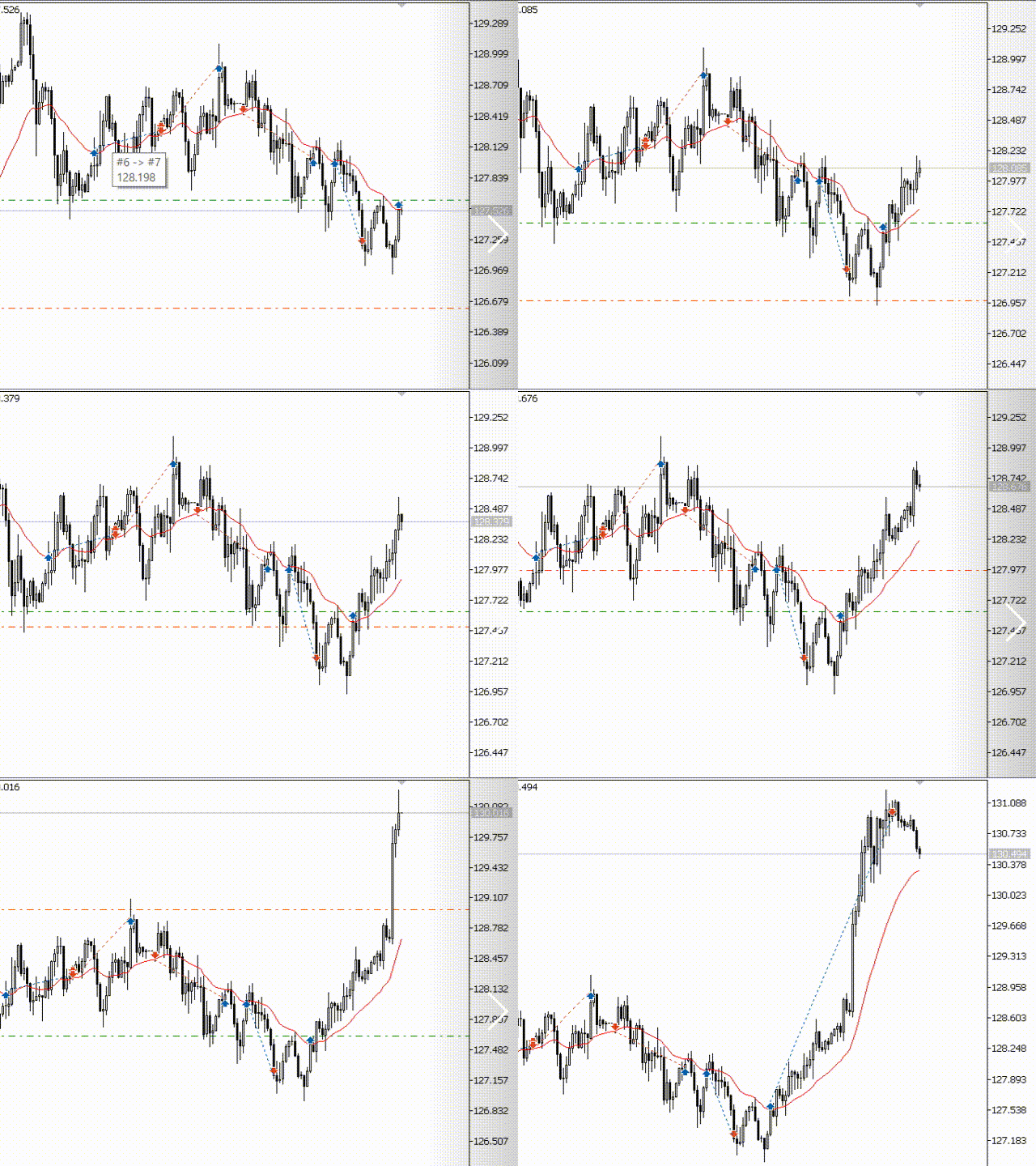
การทำงานของ 'Lazy Bot' จะทำการลบคำสั่งที่เก่าและหาค่าต่ำสุดและสูงสุดของแท่งเทียนประจำวันที่ผ่านมา จากนั้นจะส่งคำสั่งซื้อแบบ BUY_STOP และ SELL_STOP โดยไม่ตั้ง TakeProfit
a/ ฟังก์ชันการเริ่มต้น EA
int OnInit() {
//---
//3 or 5 digits detection
//Pip and point
if(_Digits % 2 == 1) {
Pips2Double = _Point*10;
Pips2Points = 10;
slippage = 10 * Inpuser_SLippage;
} else {
Pips2Double = _Point;
Pips2Points = 1;
slippage = Inpuser_SLippage;
}
if (!m_symbol.Name(Symbol())) // sets symbol name
return(INIT_FAILED);
RefreshRates();
//---
m_trade.SetExpertMagicNumber(InpMagicNumber);
m_trade.SetMarginMode();
m_trade.SetTypeFillingBySymbol(m_symbol.Name());
m_trade.SetDeviationInPoints(slippage);
//---
return(INIT_SUCCEEDED);
}
b/ ฟังก์ชัน OnTick ของ EA
void OnTick() {
if(TerminalInfoInteger(TERMINAL_TRADE_ALLOWED) == false) {
Comment("LazyBot\nTrade not allowed.");
return;
}
//Get trading time,
// Opening section
// London 14h - 23h GMT VietNam
// Newyork 19h - 04h GMT VietNam
MqlDateTime timeLocal;
MqlDateTime timeServer;
TimeLocal(timeLocal);
TimeCurrent(timeServer);
// do not work on holidays.
if(timeServer.day_of_week == 0 || timeServer.day_of_week == 6)
return;
int hourLocal = timeLocal.hour;
int hourCurrent = timeServer.hour;
acSpread = SymbolInfoInteger(_Symbol, SYMBOL_SPREAD);
strComment = "\nLocal Hour is = " + hourLocal;
strComment += "\nCurrent Hour is = " + hourCurrent;
strComment += "\nSpread is = " + (string)acSpread;
strComment += "\nTotal Bars is = " + (string)totalBars;
Comment(strComment);
//Check Trailing
TrailingSL();
//---
if(last != iTime(m_symbol.Name(), PERIOD_D1, 0)) {
//Check Trading time
if(isTradingTime) {
if(hourCurrent >= InpStartHour) {
DeleteOldOrds();
//Send Order BUY_STOP va SELL_STOP
OpenOrder();
last = iTime(m_symbol.Name(), PERIOD_D1, 0);
}
} else {
DeleteOldOrds();
OpenOrder();
last = iTime(m_symbol.Name(), PERIOD_D1, 0);
}
}
}
3.1 การคำนวณสัญญาณและส่งคำสั่ง
void OpenOrder() {
double TP_Buy = 0, TP_Sell = 0;
double SL_Buy = 0, SL_Sell = 0;
//Check Maximum Spread
if(InpMax_spread != 0) {
if(acSpread > InpMax_spread) {
Print(__FUNCTION__, " > current Spread is greater than user Spread!...");
return;
}
}
double Bar1High = m_symbol.NormalizePrice(iHigh(m_symbol.Name(), PERIOD_D1, 1));
double Bar1Low = m_symbol.NormalizePrice(iLow(m_symbol.Name(), PERIOD_D1, 1));
//Calculate Lots
double lot1 = CalculateVolume();
double OpenPrice = m_symbol.NormalizePrice(Bar1High + InpAddPrice_pip * Pips2Double);
//For BUY_STOP --------------------------------
TP_Buy = 0;
SL_Buy = m_symbol.NormalizePrice(OpenPrice - Inpuser_SL * Pips2Double);
totalBars = iBars(m_symbol.Name(), PERIOD_D1);
string comment = InpBotName + ";" + m_symbol.Name() + ";" + totalBars;
if(CheckVolumeValue(lot1) && CheckOrderForFREEZE_LEVEL(ORDER_TYPE_BUY_STOP, OpenPrice) && CheckMoneyForTrade(m_symbol.Name(),lot1, ORDER_TYPE_BUY) && CheckStopLoss(OpenPrice, SL_Buy)) {
if(!m_trade.BuyStop(lot1, OpenPrice, m_symbol.Name(), SL_Buy, TP_Buy, ORDER_TIME_GTC, 0, comment))
Print(__FUNCTION__, "--> Buy Error");
}
//For SELL_STOP --------------------------------
OpenPrice = m_symbol.NormalizePrice(Bar1Low - InpAddPrice_pip * Pips2Double);
TP_Sell = 0;
SL_Sell = m_symbol.NormalizePrice(OpenPrice + Inpuser_SL * Pips2Double);
if(CheckVolumeValue(lot1) && CheckOrderForFREEZE_LEVEL(ORDER_TYPE_SELL_STOP, OpenPrice) && CheckMoneyForTrade(m_symbol.Name(),lot1, ORDER_TYPE_SELL) && CheckStopLoss(OpenPrice, SL_Sell)) {
if(!m_trade.SellStop(lot1, OpenPrice, m_symbol.Name(), SL_Sell, TP_Sell, ORDER_TIME_GTC, 0, comment))
Print(__FUNCTION__, "--> Sell Error");
}
}
4. สรุป
การใช้ระบบเทรดอัตโนมัติอย่าง 'Lazy Bot MT5' นั้นสามารถช่วยให้เราเทรดได้ง่ายขึ้น ช่วยประหยัดเวลา และยังสามารถเพิ่มโอกาสในการทำกำไรได้อีกด้วย หากใครสนใจลองนำไปใช้ดูนะครับ!
2022.12.14