System Trading

Maximize Your Trading with MA on Momentum Min Profit EA for MetaTrader 5
MetaTrader5
Maximize Your Trading with MA on Momentum Min Profit EA for MetaTrader 5

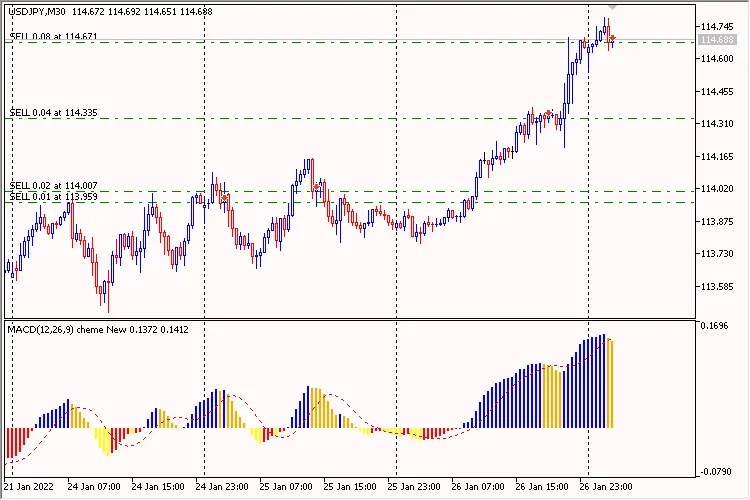
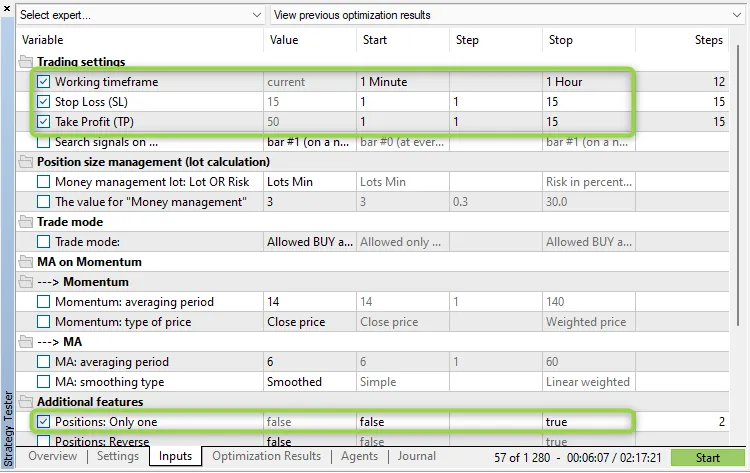
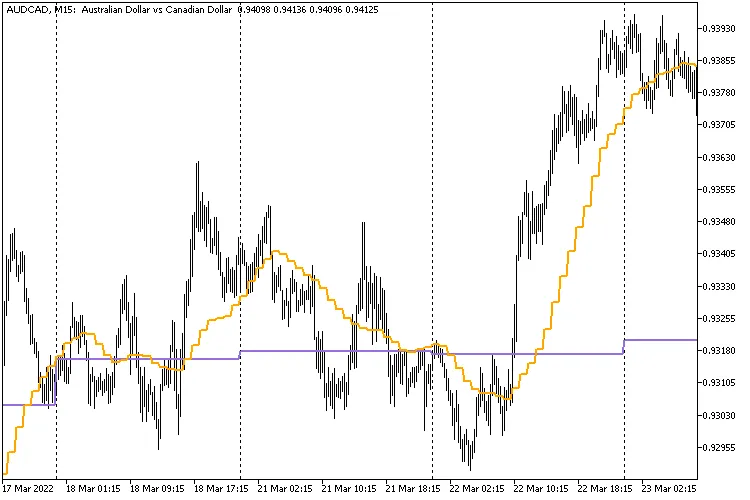
Understanding the MA on Momentum EA This Expert Advisor (EA) operates based on signals generated by the custom indicator MA on Momentum. Specifically, it looks for the intersection of two lines on the indicator. A 'BUY' signal is only triggered if this intersection occurs below the '100' level, while a 'SELL' signal is triggered only if it crosses above '100'. IMPORTANT: 'Take Profit' is measured in points (for example, 1.00055 - 1.00045 = 10 points), and 'Stop Loss' is measured in monetary value. Positions can be closed when either the 'Take Profit' level is hit (set in points) or the 'Stop Loss' is reached (set in monetary value). Please note that this EA does not utilize a trailing stop. How to Optimize Your Expert Advisor For initial optimization, consider the following parameters: Figure 1: MA on Momentum Min Profit Key Features: The EA can be optimized for your chosen trading timeframe. Only one trade can be executed per bar (this is an internal rule and is not part of the input parameters). When using the 'inside bar' mode (with the parameter 'Search signals on ...' set to 'bar #0 (at every tick)'), the current bar is referred to as bar #0. Conversely, in the 'only at the moment of birth of a new bar' mode (with 'Search signals on ...' set to 'bar #1 (on a new bar)'), the current bar is identified as bar #1. Now, let’s delve into the different parameter groups: Trading Settings: 'Working timeframe' refers to the timeframe on which indicators are generated and where new bars are identified. Set your Stop Loss, Take Profit, and Trailing Stop in Points. Any of these parameters ('Stop Loss', 'Take Profit', 'Trailing Stop') can be disabled by setting the respective parameter to '0.0'. How the trailing feature works is demonstrated in the TrailingStop code. Position Sizing and Management: Position sizing can be static ('Money management' set to 'Constant lot' with the lot size specified in 'The value for "Money management"') or dynamic—risking a certain percentage per trade ('Money management' set to 'Risk in percent for a deal' with the risk percentage defined in 'The value for "Money management"'). You can also set a constant lot size at the minimum level ('Money management' set to 'Lots Min'). Additional Features: The setting 'Positions: Only one' set to 'true' limits the EA to holding just one position at a time. CAUTION: Setting 'Positions: Only one' to 'true' does not override the 'Positions: Close opposite' setting if it’s also set to 'true'! In simpler terms, any opposite positions will be closed first. The 'Positions: Reverse' flag is used for reversing signals. Additionally, the 'Positions: Close opposite' feature ensures that any opposite positions are cleared before a new one is opened. The 'Print log' option generates a detailed log of all actions taken. The 'Freeze and StopsLevels Coefficient' parameter sets a coefficient for stop and freeze levels when these values are zero for a particular symbol, with a recommended value of '3'.

2022.04.28
How to Detect New Candle Starts in MetaTrader 4: A Simple Guide
MetaTrader4
How to Detect New Candle Starts in MetaTrader 4: A Simple Guide

Hey there, fellow traders! Today, we're diving into how to detect the beginning of a new candle in MetaTrader 4, a handy skill for anyone using an Expert Advisor (EA). Unlike ticking quotes, which trigger the OnTick() function, there’s no built-in function for when a new bar starts. But don’t worry; I’ve got you covered! To figure out when a new bar opens, we need to keep an eye on the opening time of the most recent candle. Once that changes, we know a new bar has started, and we can take action. Below is a sample code that works for both MQL4 and MQL5: // Default tick event handler    void OnTick()    {       // Check for new bar (compatible with both MQL4 and MQL5).          static datetime dtBarCurrent  = WRONG_VALUE;                 datetime dtBarPrevious = dtBarCurrent;                          dtBarCurrent  = iTime( _Symbol, _Period, 0 );                 bool     bNewBarEvent  = ( dtBarCurrent != dtBarPrevious );       // React to a new bar event and handle it.          if( bNewBarEvent )          {             // Detect if this is the first tick received and handle it.                /* For example, when it is first attached to a chart and                   the bar is somewhere in the middle of its progress and                   it's not actually the start of a new bar. */                if( dtBarPrevious == WRONG_VALUE )                {                   // Do something on first tick or middle of bar ...                }                else                {                   // Do something when a normal bar starts ...                };             // Do something irrespective of the above condition ...          }          else          {             // Do something else ...          };       // Do other things ...    }; In this code, the static variable tracks the bar's opening time, keeping its value even after we leave the OnTick() function. This is crucial for spotting when the current bar's opening time shifts. Don't forget, when you first place the EA on a chart, the code will act as if a new bar has just opened, so make sure to handle that condition if it needs a different approach. And just a heads up, you can now find all my CodeBase publications' source code in the "Public Projects" tab of MetaEditor under the name "FMIC". Happy trading!

2022.04.24
How to Detect the Start of a New Candle in MetaTrader 5
MetaTrader5
How to Detect the Start of a New Candle in MetaTrader 5

If you're using an Expert Advisor (EA), you probably know that when a new tick quote comes in, the MetaTrader terminal triggers the default OnTick() event handler. But the catch is, there's no built-in event for when a new bar or candle kicks off. To catch the opening of a new candle, you'll need to keep an eye on the opening time of the most recent bar. When that time changes, it signals the start of a new bar, and you can take action accordingly. Below is a sample code snippet that works with both MQL4 and MQL5, demonstrating how to implement this: // Default tick event handler    void OnTick()    {       // Check for new bar (compatible with both MQL4 and MQL5).          static datetime dtBarCurrent  = WRONG_VALUE;                 datetime dtBarPrevious = dtBarCurrent;                          dtBarCurrent  = iTime( _Symbol, _Period, 0 );                 bool     bNewBarEvent  = ( dtBarCurrent != dtBarPrevious );       // React to a new bar event and handle it.          if( bNewBarEvent )          {             // Detect if this is the first tick received and handle it.                /* For example, when it is first attached to a chart and                   the bar is somewhere in the middle of its progress and                   it's not actually the start of a new bar. */                if( dtBarPrevious == WRONG_VALUE )                {                   // Do something on first tick or middle of bar ...                }                else                {                   // Do something when a normal bar starts ...                };             // Do something irrespective of the above condition ...          }          else          {             // Do something else ...          };       // Do other things ...    }; In the code above, the static variable helps keep track of the bar's opening time, even after the OnTick() function has run its course. Unlike regular local variables, this one remembers its value and doesn’t reset when the function ends, which is crucial for spotting any change in the current bar's opening time. Also, keep in mind that when you first load the EA onto a chart, the code behaves as if a new bar has just opened. You might want to handle this situation differently, so be sure to consider that in your coding. Lastly, remember that all my source code for CodeBase publications can now be found in the "Public Projects" tab of MetaEditor under the name "FMIC".

2022.04.24
Harnessing the DeMarker Indicator for Profitable Trading on MetaTrader 5
MetaTrader5
Harnessing the DeMarker Indicator for Profitable Trading on MetaTrader 5

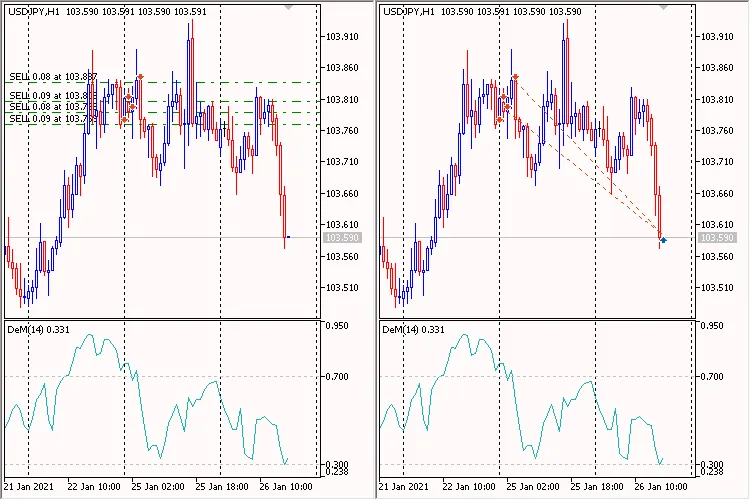
Trading Strategy OverviewThe core concept behind this trading system is to open 'BUY' positions with each new bar while the 'DeMarker' indicator sits below the 'DeM: Level DOWN'. Conversely, 'SELL' positions are triggered when the 'DeMarker' indicator rises above the 'DeM: Level UP'. By default, the 'Positions: Only one' parameter is set to 'false', allowing the EA to open new positions even when there are existing trades in the market.New positions are initiated at the start of each new bar, and there's no evaluation of whether the opening price is optimal.This Expert Advisor does not utilize Stop Loss, Take Profit, or Trailing features; trades are closed based solely on the opposite signal, provided that the resulting profit is greater than zero upon closure. Fig. 1. DeMarker Gaining Position VolumeTesting Across All Symbols Fig. 2. Settings Fig. 3. Inputs Fig. 4. ResultLet’s dive deeper into the parameter groups:Trading Settings:'Working Timeframe' - This is the timeframe your indicators are based on and where new bar searches occur.Position Size Management (Lot Calculation)You can opt for a fixed lot size ('Money Management' set to 'Constant Lot' and specify your lot size under 'The Value for "Money Management"') or a dynamic lot size based on risk percentage per trade ('Money Management' set to 'Risk in Percent for a Deal' and input your risk percentage under 'The Value for "Money Management"'). Additionally, you can set a constant lot equal to the minimum lot size by setting 'Money Management' to 'Lots Min'.Additional Features:The 'Positions: Only One' flag, when set to 'true', limits the EA to a single position in the market. The 'Positions: Reverse' flag manages signal reversals. The 'Print Log' option provides a detailed log of all operations.

2022.04.21
Unlock Trading Success with PriceChannel_Signal_v2 EA for MetaTrader 5
MetaTrader5
Unlock Trading Success with PriceChannel_Signal_v2 EA for MetaTrader 5

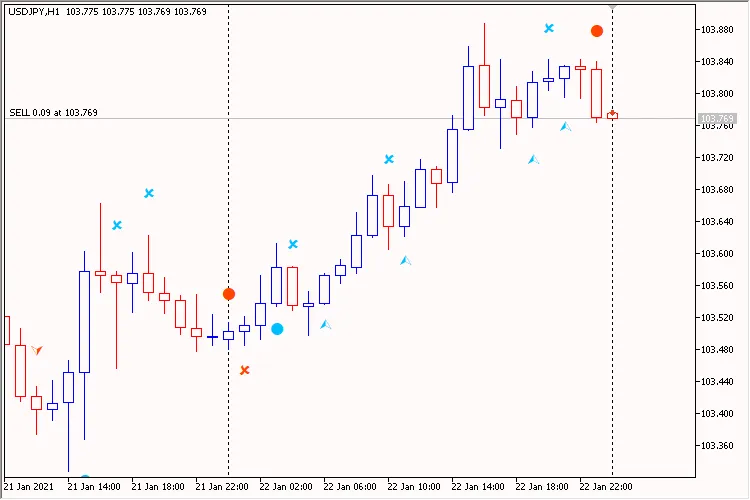
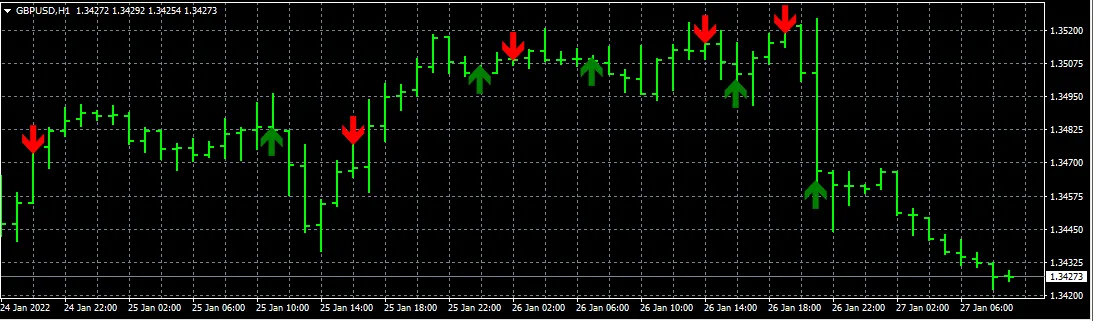
Trading Strategy Overview Meet the custom indicator, PriceChannel_Signal_v2! You can grab it here. This handy tool generates a variety of signals: two types to initiate a BUY position, two types for a SELL position, plus one signal for closing each type. It's straightforward—no Stop Loss, no Take Profit, and no Trailing. Example of Opening a Position: Image: 1. PriceChannel_Signal_v2 EA Key Features: The EA is customizable for your preferred working timeframe. Only one trade entry is allowed per bar. In inside bar mode (parameter 'Search signals on ...' equals bar #0 (at every tick)), the current bar is bar #0. However, when using the new bar mode (parameter 'Search signals on ...' equals bar #1 (on a new bar)), the current bar becomes bar #1. Let’s take a closer look at each parameter group: Trading Settings: 'Working timeframe' defines the timeframe for which the indicators are created and where new bars are searched. Position Size Management (Lot Calculation) You can set a fixed lot size ('Money management' set to 'Constant lot' and specify the lot size in 'The value for "Money management"') or a dynamic one, based on the percentage risk per trade ('Money management' set to 'Risk in percent for a deal' and indicate the risk percentage in 'The value for "Money management"'). You can also set a constant lot to the minimum lot size by choosing 'Money management' set to 'Lots Min'. Additional Features: The 'Positions: Only one' flag set to 'true' ensures the EA only holds one position in the market at a time. The 'Print log' feature provides an extensive log of all operations, helping you keep track of your trades.

2022.04.16
Mastering CHO Smoothed EA for MetaTrader 5: Your Ultimate Trading Companion
MetaTrader5
Mastering CHO Smoothed EA for MetaTrader 5: Your Ultimate Trading Companion

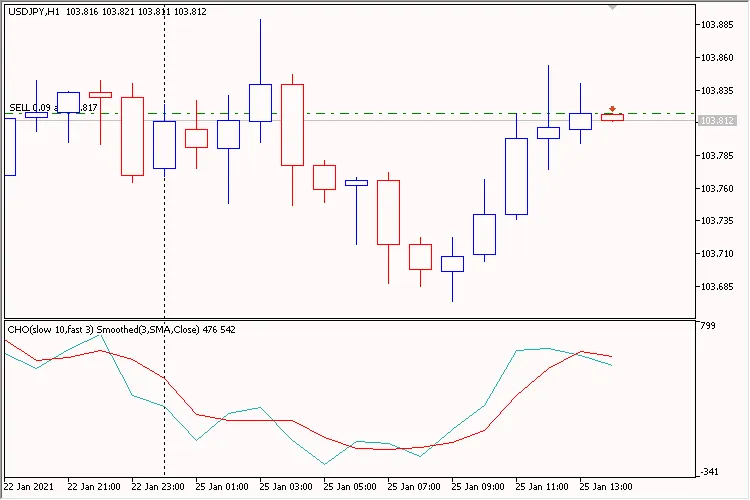
Your Trading Strategy Awaits Meet the CHO Smoothed EA, a robust trading system designed for MetaTrader 5. This Expert Advisor (EA) leverages a unique custom indicator known as the CHO Smoothed. It operates with two key lines: the iCHO line (Chaikin Oscillator) and its smoothed counterpart using a Moving Average. The EA is specifically calibrated for your chosen Working Timeframe, making it adept at determining new bar formations—essential for configuring parameters like Trailing on... and Search signals on.... For those looking for stricter signals, simply switch the 'Use ZeroLevel' parameter to true. Trading Signals: The primary trading signal arises from the intersection of the two indicator lines. In strict mode (with the 'Use ZeroLevel' parameter activated), 'BUY' signals will only occur below zero, while 'SELL' signals will surface only above zero. Figure 1. CHO Smoothed EA Key Features: This EA can be optimized for your selected Working Timeframe. Only one market entry per bar is allowed (this is an internal setting and does not relate to the Only one positions parameter). In inside bar mode (when 'Search signals on...' is set to bar #0 (at every tick)), the current bar is considered bar #0. In contrast, when set to bar #1 (on a new bar), the current bar becomes bar #1. Trade mode parameter: This restricts the direction of trading and can be set to Allowed only BUY positions, Allowed only SELL positions, or Allowed BUY and SELL positions. Use time control: This parameter defines the time interval for searching trading signals, ranging from Start Hour:Start Minute to End Hour:End Minute. This can extend across different days. Let’s dive deeper into each parameter group: Trading Settings: Working Timeframe: This is the timeframe where the indicators operate and where new bars are generated. Stop Loss, Take Profit, and Trailing are measured in Points. Any of these parameters can be disabled by setting them to '0.0'. For more details on how trailing operates, check out the TrailingStop code. Position Size Management (Lot Calculation): You can opt for either a constant lot size (set Money management to Constant lot and specify the lot size) or a dynamic lot based on your risk percentage per trade (set Money management to Risk in percent for a deal and input the desired percentage). You can also set the constant lot equal to the minimum lot size by choosing Lots Min. Time Control: This section establishes the time range for signal searching, enabled via Use time control. You can set the interval for signals from Start Hour:Start Minute to End Hour:End Minute. This range can span across days but does not affect trailing. Additional Features: When the Positions: Only one flag is set to true, the EA will limit itself to a single position in the market. WARNING: The Positions: Only one flag set to true does not override the Positions: Close opposite flag when it’s also set to true. This means that any opposing positions will be closed first before opening new ones. The Positions: Reverse flag controls signal reversal, while Positions: Close opposite ensures that any existing opposite positions are closed before opening a new one. The Print log feature generates a detailed log of all operations, and the Freeze and StopsLevels Coefficient parameter sets a coefficient for stop and freeze levels, particularly important when these levels are zero. A recommended value is 3.

2022.04.13
Mastering Martingale Strategy with Expert Advisors on MetaTrader 4
MetaTrader4
Mastering Martingale Strategy with Expert Advisors on MetaTrader 4

If you're diving into the world of trading with MetaTrader 4, you might have stumbled upon the term 'Martingale.' But what does it really mean, and how can it enhance your trading strategy? Let's break it down together! This Expert Advisor (EA) showcases how to effectively implement the Martingale strategy based on signals from any indicator you choose. It's all about leveraging the ups and downs of the market to your advantage. What is the Martingale Strategy? The Martingale strategy is a betting strategy that involves doubling your investment after every loss, aiming to recover past losses with a single win. In trading, this means that if a trade doesn’t go your way, you increase your position size on the next trade. Why Use an Expert Advisor? Implementing the Martingale strategy manually can be a daunting task, especially when emotions come into play. That's where an EA comes in handy! It automates your trades based on predefined signals, allowing you to stick to the strategy without second-guessing yourself. Getting Started with the EA Choose Your Indicator: Select an indicator that you trust and find reliable. Set Your Parameters: Customize the EA settings according to your risk tolerance and trading goals. Monitor Your Trades: Keep an eye on the performance and make adjustments as needed. Remember, while the Martingale strategy can be powerful, it also comes with its risks. Always trade responsibly and do your homework before diving in!

2022.01.30
Mastering the RVI Crossover EA with Trailing Stops for MetaTrader 4
MetaTrader4
Mastering the RVI Crossover EA with Trailing Stops for MetaTrader 4

If you’re looking to enhance your trading strategy, let’s dive into the RVI Crossover EA. This tool is designed to help you take advantage of market trends by using the Relative Vigor Index (RVI) crossover method. What’s great about this EA is that it not only implements the RVI crossover but also shows you how to incorporate a trailing stop feature. This can be a game-changer when it comes to locking in profits while minimizing risk. Why Use the RVI Crossover? The RVI is a momentum indicator that can signal potential price reversals, making it a valuable asset for traders. Here’s how it works: Identifying Trends: The RVI helps you spot when a trend might be reversing, giving you the edge to enter or exit trades at the right moment. Simple Integration: It’s easy to set up on MetaTrader 4, so you don’t need to be a tech wizard to get started. Implementing Trailing Stops Using trailing stops with your EA is a smart move. It allows you to keep your position open as long as the market is moving in your favor, while automatically closing the trade if the market turns against you. Here’s a quick rundown on how to set it up: Set Your Parameters: Decide on the distance for your trailing stop based on your trading strategy. Monitor Your Trades: Always keep an eye on the market conditions, even with an EA handling the execution. In conclusion, the RVI Crossover EA with trailing stop functionality can significantly boost your trading performance. Give it a try on MetaTrader 4 and see how it can work for you!

2022.01.30
First Previous 8 9 10 11 12 13 14 15 16 17 18 Next Last