Technical Indicator

Understanding the DeMarker Indicator: A Trader's Guide
MetaTrader4
Understanding the DeMarker Indicator: A Trader's Guide

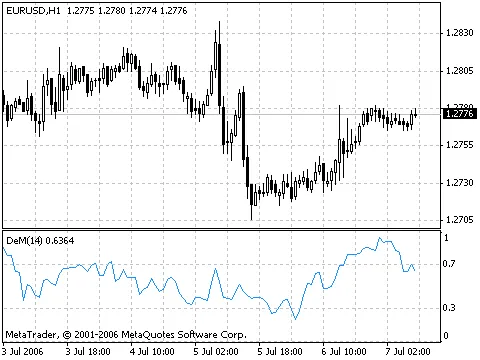
The DeMarker (DeM) indicator is a nifty tool that helps traders gauge market trends by comparing the current period's maximum price to that of the previous period. It’s all about spotting those highs and lows and making informed trading decisions. Here’s how it works: if the current period's maximum price is higher than the last one, the difference is noted. If it’s lower or equal, it records a value of zero. Over a set number of periods, these values are summed up to create the DeMarker value. This value is then divided by the same sum plus the differences between the previous and current period's minimum prices. If the current minimum price is higher than the previous one, it again records a zero. When the DeMarker drops below 30, it’s a sign that a bullish reversal might be on the horizon. Conversely, if it climbs above 70, it’s an indication that a bearish reversal could be coming. This makes the DeMarker a valuable indicator for anticipating market movements. Using longer periods to calculate the DeMarker can help you catch the long-term market trends. On the flip side, shorter periods can allow you to enter the market with less risk and better time your trades to align with the prevailing trend. Calculation of the DeMarker: To calculate DeMax(i):If high(i) > high(i-1), then DeMax(i) = high(i) - high(i-1), otherwise DeMax(i) = 0. To calculate DeMin(i):If low(i) < low(i-1), then DeMin(i) = low(i-1) - low(i), otherwise DeMin(i) = 0. Finally, the DeMarker value is given by:DMark(i) = SMA(DeMax, N) / (SMA(DeMax, N) + SMA(DeMin, N)). Where: SMA — Simple Moving Average; N — the number of periods used in the calculation. If you’re looking for a deeper dive into the DeMarker indicator, check out the full description in the Technical Analysis: DeMarker.

2005.12.07
Understanding the Average Directional Movement Index (ADX) for Trend Trading
MetaTrader4
Understanding the Average Directional Movement Index (ADX) for Trend Trading

The Average Directional Movement Index, or ADX, is a powerful tool for traders looking to identify price trends. Developed by Welles Wilder and detailed in his book, "New Concepts in Technical Trading Systems," the ADX is essential for anyone serious about their trading strategy. The basic premise of using the ADX revolves around comparing two directional indicators: the 14-period +DI and the 14-period -DI. To utilize this system, you can either overlay the indicators on your charts or subtract -DI from +DI. As a rule of thumb, Wilder suggests you should buy when +DI is above -DI and sell when +DI dips below -DI. To enhance these straightforward trading rules, Wilder introduced the concept of the "point of extremum." This point helps filter out false signals and reduces the number of trades. The extremum point occurs when +DI and -DI cross each other: if +DI rises above -DI, that point marks the day’s maximum price at the crossover; conversely, if +DI falls below -DI, it indicates the day’s minimum price. Once you identify the extremum point, it becomes your market entry level. So, after receiving a buy signal (when +DI is higher than -DI), you should wait until the price surpasses the extremum point before entering a trade. If the price doesn't break above that level, it’s wise to hold onto your short position. CalculationADX = SUM ((+DI - (-DI)) / (+DI + (-DI)), N) / NWhere:N — the number of periods used in the calculation. Technical Indicator Description For a deeper dive into the ADX, check out the full description available in the Technical Analysis: Average Directional Movement Index.

2005.12.07
Maximize Your Trading Efficiency with the Latest Period Converter
MetaTrader4
Maximize Your Trading Efficiency with the Latest Period Converter

Latest Version: 1.4On December 24, 2005, we rolled out version 1.4 of the Period Converter, bringing you a more efficient tool for detecting data changes. This update eliminates floating point operations for faster performance and introduces real-time CSV file output support.The CSV output options are as follows:OutputCSVFile = 0: No CSV outputOutputCSVFile = 1: CSV + HST outputOutputCSVFile = 2: CSV only, no HST (ideal for generating CSV for built-in periods)The CSV filename will mirror the HST file name, with an added extension. Plus, we’ve included safe checks for the PeriodMultiplier.This version is a significant improvement over the default MT4 period converter. The original script lacks real-time refreshing capabilities and can hog CPU resources (up to 90%). Not to mention, it doesn’t save your settings when you exit MT4, meaning you have to reapply it each time—talk about a hassle!I. Key Features:Real-time updates or custom millisecond-level updatingLow CPU usage, averaging around 5%-10%Functions as an indicator, allowing you to save and reload settings during restartsNo limitation on the number of converters per chart—generate multiple new timeframe charts from a single source windowAutomatic updates when new history blocks are loadedII. How to Use:To get started, copy the mq4 file to your MT4 indicators folder (experts\indicators) to install it as an indicator, not a script. Then, in the custom indicator list, attach period_converter_opt to the chart you want to use. The following parameters can be adjusted:PeriodMultiplier: New period multiplier factor (default is 2)UpdateInterval: Update interval in milliseconds (set to zero for real-time updates; default is zero)Enabled: Allows you to disable the indicator without removing itRemember to check the 'Allow DLL imports' option in the common tab, or it won’t function properly. After that, go to File → Open Offline to access the generated offline data, which will update automatically.Keep the source chart open and the converter indicator running, and the generated chart will always stay updated. You can even close and reopen the generated chart later from File → Open Offline without any issues.If you decide to quit MT4, you can leave your offline charts just like any normal online charts. The next time you start MT4, those charts will load and update seamlessly.III. Important Notes:Do NOT uncheck the "offline chart" option in the offline chart properties. If you do, MT4 will treat that chart as an online chart and request data from the server, resulting in an empty chart window.You can attach multiple converters to the same window with different PeriodMultipliers. For example, attach three converters with multipliers of 2, 4, and 10 to an M1 chart to generate M2, M4, and M10 simultaneously. You can even use the M1 chart to create hourly charts like H2, though this may require a bit more CPU during the initial conversion.The real-time updating mode strives to update quotes as quickly as possible, but it’s worth noting that MT4 might skip calling the start() function when your PC is under heavy load. However, you can typically expect at least 10 updates per second, which is more than adequate.While the offline chart won’t display a bid line, all chart data and indicators will still update. You can enable the bid line by unchecking the "offline chart" option, but this can lead to issues if you forget to check it before exiting MT4. In that case, you’ll need to close the window and reopen it from File → Open Offline.IV. Version History:1.4 (December 24, 2005): Enhanced detection of data changes, added CSV output support.1.3 (December 4, 2005): Fixed missing data issues with large data loads and added auto-updating for new history.1.2 (November 29, 2005): Additional fixes for data loss and server changes.1.1 (November 29, 2005): Resolved missing partial data after restart; reinitialization after server changes.1.0 (November 28, 2005): Initial release.

2005.11.29
Mastering the Stochastic Oscillator: A Trader's Guide
MetaTrader4
Mastering the Stochastic Oscillator: A Trader's Guide

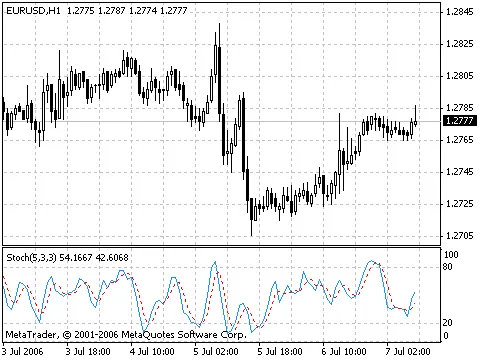
The Stochastic Oscillator is a popular technical indicator that helps traders gauge where a security's price closes relative to its price range over a specific period. This indicator is represented by two lines: the main line, known as %K, and the second line, %D, which is a Moving Average of %K. Typically, you'll see the %K line as a solid line and the %D line as a dotted line. There are a few effective ways to interpret the Stochastic Oscillator. Here are three popular strategies: Buy Signal: When either the %K or %D line dips below a certain level (like 20) and then climbs back above it. Sell Signal: When the Oscillator climbs above a specific level (like 80) and then drops back below it. Crossover Strategy: Look for buy opportunities when the %K line crosses above the %D line, and sell when the %K line crosses below the %D line. Divergence Detection: Watch for instances where prices are hitting new highs but the Stochastic Oscillator fails to reach previous highs. This can indicate a potential reversal. How to Calculate the Stochastic Oscillator The Stochastic Oscillator has three key variables: %K periods (Pk): This is the number of time periods used in the %K calculation, with a default of 5. %K Slowing Periods (Sk): This controls the internal smoothing of %K. A value of 1 is considered fast, while a value of 3 is slow. The default is 3. %D periods (Pd): This is the number of time periods used to calculate the moving average of %K, with a default of 3. The formula for calculating %K is: %K = 100 * SUM (CLOSE - MIN (LOW, Pk), Sk) / SUM (MAX (HIGH, Pk) - MIN (LOW, Pk)), Sk) Where: CLOSE: Today's closing price; MIN (LOW, Pk): The lowest low over the last Pk periods; MAX (HIGH, Pk): The highest high over the last Pk periods; SUM (CLOSE - MIN (LOW, Pk), Sk): The cumulative value of CLOSE - MIN (LOW, Pk) for the Sk period; SUM (MAX (HIGH, Pk) - MIN (LOW, Pk)), Sk: The cumulative value of MAX (HIGH, Pk) - MIN (LOW, Pk) for the Sk period. The %D moving average is calculated with the following formula: %D = SMA (%K, Pd) Where: Pd: The smoothing period for %K; SMA: The Simple Moving Average. Learn More For a deeper dive into the Stochastic Oscillator, check out the full description available in the Technical analysis: Stochastic Oscillator.

2005.11.29
Mastering the Relative Strength Index (RSI) for Effective Trading
MetaTrader4
Mastering the Relative Strength Index (RSI) for Effective Trading

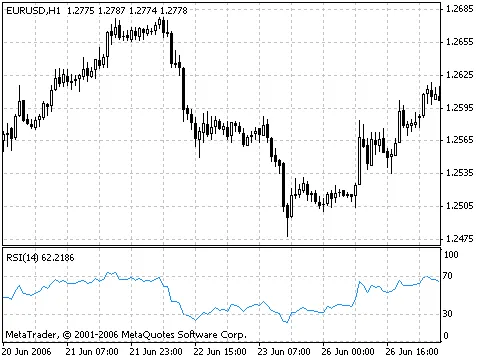
The Relative Strength Index (RSI) is a popular momentum oscillator that moves between 0 and 100, helping traders gauge the strength of price movements. When J. Welles Wilder first introduced the RSI, he recommended a 14-day period for calculation. Over time, shorter 9-day and longer 25-day versions have also gained traction among traders for different strategies. One effective way to analyze the RSI is by looking for divergences. This occurs when the price reaches a new high, but the RSI fails to do so. Such divergences can signal an impending reversal. When the RSI starts to decline and drops below its recent low, this is known as a "failure swing," which can serve as confirmation of a potential reversal. Here are some key ways to utilize the RSI in your chart analysis: Tops and BottomsThe RSI typically peaks above 70 and troughs below 30. These levels often signal tops and bottoms before they appear on the price chart. Chart FormationsThe RSI can form recognizable patterns like head and shoulders or triangles, which may not be evident on the price chart. Failure SwingThis occurs when the RSI surpasses a previous high (peak) or dips below a recent low (trough), indicating potential support or resistance breakouts. Support and Resistance LevelsThe RSI can reveal key support and resistance levels, sometimes more clearly than price action itself. DivergencesAs mentioned, divergences happen when prices make new highs or lows that aren’t mirrored by the RSI. Typically, prices will correct towards the direction indicated by the RSI. How to Calculate RSI RSI = 100 - (100 / (1 + U/D)) Where: U — the average number of positive price changes; D — the average number of negative price changes. For a detailed breakdown of the RSI, check out the Technical analysis: Relative Strength Index.

2005.11.29
Mastering the Parabolic SAR: Your Guide to Trend Analysis
MetaTrader4
Mastering the Parabolic SAR: Your Guide to Trend Analysis

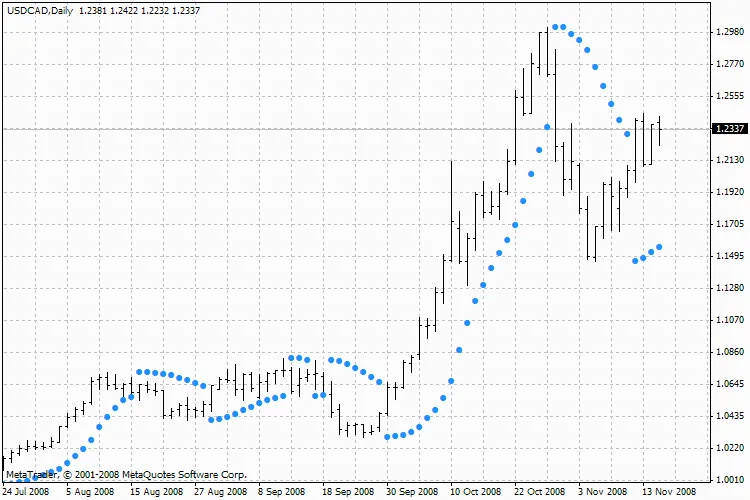
The Parabolic SAR (Stop and Reverse) is a powerful technical indicator designed for analyzing trending markets. It’s plotted directly on the price chart, similar to a Moving Average but with a key difference: the Parabolic SAR accelerates more quickly and can change positions based on price movement. In a bullish market (uptrend), the indicator sits below the price, while in a bearish market (downtrend), it hovers above it. This positioning gives traders a clear visual cue about market momentum. If the price crosses the Parabolic SAR lines, the indicator flips, and its future values appear on the opposite side of the price. This flip signals a potential end to the current trend, indicating either a correction or a flat market phase. The Parabolic SAR excels at signaling exit points. If you have a long position, consider closing it when the price dips below the SAR line. Conversely, for short positions, close them when the price climbs above the SAR line. Many traders use this indicator as a trailing stop line to lock in profits. When you’re in a long position (meaning the price is above the SAR line), the SAR line will continue to rise, no matter the price fluctuations. The speed of the SAR line’s movement is directly tied to the magnitude of price changes. How to Calculate Parabolic SAR The formula for calculating the Parabolic SAR is: SAR(i) = SAR(i-1) + ACCELERATION * (EPRICE(i-1) - SAR(i-1)) Where: SAR(i-1) — the value of the indicator for the previous bar; ACCELERATION — the acceleration factor that speeds up the calculation; EPRICE(i-1) — the highest (or lowest) price from the previous period (EPRICE=HIGH for long positions and EPRICE=LOW for short positions). The indicator value increases if the current bar’s price exceeds the previous bullish price, and vice versa. As this happens, the acceleration factor also doubles, causing the Parabolic SAR to converge towards the price. Simply put, the more rapidly the price rises or falls, the quicker the indicator aligns with it. Learn More About Parabolic SAR For a detailed breakdown, check out the full description of the Parabolic SAR in the Technical analysis: Parabolic SAR.

2005.11.29
Understanding Moving Averages: A Trader's Guide to MA
MetaTrader4
Understanding Moving Averages: A Trader's Guide to MA

Hey there, fellow traders! Today, let’s dive into one of the bedrocks of technical analysis: the Moving Average (MA). This handy indicator helps smooth out price data over specific time frames, giving us a clearer picture of the market trends. The Moving Average essentially calculates the average price of an asset over a set period. As prices fluctuate, the moving average will rise or fall accordingly, helping us identify potential buy or sell signals. Types of Moving Averages There are four main types of moving averages you should know about: Simple Moving Average (SMA) Exponential Moving Average (EMA) Smoothed Moving Average (SMMA) Linear Weighted Moving Average (LWMA) Each type has its unique method of calculation and application, allowing traders to choose the one that fits their strategy best. Calculating Moving Averages Let’s break down how to calculate these moving averages: Simple Moving Average (SMA) The SMA is the most straightforward. To calculate it, just add up the closing prices over a specific number of periods (e.g., 12 hours) and then divide by that number: SMA = SUM(CLOSE, N) / N Where: N — is the number of periods you’re averaging. Exponential Moving Average (EMA) The EMA gives more weight to the latest prices, making it more responsive to recent market movements. The formula looks like this: EMA = (CLOSE(i) * P) + (EMA(i-1) * (100 - P)) Where: CLOSE(i) — the current closing price; EMA(i-1) — the EMA of the previous period; P — the percentage weight applied to the current price. Smoothed Moving Average (SMMA) The first value is calculated just like the SMA, while subsequent values use the following formula: SMMA(i) = (SUM1 - SMMA1 + CLOSE(i)) / N Linear Weighted Moving Average (LWMA) The LWMA gives more importance to recent data compared to older data. You calculate it like this: LWMA = SUM(Close(i) * i, N) / SUM(i, N) Interpreting Moving Averages One common way to use moving averages is to compare them with price action. If the price crosses above the moving average, it can signal a buying opportunity. Conversely, if it falls below, it might indicate a good time to sell. Keep in mind, this system is not perfect; it won’t always capture the exact bottom or top but can help you ride the trend. It's worth noting that moving averages can also be applied to other indicators, following the same logic. If an indicator moves above its moving average, it suggests bullish momentum, while a drop below indicates bearish sentiment. Conclusion Understanding moving averages is crucial for any trader looking to navigate the markets effectively. Whether you prefer the simplicity of an SMA or the responsiveness of an EMA, incorporating moving averages into your trading strategy can enhance your decision-making. For a deeper dive into the technical details, check out the Technical Analysis: Moving Averages. Happy trading!

2005.11.29
Understanding the Momentum Indicator: A Trader's Guide
MetaTrader4
Understanding the Momentum Indicator: A Trader's Guide

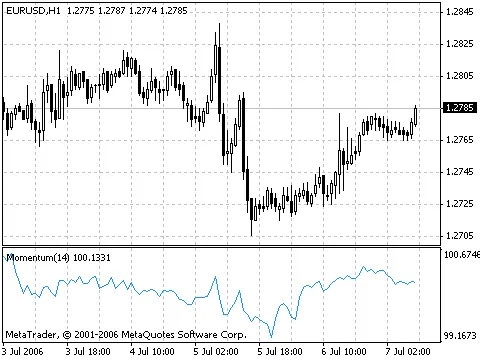
The Momentum Indicator is a powerful tool that measures how much a security's price has changed over a set period. If you're looking to sharpen your trading strategy, here are two primary ways to leverage the Momentum indicator: Trend-Following Oscillator: You can use the Momentum indicator much like you would the Moving Average Convergence/Divergence (MACD). The idea is straightforward: buy when the indicator hits a low and starts to climb, and sell when it peaks and begins to fall. To get a better handle on when the indicator is bottoming or peaking, consider plotting a short-term moving average. When the Momentum indicator reaches extreme high or low values compared to its historical range, it's often a sign that the current trend will continue. For instance, if the indicator hits a high point and then starts to decline, it suggests that prices could still rise further. Just remember to wait for price action to confirm the signal generated by the indicator before making your move (for example, if prices peak and start to drop, wait for confirmation before selling). Leading Indicator: Alternatively, the Momentum indicator can serve as a leading indicator. This method operates on the premise that market tops are often marked by rapid price increases (when everyone is optimistic), while market bottoms are characterized by sharp price declines (when traders are eager to exit). While this approach holds true in many situations, it's worth noting that it's a generalization. As the market peaks, you'll notice the Momentum indicator rising sharply, only to then decline — diverging from the price's continued upward or sideways trend. Conversely, at a market bottom, the Momentum will drop quickly before it starts to rise, often ahead of price movements. These scenarios lead to divergences between the indicator and actual prices. Calculation The Momentum is calculated by comparing today’s price to the price from several periods ago: MOMENTUM = CLOSE(i)/CLOSE(i-N)*100 Where: CLOSE(i): The closing price of the current period; CLOSE(i-N): The closing price from N periods ago. For a deeper dive into the Momentum Indicator, check out the full description on MetaTrader 5.

2005.11.29
Mastering MACD: Your Guide to the Moving Average Convergence Divergence Indicator
MetaTrader4
Mastering MACD: Your Guide to the Moving Average Convergence Divergence Indicator

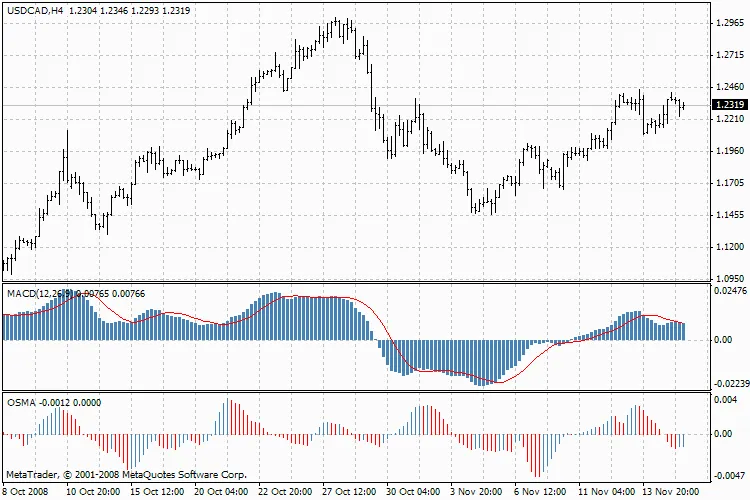
The Moving Average Convergence Divergence, or MACD, is a powerful trend-following indicator that helps traders identify potential buy and sell opportunities by analyzing the relationship between two moving averages.Understanding MACD: Moving Average Convergence DivergenceThe MACD is calculated by taking the difference between the 12-period and 26-period Exponential Moving Averages (EMAs). To make trading signals clearer, a signal line, which is a 9-period moving average, is plotted on the MACD chart.MACD shines in volatile markets, and there are three main strategies traders use to leverage this indicator: crossovers, overbought/oversold conditions, and divergences.CrossoversThe fundamental rule for trading with MACD is straightforward: sell when the MACD crosses below its signal line and buy when it crosses above. Many traders also pay attention to when the MACD line crosses above or below zero as a signal to enter or exit trades.Overbought/Oversold ConditionsAnother way to use MACD is to gauge overbought or oversold conditions. If the MACD rises sharply, indicating the shorter moving average is pulling away from the longer one, it might suggest that the security is overbought and due for a correction back to more realistic price levels.DivergenceDivergence between the MACD and the security price can hint at a potential trend reversal. A bullish divergence occurs when the MACD reaches new highs while the security fails to do so. Conversely, a bearish divergence is when the MACD hits new lows while the price does not. These divergences carry more weight when they happen at overbought or oversold levels.Calculating MACDTo calculate MACD, subtract the 26-period EMA from the 12-period EMA. Then, plot a 9-period simple moving average of the MACD, which serves as the signal line:MACD = EMA(CLOSE, 12) - EMA(CLOSE, 26)SIGNAL = SMA(MACD, 9)Where:EMA — Exponential Moving Average;SMA — Simple Moving Average;SIGNAL — the signal line of the MACD.Learn More About MACDIf you want a deeper dive into MACD, check out the full description in the Technical Analysis: Moving Average Convergence/Divergence.

2005.11.29
Understanding Ichimoku Kinko Hyo: A Trader's Guide to Market Trends and Signals
MetaTrader4
Understanding Ichimoku Kinko Hyo: A Trader's Guide to Market Trends and Signals

Hey there, fellow traders! Today, we're diving into the fascinating world of the Ichimoku Kinko Hyo indicator. If you're looking to enhance your trading toolkit, this powerful technical indicator is a must-have for identifying market trends, support and resistance levels, and generating buy and sell signals. Trust me, it shines on daily and weekly charts! Let’s break it down. The Ichimoku Kinko Hyo comprises several lines calculated over different time intervals: Tenkan-sen: This line represents the average price over the first time frame by adding the highest and lowest prices and dividing by two. Kijun-sen: Similar to the Tenkan-sen, this line reflects the average price over a longer second time frame. Senkou Span A: This line is the midpoint between the Tenkan-sen and Kijun-sen, shifted forward by the length of the second time frame. Senkou Span B: This line indicates the average price over a third time period, also shifted forward by the second time frame. Don't forget about the Chikou Span, which shows the current closing price shifted back by the second time frame. The space between the Senkou lines creates a 'cloud', which is integral to understanding market conditions. If the price is nestled within the cloud, consider the market trendless, with the cloud edges acting as support and resistance levels: If the price is above the cloud, the upper line serves as the first support level, while the lower line is the second support level. If the price is below the cloud, the lower line becomes the first resistance level, and the upper line acts as the second resistance level. When the Chikou Span cuts through the price chart upwards, that’s a buy signal. Conversely, a downward crossing indicates it’s time to sell. The Kijun-sen is a key player in gauging market movement. If prices hover above this line, expect upward momentum. But if the price crosses below it, be on the lookout for a potential trend reversal. Now, the Kijun-sen also gives trading signals. A buy signal forms when the Tenkan-sen crosses above the Kijun-sen, while a cross below signals a sell opportunity. As for the Tenkan-sen, it’s your go-to for spotting trends. When this line is rising or falling, a trend is in play. If it flattens out, the market might be entering a channel. Want to learn more about the Ichimoku system? Check out the Technical analysis: Ichimoku Kinko Hyo for a full rundown!

2005.11.29
Mastering the Commodity Channel Index (CCI) for Enhanced Trading
MetaTrader4
Mastering the Commodity Channel Index (CCI) for Enhanced Trading

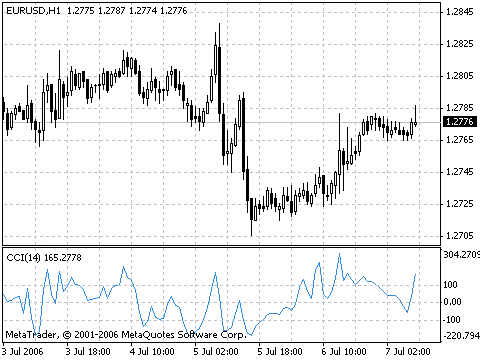
The Commodity Channel Index (CCI) is a powerful indicator that helps traders gauge how far a commodity's price deviates from its average. But don't let the name fool you; this tool is versatile and can be applied to any financial instrument, not just commodities. When the CCI hits high values, it signals that the price is unusually high compared to its average, while low values indicate that the price might be too low. This makes it an essential tool for any trader's toolkit. How to Use the CCI There are two main techniques for employing the CCI in your trading strategy: Spotting Divergences Divergences occur when the price makes a new high, but the CCI fails to reach a new peak. This classic divergence often precedes a price correction, making it a red flag for traders. Identifying Overbought and Oversold Conditions The CCI typically fluctuates between ±100. Readings above +100 suggest the market might be overbought, indicating a likelihood of a price drop, while readings below -100 suggest an oversold condition, hinting at a potential price rise. Calculating the CCI Here’s how you can calculate the CCI step by step: Determine the Typical Price: Add the HIGH, LOW, and CLOSE prices of each candle and divide by 3. TP = (HIGH + LOW + CLOSE) / 3 Calculate the n-period Simple Moving Average (SMA) of the Typical Prices: SMA(TP, N) = SUM[TP, N] / N Find the difference: Subtract the SMA from the Typical Price. D = TP - SMA(TP, N) Calculate the n-period SMA of the absolute D values: SMA(D, N) = SUM[D, N] / N Multiply by a factor: Take the SMA of D and multiply it by 0.015. M = SMA(D, N) * 0.015 Finally, calculate the CCI: CCI = M / D Where: SMA — Simple Moving Average; N — the number of periods used for calculation. Further Learning For a detailed breakdown of the CCI, check out the Technical Analysis: Commodity Channel Index.

2005.11.29
Mastering Bulls Power: A Guide to the Elder-Rays Indicator
MetaTrader4
Mastering Bulls Power: A Guide to the Elder-Rays Indicator

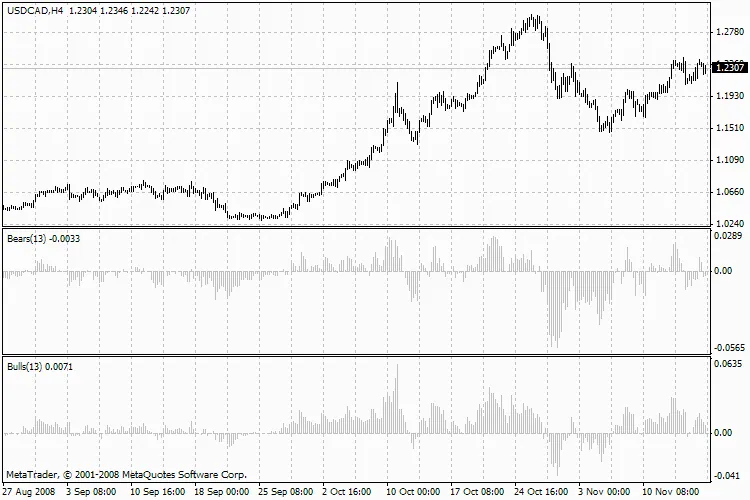
Hey there, fellow traders! Today, we're diving into the Elder-Rays technical indicator, a powerful tool that combines the best of trend-following indicators and oscillators. At the heart of this system is the Exponential Moving Average (EMA), and for our purposes, we'll stick with the 13-period EMA as our go-to. This setup helps us gauge the strength of both bulls and bears in the market.Bulls Power, BullsNow, when it comes to plotting the Elder-Rays, you’ll want to have three charts handy: one for price alongside the EMA, and two others for the Bulls Power oscillator and the Bears Power oscillator.The Elder-Rays can be used on their own or in conjunction with other methods. If you're flying solo with these indicators, remember that the slope of the EMA sets the trend direction, so you’ll want to align your positions accordingly. The oscillators will help you pinpoint the right moments to open or close your trades.When to Buy:You see an increasing trend based on the EMA movement.The Bears Power oscillator is negative but on the rise.The last peak of the Bulls Power oscillator exceeds the previous peak.The Bears Power oscillator is rising after a divergence with the Bulls Power.Keep in mind that if the Bears Power oscillator is showing positive values, it’s best to hold back on buying.When to Sell:You notice a decreasing trend indicated by the EMA.The Bulls Power oscillator is positive but gradually declining.The last trough of the Bulls Power oscillator is lower than the one before it.The Bulls Power oscillator is decreasing after showing a divergence from the Bears.And a quick tip: steer clear of opening short positions when the Bulls Power oscillator is in the negative territory. Divergences between the Bulls and Bears Power oscillators and price movements often present the best trading opportunities.

2005.11.29
Harnessing the Power of Elder-Rays: A Trader's Guide to Bulls and Bears
MetaTrader4
Harnessing the Power of Elder-Rays: A Trader's Guide to Bulls and Bears

The Elder-Rays Technical Indicator is a powerful tool that blends trend-following indicators with oscillators. At its core, it utilizes the Exponential Moving Average (EMA), with a recommended period of 13, to track price movements. The oscillators within the Elder-Rays framework measure the strength of bulls and bears in the market. Bears Power, Bears Elder-Rays can be used on their own or combined with other trading strategies. When trading with Elder-Rays alone, it’s crucial to recognize that the slope of the Exponential Moving Average indicates the trend direction, and you should open positions in line with that trend. The Bulls and Bears Power oscillators help pinpoint the best moments for entering and exiting trades. Consider buying if: The trend is on the rise (as shown by the movement of the Exponential Moving Average); The Bears Power oscillator is in the negative zone but showing an upward trend; The latest peak of the Bulls Power oscillator exceeds the previous peak; The Bears Power oscillator is rising after a bullish divergence has occurred. When the Bears Power oscillator shows positive values, it’s wise to tread carefully and wait for the right opportunity. Consider selling if: The trend is declining (evident from the movement of the Exponential Moving Average); The Bulls Power oscillator is in positive territory but gradually decreasing; The last trough of the Bulls Power oscillator falls below the previous trough; The Bulls Power oscillator drops, indicating a bearish divergence. Be cautious about opening short positions when the Bulls Power oscillator is in the negative range. The divergence between the Bulls and Bears Power oscillators and price action presents the best trading opportunities.

2005.11.29
Understanding Bollinger Bands: A Trader's Guide to BB
MetaTrader4
Understanding Bollinger Bands: A Trader's Guide to BB

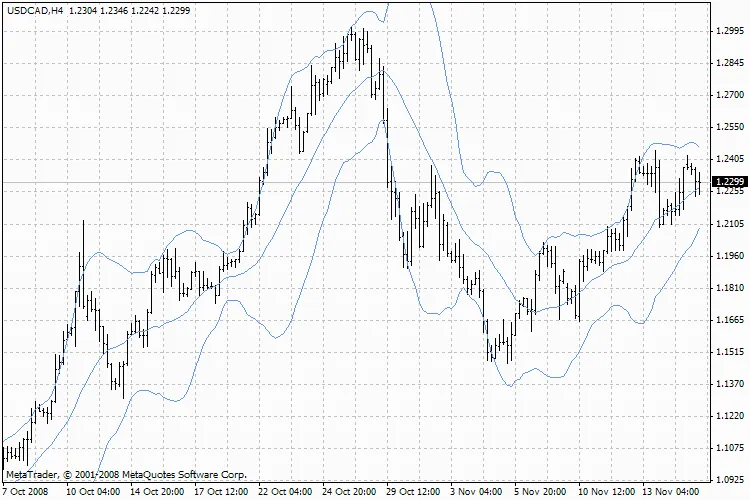
Description: Bollinger Bands, often referred to as BB, are a popular technical indicator that can really enhance your trading game. Think of them as a more dynamic version of Envelopes. While Envelopes are set a fixed percentage away from a moving average, Bollinger Bands adjust according to market volatility by plotting a certain number of standard deviations away from that moving average. This means that as the market shifts, so do the bands! You’ll typically see Bollinger Bands displayed on your price chart, but you can also include them in your indicator chart. Just like with Envelopes, the key to interpreting Bollinger Bands is understanding that prices usually hang out between the upper and lower bands. One of the standout features of this indicator is its variable width, which reflects price volatility. When the market gets choppy, the bands widen, creating space for price movements. Conversely, during calmer periods, the bands tighten, keeping prices within a narrower range. Here are some important characteristics to keep in mind when using Bollinger Bands: Sharp price changes often follow a period when the bands have contracted due to lower volatility. If prices break above the upper band, it usually signals that the current trend is likely to continue. When you see peaks and valleys outside the bands, followed by peaks and valleys inside the bands, it may indicate a potential trend reversal. Price movements that start from one of the band’s lines typically reach the other line, which can be useful for forecasting support and resistance levels. Calculation: Bollinger Bands consist of three lines. The middle line (ML) is a standard Moving Average. ML = SUM [CLOSE, N]/N The upper line (TL) is the middle line plus a certain number of standard deviations (D). TL = ML + (D * StdDev) The lower line (BL) is the middle line minus the same number of standard deviations. BL = ML - (D * StdDev) Where: N — the number of periods used in the calculation; SMA — Simple Moving Average; StdDev — Standard Deviation. To calculate Standard Deviation, use the following formula: StdDev = SQRT(SUM[(CLOSE - SMA(CLOSE, N))^2, N]/N) For practical use, it’s recommended to set your middle line as a 20-period Simple Moving Average and position the upper and lower bands two standard deviations away from it. Be cautious with moving averages shorter than 10 periods, as they may not provide reliable signals. Technical Indicator Description You can find a full description of Bollinger Bands in the Technical analysis: Bollinger Bands.

2005.11.29
Understanding the Awesome Oscillator: Your Go-To Guide for Trading Signals
MetaTrader4
Understanding the Awesome Oscillator: Your Go-To Guide for Trading Signals

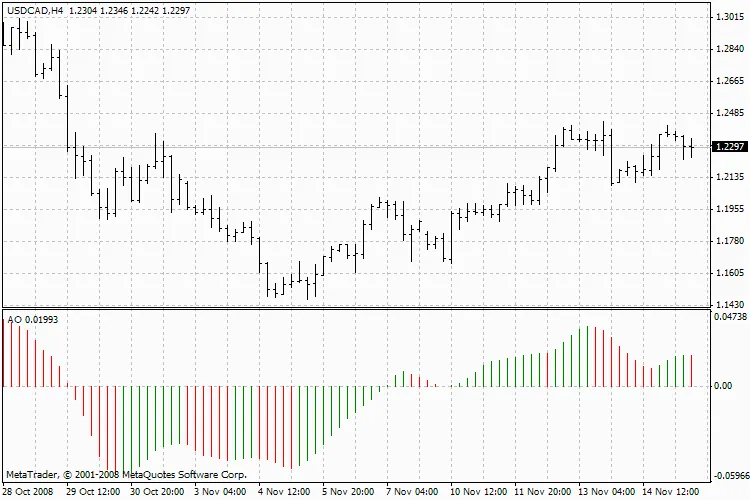
The Awesome Oscillator (AO) is a popular tool among traders, consisting of a 34-period simple Moving Average calculated from the median price of bars and subtracted from a 5-period simple Moving Average. Essentially, it helps us gauge the market's momentum at any given moment. Buy Signals Saucer SignalThis is the primary buy signal you’ll encounter when the AO bars are above the zero line. Here’s what you need to know: The saucer signal forms when the bar chart shifts from downward to upward. You'll see the second column is lower than the first and colored red, while the third column is higher than the second and colored green. For a valid saucer signal, there must be at least three columns in the bar chart. Remember, all Awesome Oscillator columns should remain above the zero line for the saucer signal to be valid. Nought Line CrossingThis buy signal occurs when the bar chart crosses from negative to positive values, moving through the zero line. Key points to consider: Only two columns are needed for this signal; the first must be below the zero line, while the second crosses above it. It’s important to note that buy and sell signals cannot occur simultaneously. Two Pikes SignalThis is another buy signal that can happen when the bar chart is below the zero line. Pay attention to these details: The signal is triggered with a downward pike (the lowest minimum) below the zero line, followed by another downward pike that is slightly higher (a lesser negative number). Ensure that the bar chart remains below the zero line between the two pikes. If it crosses above, the buy signal is invalidated, but another buy signal (nought line crossing) may emerge. Each new pike must be higher than the previous one, meaning it should be a lesser negative value closer to the zero line. If another higher pike forms without crossing the zero line, this will generate an additional buy signal. Sell Signals Sell signals on the Awesome Oscillator mirror the buy signals but in reverse. The saucer signal now occurs below zero, while nought line crossing happens on the decline — where the first column is above zero and the second is below it. The two pikes signal also flips, now appearing above the zero line. Calculation The Awesome Oscillator is calculated as follows: MEDIAN PRICE = (HIGH + LOW) / 2AO = SMA(MEDIAN PRICE, 5) - SMA(MEDIAN PRICE, 34) Where: SMA — Simple Moving Average. Technical Indicator Description For a deeper dive into the Awesome Oscillator, check out the full description in the Technical analysis: Awesome Oscillator.

2005.11.29
Understanding the Alligator Indicator: A Trader’s Guide
MetaTrader4
Understanding the Alligator Indicator: A Trader’s Guide

The Alligator Indicator is a fascinating tool in the technical analysis arsenal, blending balance lines—essentially Moving Averages—with principles of fractal geometry and nonlinear dynamics. Breaking Down the Alligator's Lines Jaw (Blue Line): This line represents the balance for the timeframe used to create the chart, utilizing a 13-period Smoothed Moving Average, shifted 8 bars into the future. Teeth (Red Line): This line works on a slightly lower timeframe, employing an 8-period Smoothed Moving Average, moved 5 bars forward. Lips (Green Line): This line reflects the lowest timeframe, using a 5-period Smoothed Moving Average, shifted 3 bars ahead. These three components—the Lips, Teeth, and Jaw—illustrate the interactions across different timeframes. It's crucial to recognize that clear trends only emerge 15% to 30% of the time. Thus, it's wise to focus on these trends and steer clear of markets that oscillate within narrow price ranges. When the Jaw, Teeth, and Lips come together or intertwine, it signals that the Alligator is either asleep or about to drift off. As it sleeps, it grows hungrier—meaning the longer it slumbers, the more ravenous it becomes. Once it awakens, its first action is to open its mouth and yawn, catching a whiff of potential trades: the bulls or bears. This is when the Alligator begins its hunt. After it’s had its fill, it loses interest in the price movements (the balance lines converge), indicating that it’s time to take profits. Learn More About the Alligator Indicator For an in-depth exploration of the Alligator, check out the Technical Analysis: Alligator.

2005.11.29
First Previous 395 396 397 398 399 400 401 Next Last